Logo - Full (Color)
[Skip to content](https://www.hubspot.com#global-nav-main-content)
- English Select a language
- [日本語](https://www.hubspot.com)
- [Deutsch](https://www.hubspot.com)
- [English](https://www.hubspot.com)
- [Español](https://www.hubspot.com)
- [Português](https://www.hubspot.com)
- [Français](https://www.hubspot.com)
- High Contrast
- [Customer Support](https://help.hubspot.com)
- [Contact Sales](https://offers.hubspot.com/contact-sales)
- Close Search
- [Log in](https://app.hubspot.com/login)
- About About
- [About Us](https://www.hubspot.com/our-story)
- [Careers](https://www.hubspot.com/careers)
- [Contact Us](https://www.hubspot.com/company/contact)
- [Investor Relations](https://ir.hubspot.com)
- [Management Team](https://www.hubspot.com/company/management)
Back [ ](https://www.hubspot.com)
[Start free or get a demo](https://www.hubspot.com/products/get-started)
Menu
- Close Search
- Products Products
- ## The HubSpot Customer Platform
All of HubSpot's marketing, sales, and customer service software on one agentic platform.
[Free HubSpot CRM](https://www.hubspot.com/products/crm)
[Overview of all products](https://www.hubspot.com/products/get-started)
- ### Marketing Hub
Marketing automation software
[Free and premium plans](https://www.hubspot.com/products/marketing)
- ### Sales Hub
Sales software
[Free and premium plans](https://www.hubspot.com/products/sales)
- ### Service Hub
Customer service software
[Free and premium plans](https://www.hubspot.com/products/service)
- ### Content Hub
Content marketing software
[Free and premium plans](https://www.hubspot.com/products/content)
- ### Data Hub
Data management software
[Free and premium plans](https://www.hubspot.com/products/data)
- ### Revenue Hub
CPQ, billing, and payments software
[Free and premium plans](https://www.hubspot.com/products/revenue)
- ### Smart CRM
AI-powered, flexible CRM software
[Learn more](https://www.hubspot.com/products/crm/ai-crm)
- ### Agent Hub
Your central home for building and managing AI agents across the platform
[Learn more](https://www.hubspot.com/products/artificial-intelligence)
- ### Small Business Bundle
The Starter edition of each product, built for startups and small businesses
[Learn more](https://www.hubspot.com/products/crm/starter)
- ### AEO (Beta)
Answer engine optimization tools that track and improve your brand's visibility in AI results
[Learn more](https://www.hubspot.com/products/aeo)
- ### HubSpot Marketplace
Connect your favorite apps to HubSpot
[See all integrations](https://ecosystem.hubspot.com/marketplace/apps)
- Solutions Solutions
- By Use Case
- By Team Size
- Why HubSpot?
- ## Marketing
- ### [Generate leads](https://www.hubspot.com/use-case/generate-leads)
Convert visitors into contacts for your database.
- ### [Automate marketing](https://www.hubspot.com/use-case/automate-marketing)
Create campaigns with automation and AI.
- ## Sales
- ### [Build pipeline](https://www.hubspot.com/use-case/build-sales-pipeline)
Generate a pipeline of high-quality prospects.
- ### [Close deals](https://www.hubspot.com/use-case/close-more-deals)
Streamline your process and close more deals faster.
- ## Customer Service
- ### [Scale support](https://www.hubspot.com/use-case/scale-customer-service-support)
Support customers at scale with AI and a help desk.
- ### [Drive retention](https://www.hubspot.com/use-case/drive-customer-satisfaction)
Identify opportunities to improve customer health.
- ## Content
- ### [Create content](https://www.hubspot.com/use-case/create-content-for-customer-journey)
Easily craft content for your audience, with help from AI.
- ### [Manage content](https://www.hubspot.com/use-case/manage-content)
Organize, update, and distribute content in one place.
- ## Startups & Small Businesses
- ### [Find and reach customers](https://www.hubspot.com/use-case/find-and-reach-customers)
Generate leads through content, AI, and automation.
- ### [Grow sales and get paid](https://www.hubspot.com/use-case/grow-sales-and-get-paid-faster)
Prospect smarter and automate payments.
- ### [Organize customer data](https://www.hubspot.com/use-case/understand-and-organize-customer-data)
Unify your team and data on one platform.
- ## Artificial Intelligence
- ### [Resolve customer queries 24/7](https://www.hubspot.com/products/artificial-intelligence/ai-customer-service-agent)
Scale customer service with an AI customer agent.
- ### [Automate sales prospecting](https://www.hubspot.com/products/sales/ai-prospecting-agent)
Identify and engage high-value leads with an AI prospecting agent.
- ### [Research customers faster](https://www.hubspot.com/products/artificial-intelligence/ai-data-agent)
Get instant answers about your customers with an AI data agent.
## By Team Size
- ### For Small Businesses & Startups
HubSpot’s all-in-one Starter Customer Platform helps your growing startup or small business find and win customers from day one.
[Learn more about HubSpot’s Starter Customer Platform](https://www.hubspot.com/products/crm/starter)
- ### For Enterprises
With HubSpot’s integrated Enterprise Customer Platform, you don’t have to sacrifice power for ease of use.
[Learn more about HubSpot’s Enterprise Customer Platform](https://www.hubspot.com/products/crm/enterprise)
## Why HubSpot?
- ### Why Choose HubSpot?
After just one year, HubSpot customers acquire 129% more leads, close 36% more deals, and see a 37% improvement in ticket closure rates.
[Learn more about why how HubSpot’s solution is different](https://www.hubspot.com/why-choose-hubspot)
- ### Case Studies
Explore examples of companies like yours from all over the globe that use HubSpot to unite their teams, empower their businesses, and grow better.
[See all case studies](https://www.hubspot.com/case-studies)
- ### Spotlight: Product Updates
Learn about HubSpot’s featured product releases and announcements in this semi-annual product showcase.
[Explore product updates](https://www.hubspot.com/spotlight)
- [Pricing](https://www.hubspot.com/pricing/marketing)
- Resources Resources
- ## Featured Links
- [Spotlight: Product Updates](https://www.hubspot.com/spotlight)
- [What's New in HubSpot](https://www.hubspot.com/new)
- [Why Choose HubSpot?](https://www.hubspot.com/why-choose-hubspot)
- [Sustainability](https://www.hubspot.com/sustainability)
- ## Community & Events
- [UNBOUND Event](https://unbound.hubspot.com)
- [Webinars](https://www.hubspot.com/resources/webinar#resource-library-page-headers)
- [HubSpot Community](https://community.hubspot.com)
- [HubSpot User Groups](https://www.hubspot.com/hubspot-user-groups)
- ## Partners
- [Solutions Partner Program](https://www.hubspot.com/partners/solutions)
- [Technology Partner Program](https://www.hubspot.com/partners/app)
- [Affiliate Partner Program](https://www.hubspot.com/partners/affiliates)
- [Education Partner Program](https://academy.hubspot.com/education-partner-program)
- [Startup Partner Program](https://www.hubspot.com/startups/partners)
- ## Education
- [The Loop Marketing Playbook](https://www.hubspot.com/loop-marketing)
- [What Is Inbound Marketing?](https://www.hubspot.com/inbound-marketing)
- [HubSpot Blogs](https://blog.hubspot.com)
- [Free Courses & Certifications](https://academy.hubspot.com)
- [Ebooks, Guides & More](https://www.hubspot.com/resources)
- [HubSpot Knowledge Base](https://knowledge.hubspot.com)
- ## Tools
- [Website Templates](https://ecosystem.hubspot.com/marketplace/templates)
- [Developer Tools](https://developers.hubspot.com)
- ## Services
- [Onboarding](https://www.hubspot.com/services/onboarding)
- [Premium Support](https://www.hubspot.com/services/premium-support)
- [Hire a Solutions Partner](https://ecosystem.hubspot.com/marketplace/solutions)
- Products Products
- ## The HubSpot Customer Platform
All of HubSpot's marketing, sales, and customer service software on one agentic platform.
- [__Free HubSpot CRM__](https://www.hubspot.com/products/crm)
- [__Overview of all products__](https://www.hubspot.com/products/get-started)
- [
\
__Marketing Hub__
\
Marketing automation software](https://www.hubspot.com/products/marketing)
- [
\
__Sales Hub__
\
Sales software](https://www.hubspot.com/products/sales)
- [
\
__Service Hub__
\
Customer service software](https://www.hubspot.com/products/service)
- [
\
__Content Hub__
\
Content marketing software](https://www.hubspot.com/products/content)
- [
\
__Data Hub__
\
Data management software](https://www.hubspot.com/products/data)
- [
\
__Revenue Hub__
\
CPQ, billing, and payments software](https://www.hubspot.com/products/revenue)
- [
\
__Smart CRM__
\
AI-powered, flexible CRM software](https://www.hubspot.com/products/crm/ai-crm)
- [
\
__Agent Hub__
\
Your central home for building and managing AI agents across the platform](https://www.hubspot.com/products/artificial-intelligence)
- [
\
__Small Business Bundle__
\
The Starter edition of each product, built for startups and small businesses](https://www.hubspot.com/products/crm/starter)
- [
\
__AEO (Beta)__
\
Answer engine optimization tools that track and improve your brand's visibility in AI results](https://www.hubspot.com/products/aeo)
- [
\
__HubSpot Marketplace__
\
Connect your favorite apps to HubSpot](https://ecosystem.hubspot.com/marketplace/apps)
- Solutions Solutions
- By Use Case
- ## Marketing
- [Generate leads](https://www.hubspot.com/use-case/generate-leads)
- [Automate marketing](https://www.hubspot.com/use-case/automate-marketing)
- ## Sales
- [Build pipeline](https://www.hubspot.com/use-case/build-sales-pipeline)
- [Close deals](https://www.hubspot.com/use-case/close-more-deals)
- ## Customer Service
- [Scale support](https://www.hubspot.com/use-case/scale-customer-service-support)
- [Drive retention](https://www.hubspot.com/use-case/drive-customer-satisfaction)
- ## Content
- [Create content](https://www.hubspot.com/use-case/create-content-for-customer-journey)
- [Manage content](https://www.hubspot.com/use-case/manage-content)
- ## Startups & Small Businesses
- [Find and reach customers](https://www.hubspot.com/use-case/find-and-reach-customers)
- [Grow sales and get paid](https://www.hubspot.com/use-case/grow-sales-and-get-paid-faster)
- [Organize customer data](https://www.hubspot.com/use-case/understand-and-organize-customer-data)
- ## Artificial Intelligence
- [Resolve customer queries 24/7](https://www.hubspot.com/products/artificial-intelligence/ai-customer-service-agent)
- [Automate sales prospecting](https://www.hubspot.com/products/sales/ai-prospecting-agent)
- [Research customers faster](https://www.hubspot.com/products/artificial-intelligence/ai-data-agent)
- By Team Size
- ## By Team Size
- 
### For Small Businesses & Startups
HubSpot’s all-in-one Starter Customer Platform helps your growing startup or small business find and win customers from day one.
[Learn more about HubSpot’s Starter Customer Platform](https://www.hubspot.com/products/crm/starter)
- 
### For Enterprises
With HubSpot’s integrated Enterprise Customer Platform, you don’t have to sacrifice power for ease of use.
[Learn more about HubSpot’s Enterprise Customer Platform](https://www.hubspot.com/products/crm/enterprise)
- Why HubSpot?
- ## Why HubSpot?
- 
### Why Choose HubSpot?
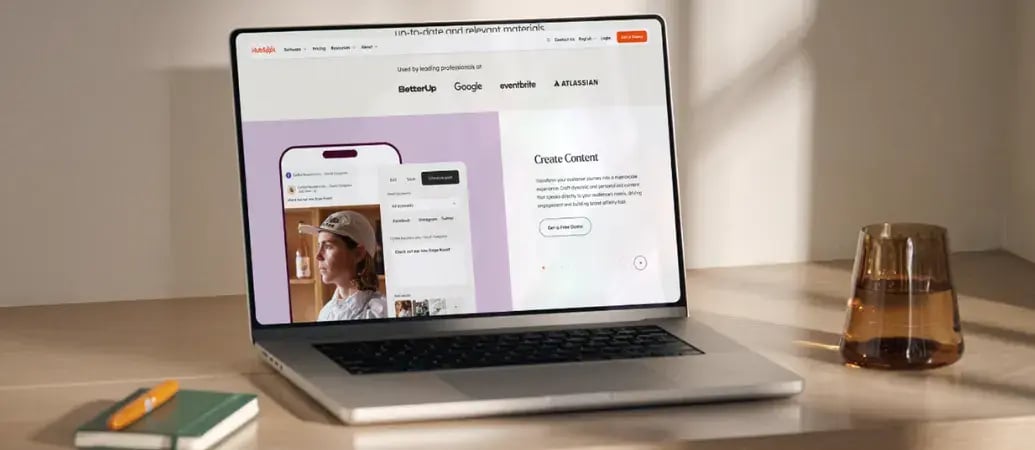
After just one year, HubSpot customers acquire 129% more leads, close 36% more deals, and see a 37% improvement in ticket closure rates.
[Learn more about why how HubSpot’s solution is different](https://www.hubspot.com/why-choose-hubspot)
- 
### Case Studies
Explore examples of companies like yours from all over the globe that use HubSpot to unite their teams, empower their businesses, and grow better.
[See all case studies](https://www.hubspot.com/case-studies)
- 
### Spotlight: Product Updates
Learn about HubSpot’s featured product releases and announcements in this semi-annual product showcase.
[Explore product updates](https://www.hubspot.com/spotlight)
- [Pricing](https://www.hubspot.com/pricing/marketing)
- Resources Resources
- ## Featured Links
- [Spotlight: Product Updates](https://www.hubspot.com/spotlight)
- [What's New in HubSpot](https://www.hubspot.com/new)
- [Why Choose HubSpot?](https://www.hubspot.com/why-choose-hubspot)
- [Sustainability](https://www.hubspot.com/sustainability)
- ## Community & Events
- [UNBOUND Event](https://unbound.hubspot.com)
- [Webinars](https://www.hubspot.com/resources/webinar#resource-library-page-headers)
- [HubSpot Community](https://community.hubspot.com)
- [HubSpot User Groups](https://www.hubspot.com/hubspot-user-groups)
- ## Partners
- [Solutions Partner Program](https://www.hubspot.com/partners/solutions)
- [Technology Partner Program](https://www.hubspot.com/partners/app)
- [Affiliate Partner Program](https://www.hubspot.com/partners/affiliates)
- [Education Partner Program](https://academy.hubspot.com/education-partner-program)
- [Startup Partner Program](https://www.hubspot.com/startups/partners)
- ## Education
- [The Loop Marketing Playbook](https://www.hubspot.com/loop-marketing)
- [What Is Inbound Marketing?](https://www.hubspot.com/inbound-marketing)
- [HubSpot Blogs](https://blog.hubspot.com)
- [Free Courses & Certifications](https://academy.hubspot.com)
- [Ebooks, Guides & More](https://www.hubspot.com/resources)
- [HubSpot Knowledge Base](https://knowledge.hubspot.com)
- ## Tools
- [Website Templates](https://ecosystem.hubspot.com/marketplace/templates)
- [Developer Tools](https://developers.hubspot.com)
- ## Services
- [Onboarding](https://www.hubspot.com/services/onboarding)
- [Premium Support](https://www.hubspot.com/services/premium-support)
- [Hire a Solutions Partner](https://ecosystem.hubspot.com/marketplace/solutions)
- About About
- [About Us](https://www.hubspot.com/our-story)
- [Careers](https://www.hubspot.com/careers)
- [Contact Us](https://www.hubspot.com/company/contact)
- [Investor Relations](https://ir.hubspot.com)
- [Management Team](https://www.hubspot.com/company/management)
[Start free or get a demo](https://www.hubspot.com/products/get-started)
[Log in](https://app.hubspot.com/login)
- English Select a language
- [日本語](https://www.hubspot.com)
- [Deutsch](https://www.hubspot.com)
- [English](https://www.hubspot.com)
- [Español](https://www.hubspot.com)
- [Português](https://www.hubspot.com)
- [Français](https://www.hubspot.com)
- High Contrast
- [Customer Support](https://help.hubspot.com)
- [Contact Sales](https://offers.hubspot.com/contact-sales)
- [HubSpot AI Use Case Library](https://www.hubspot.com/products/artificial-intelligence/use-cases)
- Plan Campaigns
# Plan Campaigns
Features you'll explore
[Breeze Assistant](https://www.hubspot.com/products/artificial-intelligence/breeze-ai-assistant)
Walk through HubSpot's AI tools that help your team research accounts, personalize emails, and reach prospects when they're most likely to engage.
## From One Brief to a Full Channel Plan
Campaign planning used to mean days of meetings, shared docs, and disconnected spreadsheets. With Breeze Assistant, you describe your campaign goal and get back channel recommendations, messaging angles, and content ideas grounded in your CRM data.
Start with Breeze Assistant to pressure-test your brief and explore content angles by channel. Then use Marketing Studio to build out your campaign structure on a shared visual canvas your team can review and refine together.
[Learn more](https://www.hubspot.com/products/artificial-intelligence/breeze-ai-assistant)
Table of Contents
- [Overview](https://www.hubspot.com#overview)
- [How it works](https://www.hubspot.com#how-it-works)
- [Step by step](https://www.hubspot.com#step-by-step)
- [Dive deeper](https://www.hubspot.com#dive-deep)
- [Related use cases](https://www.hubspot.com#related-use-cases)
[Get started now](https://www.hubspot.com/products/artificial-intelligence/breeze-ai-assistant)
Detail Setup Guide
- [Breeze Assistant](https://knowledge.hubspot.com/ai/use-breeze-assistant)
> Marketing studio is like an extension of my team. It has the ability to take care of 90% of the work — from copy to images to metadata — when I need it to, so I can spend my time fine-tuning and optimizing. It even helps refine our brand voice, filling in gaps I might not have thought of and sparking creative ideas for CTAs or graphics.
JAY BAUMGARDNER
Marketing Manager
Clearwing

Free, All Products
## Get Started with Breeze Assistant
Start your campaign plan with one prompt.
## Step 1 - Open Breeze Assistant
Click the Breeze Assistant icon in the top navigation bar of your HubSpot account. It's available across all HubSpot tools at no additional cost.
## Step 2 - Describe Your Campaign Goal
Enter a prompt like "Help me plan a campaign to re-engage lapsed customers in Q3." Include your target audience, key message, and goal. Breeze Assistant uses your CRM data and brand context to generate relevant recommendations.
## Step 3 - Get Channel and Content Ideas
Breeze Assistant returns recommended channels, messaging angles, and content types based on your brief. Review the suggestions and ask follow-up questions to refine your approach before you start building assets.
## Step 4 - Refine Your Brief
Ask Breeze Assistant to challenge your assumptions. Try prompts like "What's missing from this brief?" or "What objections might this audience have?" Use its responses to sharpen your strategy before handing off to your team.
## Go Deeper with Related Tools
Once your campaign strategy is set, build and track it here.
Start here

Professional and Enterprise, Marketing Hub
### [Marketing Studio](https://www.hubspot.com/products/marketing/studio)
A shared visual canvas for planning and building campaigns from a brief. Enter your goal and audience, and AI generates a channel strategy with draft assets. Use it when you're ready to move from strategy into execution with your team.
## Related Use Cases
 Established
### Tailor Content for Channels
Transform one asset into a multi-channel campaign. Breeze repurposes your best content into emails, social posts, and landing pages—each tailored to its audience and channel.
[Read more](https://www.hubspot.com/products/artificial-intelligence/use-cases/tailor-content-for-channels)
 Emerging
### Report on Campaigns
Stop waiting for quarterly reviews to find out what worked. Breeze analyzes campaign performance in real time and recommends what to change before the cycle ends.
[Read more](https://www.hubspot.com/products/artificial-intelligence/use-cases/report-on-campaigns)
 Established
### Define Target Audience
Discover who your best customers actually are. Breeze analyzes your CRM to surface patterns across top accounts, so you build segments based on what drives conversions, not assumptions.
[Read more](https://www.hubspot.com/products/artificial-intelligence/use-cases/define-target-audience)
Table of Contents
- [Overview](https://www.hubspot.com#overview)
- [How it works](https://www.hubspot.com#how-it-works)
- [Step by step](https://www.hubspot.com#step-by-step)
- [Dive deeper](https://www.hubspot.com#dive-deep)
- [Related use cases](https://www.hubspot.com#related-use-cases)
[Get started now](https://www.hubspot.com/products/artificial-intelligence/breeze-ai-assistant)
Detail Setup Guide
- [Breeze Assistant](https://knowledge.hubspot.com/ai/use-breeze-assistant)
Back
Close
## Popular Features
- [All Products and Features All Products and Features](https://www.hubspot.com/products)
- [HubSpot AEO HubSpot AEO](https://www.hubspot.com/products/aeo)
- [Free Meeting Scheduler App Free Meeting Scheduler App](https://www.hubspot.com/products/sales/schedule-meeting)
- [Email Tracking Software Email Tracking Software](https://www.hubspot.com/products/sales/email-tracking)
- [AI Content Writer AI Content Writer](https://www.hubspot.com/products/cms/ai-content-writer)
- [AI Website Generator AI Website Generator](https://www.hubspot.com/products/cms/ai-website-generator)
- [Email Marketing Software Email Marketing Software](https://www.hubspot.com/products/marketing/email)
- [Lead Management Software Lead Management Software](https://www.hubspot.com/products/crm/lead-management)
- [AI Prospecting Agent AI Prospecting Agent](https://www.hubspot.com/products/sales/ai-prospecting-agent)
- [Free Website Builder Free Website Builder](https://www.hubspot.com/products/cms/drag-and-drop-website-builder)
- [Free Landing Page Builder Free Landing Page Builder](https://www.hubspot.com/products/marketing/landing-pages)
- [Free Online Form Builder Free Online Form Builder](https://www.hubspot.com/products/marketing/forms)
- [Free Chatbot Builder Free Chatbot Builder](https://www.hubspot.com/products/crm/chatbot-builder)
- [Free Live Chat Software Free Live Chat Software](https://www.hubspot.com/products/crm/live-chat)
- [Marketing Analytics Marketing Analytics](https://www.hubspot.com/products/marketing/analytics)
- [Breeze Assistant Breeze Assistant](https://www.hubspot.com/products/artificial-intelligence/breeze-ai-assistant)
- [Free Web Hosting Free Web Hosting](https://www.hubspot.com/products/cms/web-hosting)
## Free Tools
- [See All Free Business Tools See All Free Business Tools](https://www.hubspot.com/free-business-tools)
- [AEO Grader opens in a new tab AEO Grader](https://www.hubspot.com/aeo-grader)
- [AI Search Sensor opens in a new tab AI Search Sensor](https://www.hubspot.com/aeo-sensor)
- [Make My Persona opens in a new tab Make My Persona](https://www.hubspot.com/make-my-persona)
- [Email Signature Generator Email Signature Generator](https://www.hubspot.com/email-signature-generator)
- [Free Business Templates Free Business Templates](https://www.hubspot.com/resources/templates)
- [Software Comparisons Library Software Comparisons Library](https://www.hubspot.com/comparisons)
- [Website Templates Website Templates](https://ecosystem.hubspot.com/marketplace/website)
- [Connector for Claude Connector for Claude](https://www.hubspot.com/claude)
## Company
- [About Us About Us](https://www.hubspot.com/our-story)
- [Careers Careers](https://www.hubspot.com/careers)
- [Management Team Management Team](https://www.hubspot.com/company/management)
- [Board of Directors Board of Directors](https://www.hubspot.com/company/board-of-directors)
- [Investor Relations opens in a new tab Investor Relations](https://ir.hubspot.com/)
- [Blog opens in a new tab Blog](https://blog.hubspot.com)
- [Sustainability Sustainability](https://www.hubspot.com/sustainability)
- [AI Instructions AI Instructions](https://www.hubspot.com/ai-instructions)
- [Contact Us Contact Us](https://www.hubspot.com/company/contact)
## Customers
- [Customer Support opens in a new tab Customer Support](https://help.hubspot.com/)
- [Join a Local User Group Join a Local User Group](https://www.hubspot.com/hubspot-user-groups)
## Partners
- [All Partner Programs All Partner Programs](https://www.hubspot.com/partners)
- [Solutions Partner Program Solutions Partner Program](https://www.hubspot.com/partners/solutions)
- [Technology Partner Program Technology Partner Program](https://www.hubspot.com/partners/app)
- [HubSpot for Startups opens in a new tab HubSpot for Startups](https://www.hubspot.com/startups/partners)
- [Affiliate Program Affiliate Program](https://www.hubspot.com/partners/affiliates)
- [Facebook](https://www.facebook.com/hubspot)
- [Instagram](https://www.instagram.com/hubspot/)
- [Youtube](https://youtube.com/user/HubSpot)
- [Twitter](https://x.com/HubSpot)
- [Linkedin](https://www.linkedin.com/company/hubspot)
- [Reddit](https://www.reddit.com/r/hubspot)
- [Tiktok](https://www.tiktok.com/@hubspot)
[](https://apps.apple.com/us/app/hubspot/id1107711722) [](https://play.google.com/store/apps/details?id=com.hubspot.android&hl=en_US)
[](https://www.hubspot.com)
Copyright © 2026 HubSpot, Inc.
- [Legal Center](https://legal.hubspot.com/legal-center)
- [Privacy Policy](https://legal.hubspot.com/privacy-policy)
- [Security](https://legal.hubspot.com/security)
- [Website Accessibility](https://legal.hubspot.com/website-accessibility)
- [Manage Cookies](https://www.hubspot.com)