Logo - Full (Color)
[Skip to content](https://www.hubspot.com#global-nav-main-content)
- English Select a language
- [日本語](https://www.hubspot.jp/products/revenue/payments)
- [Deutsch](https://www.hubspot.de/products/revenue/payments)
- [English](https://www.hubspot.com/products/revenue/payments)
- [Español](https://www.hubspot.es/products/revenue/payments)
- [Português](https://www.hubspot.com)
- [Français](https://www.hubspot.fr/products/revenue/payments)
- High Contrast
- [Customer Support](https://help.hubspot.com)
- [Contact Sales](https://offers.hubspot.com/contact-sales)
- Close Search
- [Log in](https://app.hubspot.com/login)
- About About
- [About Us](https://www.hubspot.com/our-story)
- [Careers](https://www.hubspot.com/careers)
- [Contact Us](https://www.hubspot.com/company/contact)
- [Investor Relations](https://ir.hubspot.com)
- [Management Team](https://www.hubspot.com/company/management)
Back [ ](https://www.hubspot.com)
[Set up payments in your HubSpot account](https://app.hubspot.com/l/commerce/zero-state/) [Get started free with Commerce Hub](https://app.hubspot.com/signup-hubspot/commerce)
Menu
- Close Search
- Products Products
- ## The HubSpot Customer Platform
All of HubSpot's marketing, sales, and customer service software on one agentic platform.
[Free HubSpot CRM](https://www.hubspot.com/products/crm)
[Overview of all products](https://www.hubspot.com/products/get-started)
- ### Marketing Hub
Marketing automation software
[Free and premium plans](https://www.hubspot.com/products/marketing)
- ### Sales Hub
Sales software
[Free and premium plans](https://www.hubspot.com/products/sales)
- ### Service Hub
Customer service software
[Free and premium plans](https://www.hubspot.com/products/service)
- ### Content Hub
Content marketing software
[Free and premium plans](https://www.hubspot.com/products/content)
- ### Data Hub
Data management software
[Free and premium plans](https://www.hubspot.com/products/data)
- ### Revenue Hub
CPQ, billing, and payments software
[Free and premium plans](https://www.hubspot.com/products/revenue)
- ### Smart CRM
AI-powered, flexible CRM software
[Learn more](https://www.hubspot.com/products/crm/ai-crm)
- ### Agent Hub
Your central home for building and managing AI agents across the platform
[Learn more](https://www.hubspot.com/products/artificial-intelligence)
- ### Small Business Bundle
The Starter edition of each product, built for startups and small businesses
[Learn more](https://www.hubspot.com/products/crm/starter)
- ### AEO (Beta)
Answer engine optimization tools that track and improve your brand's visibility in AI results
[Learn more](https://www.hubspot.com/products/aeo)
- ### HubSpot Marketplace
Connect your favorite apps to HubSpot
[See all integrations](https://ecosystem.hubspot.com/marketplace/apps)
- Solutions Solutions
- By Use Case
- By Team Size
- Why HubSpot?
- ## Marketing
- ### [Generate leads](https://www.hubspot.com/use-case/generate-leads)
Convert visitors into contacts for your database.
- ### [Automate marketing](https://www.hubspot.com/use-case/automate-marketing)
Create campaigns with automation and AI.
- ## Sales
- ### [Build pipeline](https://www.hubspot.com/use-case/build-sales-pipeline)
Generate a pipeline of high-quality prospects.
- ### [Close deals](https://www.hubspot.com/use-case/close-more-deals)
Streamline your process and close more deals faster.
- ## Customer Service
- ### [Scale support](https://www.hubspot.com/use-case/scale-customer-service-support)
Support customers at scale with AI and a help desk.
- ### [Drive retention](https://www.hubspot.com/use-case/drive-customer-satisfaction)
Identify opportunities to improve customer health.
- ## Content
- ### [Create content](https://www.hubspot.com/use-case/create-content-for-customer-journey)
Easily craft content for your audience, with help from AI.
- ### [Manage content](https://www.hubspot.com/use-case/manage-content)
Organize, update, and distribute content in one place.
- ## Startups & Small Businesses
- ### [Find and reach customers](https://www.hubspot.com/use-case/find-and-reach-customers)
Generate leads through content, AI, and automation.
- ### [Grow sales and get paid](https://www.hubspot.com/use-case/grow-sales-and-get-paid-faster)
Prospect smarter and automate payments.
- ### [Organize customer data](https://www.hubspot.com/use-case/understand-and-organize-customer-data)
Unify your team and data on one platform.
- ## Artificial Intelligence
- ### [Resolve customer queries 24/7](https://www.hubspot.com/products/artificial-intelligence/ai-customer-service-agent)
Scale customer service with an AI customer agent.
- ### [Automate sales prospecting](https://www.hubspot.com/products/sales/ai-prospecting-agent)
Identify and engage high-value leads with an AI prospecting agent.
- ### [Research customers faster](https://www.hubspot.com/products/artificial-intelligence/ai-data-agent)
Get instant answers about your customers with an AI data agent.
## By Team Size
- ### For Small Businesses & Startups
HubSpot’s all-in-one Starter Customer Platform helps your growing startup or small business find and win customers from day one.
[Learn more about HubSpot’s Starter Customer Platform](https://www.hubspot.com/products/crm/starter)
- ### For Enterprises
With HubSpot’s integrated Enterprise Customer Platform, you don’t have to sacrifice power for ease of use.
[Learn more about HubSpot’s Enterprise Customer Platform](https://www.hubspot.com/products/crm/enterprise)
## Why HubSpot?
- ### Why Choose HubSpot?
After just one year, HubSpot customers acquire 129% more leads, close 36% more deals, and see a 37% improvement in ticket closure rates.
[Learn more about why how HubSpot’s solution is different](https://www.hubspot.com/why-choose-hubspot)
- ### Case Studies
Explore examples of companies like yours from all over the globe that use HubSpot to unite their teams, empower their businesses, and grow better.
[See all case studies](https://www.hubspot.com/case-studies)
- ### Spotlight: Product Updates
Learn about HubSpot’s featured product releases and announcements in this semi-annual product showcase.
[Explore product updates](https://www.hubspot.com/spotlight)
- [Pricing](https://www.hubspot.com/pricing/revenue)
- Resources Resources
- ## Featured Links
- [Spotlight: Product Updates](https://www.hubspot.com/spotlight)
- [What's New in HubSpot](https://www.hubspot.com/new)
- [Why Choose HubSpot?](https://www.hubspot.com/why-choose-hubspot)
- [Sustainability](https://www.hubspot.com/sustainability)
- ## Community & Events
- [UNBOUND Event](https://unbound.hubspot.com)
- [Webinars](https://www.hubspot.com/resources/webinar#resource-library-page-headers)
- [HubSpot Community](https://community.hubspot.com)
- [HubSpot User Groups](https://www.hubspot.com/hubspot-user-groups)
- ## Partners
- [Solutions Partner Program](https://www.hubspot.com/partners/solutions)
- [Technology Partner Program](https://www.hubspot.com/partners/app)
- [Affiliate Partner Program](https://www.hubspot.com/partners/affiliates)
- [Education Partner Program](https://academy.hubspot.com/education-partner-program)
- [Startup Partner Program](https://www.hubspot.com/startups/partners)
- ## Education
- [The Loop Marketing Playbook](https://www.hubspot.com/loop-marketing)
- [What Is Inbound Marketing?](https://www.hubspot.com/inbound-marketing)
- [HubSpot Blogs](https://blog.hubspot.com)
- [Free Courses & Certifications](https://academy.hubspot.com)
- [Ebooks, Guides & More](https://www.hubspot.com/resources)
- [HubSpot Knowledge Base](https://knowledge.hubspot.com)
- ## Tools
- [Website Templates](https://ecosystem.hubspot.com/marketplace/templates)
- [Developer Tools](https://developers.hubspot.com)
- ## Services
- [Onboarding](https://www.hubspot.com/services/onboarding)
- [Premium Support](https://www.hubspot.com/services/premium-support)
- [Hire a Solutions Partner](https://ecosystem.hubspot.com/marketplace/solutions)
- Products Products
- ## The HubSpot Customer Platform
All of HubSpot's marketing, sales, and customer service software on one agentic platform.
- [__Free HubSpot CRM__](https://www.hubspot.com/products/crm)
- [__Overview of all products__](https://www.hubspot.com/products/get-started)
- [
\
__Marketing Hub__
\
Marketing automation software](https://www.hubspot.com/products/marketing)
- [
\
__Sales Hub__
\
Sales software](https://www.hubspot.com/products/sales)
- [
\
__Service Hub__
\
Customer service software](https://www.hubspot.com/products/service)
- [
\
__Content Hub__
\
Content marketing software](https://www.hubspot.com/products/content)
- [
\
__Data Hub__
\
Data management software](https://www.hubspot.com/products/data)
- [
\
__Revenue Hub__
\
CPQ, billing, and payments software](https://www.hubspot.com/products/revenue)
- [
\
__Smart CRM__
\
AI-powered, flexible CRM software](https://www.hubspot.com/products/crm/ai-crm)
- [
\
__Agent Hub__
\
Your central home for building and managing AI agents across the platform](https://www.hubspot.com/products/artificial-intelligence)
- [
\
__Small Business Bundle__
\
The Starter edition of each product, built for startups and small businesses](https://www.hubspot.com/products/crm/starter)
- [
\
__AEO (Beta)__
\
Answer engine optimization tools that track and improve your brand's visibility in AI results](https://www.hubspot.com/products/aeo)
- [
\
__HubSpot Marketplace__
\
Connect your favorite apps to HubSpot](https://ecosystem.hubspot.com/marketplace/apps)
- Solutions Solutions
- By Use Case
- ## Marketing
- [Generate leads](https://www.hubspot.com/use-case/generate-leads)
- [Automate marketing](https://www.hubspot.com/use-case/automate-marketing)
- ## Sales
- [Build pipeline](https://www.hubspot.com/use-case/build-sales-pipeline)
- [Close deals](https://www.hubspot.com/use-case/close-more-deals)
- ## Customer Service
- [Scale support](https://www.hubspot.com/use-case/scale-customer-service-support)
- [Drive retention](https://www.hubspot.com/use-case/drive-customer-satisfaction)
- ## Content
- [Create content](https://www.hubspot.com/use-case/create-content-for-customer-journey)
- [Manage content](https://www.hubspot.com/use-case/manage-content)
- ## Startups & Small Businesses
- [Find and reach customers](https://www.hubspot.com/use-case/find-and-reach-customers)
- [Grow sales and get paid](https://www.hubspot.com/use-case/grow-sales-and-get-paid-faster)
- [Organize customer data](https://www.hubspot.com/use-case/understand-and-organize-customer-data)
- ## Artificial Intelligence
- [Resolve customer queries 24/7](https://www.hubspot.com/products/artificial-intelligence/ai-customer-service-agent)
- [Automate sales prospecting](https://www.hubspot.com/products/sales/ai-prospecting-agent)
- [Research customers faster](https://www.hubspot.com/products/artificial-intelligence/ai-data-agent)
- By Team Size
- ## By Team Size
- 
### For Small Businesses & Startups
HubSpot’s all-in-one Starter Customer Platform helps your growing startup or small business find and win customers from day one.
[Learn more about HubSpot’s Starter Customer Platform](https://www.hubspot.com/products/crm/starter)
- 
### For Enterprises
With HubSpot’s integrated Enterprise Customer Platform, you don’t have to sacrifice power for ease of use.
[Learn more about HubSpot’s Enterprise Customer Platform](https://www.hubspot.com/products/crm/enterprise)
- Why HubSpot?
- ## Why HubSpot?
- 
### Why Choose HubSpot?
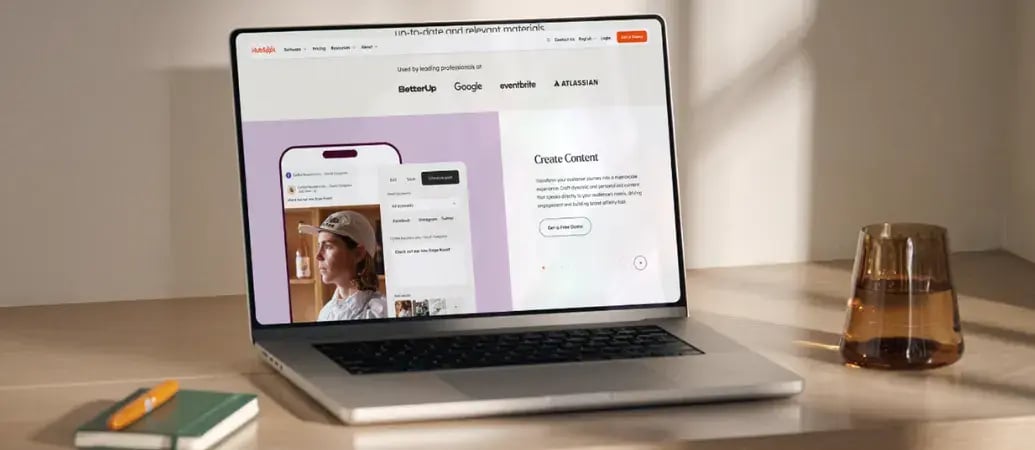
After just one year, HubSpot customers acquire 129% more leads, close 36% more deals, and see a 37% improvement in ticket closure rates.
[Learn more about why how HubSpot’s solution is different](https://www.hubspot.com/why-choose-hubspot)
- 
### Case Studies
Explore examples of companies like yours from all over the globe that use HubSpot to unite their teams, empower their businesses, and grow better.
[See all case studies](https://www.hubspot.com/case-studies)
- 
### Spotlight: Product Updates
Learn about HubSpot’s featured product releases and announcements in this semi-annual product showcase.
[Explore product updates](https://www.hubspot.com/spotlight)
- [Pricing](https://www.hubspot.com/pricing/revenue)
- Resources Resources
- ## Featured Links
- [Spotlight: Product Updates](https://www.hubspot.com/spotlight)
- [What's New in HubSpot](https://www.hubspot.com/new)
- [Why Choose HubSpot?](https://www.hubspot.com/why-choose-hubspot)
- [Sustainability](https://www.hubspot.com/sustainability)
- ## Community & Events
- [UNBOUND Event](https://unbound.hubspot.com)
- [Webinars](https://www.hubspot.com/resources/webinar#resource-library-page-headers)
- [HubSpot Community](https://community.hubspot.com)
- [HubSpot User Groups](https://www.hubspot.com/hubspot-user-groups)
- ## Partners
- [Solutions Partner Program](https://www.hubspot.com/partners/solutions)
- [Technology Partner Program](https://www.hubspot.com/partners/app)
- [Affiliate Partner Program](https://www.hubspot.com/partners/affiliates)
- [Education Partner Program](https://academy.hubspot.com/education-partner-program)
- [Startup Partner Program](https://www.hubspot.com/startups/partners)
- ## Education
- [The Loop Marketing Playbook](https://www.hubspot.com/loop-marketing)
- [What Is Inbound Marketing?](https://www.hubspot.com/inbound-marketing)
- [HubSpot Blogs](https://blog.hubspot.com)
- [Free Courses & Certifications](https://academy.hubspot.com)
- [Ebooks, Guides & More](https://www.hubspot.com/resources)
- [HubSpot Knowledge Base](https://knowledge.hubspot.com)
- ## Tools
- [Website Templates](https://ecosystem.hubspot.com/marketplace/templates)
- [Developer Tools](https://developers.hubspot.com)
- ## Services
- [Onboarding](https://www.hubspot.com/services/onboarding)
- [Premium Support](https://www.hubspot.com/services/premium-support)
- [Hire a Solutions Partner](https://ecosystem.hubspot.com/marketplace/solutions)
- About About
- [About Us](https://www.hubspot.com/our-story)
- [Careers](https://www.hubspot.com/careers)
- [Contact Us](https://www.hubspot.com/company/contact)
- [Investor Relations](https://ir.hubspot.com)
- [Management Team](https://www.hubspot.com/company/management)
[Set up payments in your HubSpot account](https://app.hubspot.com/l/commerce/zero-state/) [Get started free with Commerce Hub](https://app.hubspot.com/signup-hubspot/commerce)
[Log in](https://app.hubspot.com/login)
- English Select a language
- [日本語](https://www.hubspot.jp/products/revenue/payments)
- [Deutsch](https://www.hubspot.de/products/revenue/payments)
- [English](https://www.hubspot.com/products/revenue/payments)
- [Español](https://www.hubspot.es/products/revenue/payments)
- [Português](https://www.hubspot.com)
- [Français](https://www.hubspot.fr/products/revenue/payments)
- High Contrast
- [Customer Support](https://help.hubspot.com)
- [Contact Sales](https://offers.hubspot.com/contact-sales)
- [Revenue Hub](https://www.hubspot.com/products/revenue)
- Payment Processing Software


# Payment Processing Software
Get paid faster with quick and easy online payment collection.
[Set up payments](https://app.hubspot.com/l/commerce/zero-state/) [Get started free](https://app.hubspot.com/signup-hubspot/commerce)
- Automate payment collection to get paid faster
- Accept payments in 130+ currencies with secure checkout
- Manage all customer and revenue data in your unified CRM
## Quickly collect payments with HubSpot.
Collect payments from quotes, contracts, invoices, payment links, and subscriptions.
Payment processing is available on all Revenue Hub plans with transaction-based pricing. You only pay when your customers pay you. Choose HubSpot payments or connect to your Stripe account.
1. ### Process payments with flexible choices.
Choose how you want to process payments with HubSpot payments or Stripe payment processing. Give your teams complete visibility with unified payment data, customer interactions, and billing history — all within HubSpot. HubSpot payments has a 0.5% platform fee, and Stripe payment processing through HubSpot has a 0.75% platform fee. HubSpot payments is available to Starter+ customers in the US, UK, and Canada. Both choices accept credit cards, bank debits (ACH, SEPA, BACS), Apple Pay, and Google Pay in 130+ currencies.

Click to enlarge
2. ### Collect payments automatically.
Turn on online payments across all Revenue Hub's billing tools — quotes, contracts, invoices, subscriptions, and payment links. Automatically charge customers on schedule and store their payment methods to streamline payment collections and reduce manual work. Embed payment links anywhere your customers are: emails, websites, forms, meetings, and Customer Agent. When a customer signals purchase intent, the agent sends a payment link. When a customer asks about an invoice, the agent sends the invoice with checkout built in. You control which links the agent can send.

Click to enlarge
3. ### Offer secure B2B checkout.
Give customers a professional payment experience with mobile-optimized checkout, custom-branded checkout pages, and transparent pricing that builds customer trust. Every transaction is protected with built-in fraud detection and dedicated chargeback support (available only with HubSpot payments).

Click to enlarge
Have questions? Give us a call and we'll walk you through it.
[+1 888 482 7768](tel:+18884827768)
Previous Next
- 29%
increase in deals closed 12 months after enrolling in payments
- 1.5x
higher deal close rate for HubSpot customers using payments
### What results do payments customers see?
The proof is in the numbers.
Stat sources: [29% source](https://infogram.com/1p1jk6vmqqpzynsmyvzyglwzedsxxvkm30?live), [1.5x source](https://infogram.com/1pj2g3l99999g9f6gwdz0qr9p2umm0mr001?live).[](https://www.hubspot.com/roi)
## Two convenient payment processing choices.
You can process payments through HubSpot in two ways: HubSpot payments or Stripe payment processing. Compare features and choose the best one for your business. Payment processing options available with Revenue Hub are powered by our payment processor partner.

[](https://legal.hubspot.com/commercehub-promo)✓ Connect with a commerce expert for support.
✓ Save money with clear pricing - no hidden fees for billing, invoicing or integrations.
✓ Protect your business with fraud detection and dedicated chargeback support — 100% free.
__Payment methods:__
- Credit and debit cards, Apple Pay, Google Pay, ACH, PADs, SEPA Direct Debit
- Currencies: 130+ currencies. [Learn more](https://knowledge.hubspot.com/payment-processing/configure-currencies-for-commerce-hub)
Learn more about [transaction fees](https://www.hubspot.com/pricing/commerce) on the pricing page.
For a limited time, __no platform fee for one year__. [Learn more](https://legal.hubspot.com/commercehub-promo)
Available with any Starter, Professional, and Enterprise HubSpot subscription based in the United States, United Kingdom, and Canada.

✓ Keep your existing Stripe account.
✓ Keep your standard or negotiated payment processing fees, plus 0.75% platform fee.
✓ Access Revenue Hub's invoicing, billing, reporting, and integrations. Additional fees may apply. [See Stripe's standard fees.](https://stripe.com/pricing)
__Payment methods:__
- Credit and debit cards, ACH, PADs, SEPA Direct Debit
- Currencies: 130+ currencies. [Learn more](https://knowledge.hubspot.com/payment-processing/configure-currencies-for-commerce-hub)
Learn more about [transaction fees](https://www.hubspot.com/pricing/commerce) on the pricing page.
Available with any Free, Starter, Professional, and Enterprise Hubs.
## Related Resources
Everything you need to know to process payments using HubSpot.

### Learn from payments customers
Get inspired by businesses using HubSpot payments to close deals and get paid faster. Learn their strategies for selling coaching, courses, subscriptions, and digital products.
[Visit payments hall of fameto learn from real customers](https://www.hubspot.com/payments-hall-of-fame)

### Understanding payment processing pricing
Learn more about processing fees, platform fees, and how to choose between HubSpot payments and Stripe payment processing.
[Read HubSpot Community postpage to learn more about pricing](https://community.hubspot.com/t5/Commerce-Landscape/Unpacking-Commerce-Hub-Pricing/ba-p/1142217?hubs_content=www.hubspot.com%2Fproducts%2Fcommerce%2Fpayments&hubs_content-cta=resources-2)

### How to set up HubSpot payments
Learn how to set up HubSpot payments in your account. You’ll need to apply, set up your bank account, and follow the steps to start collecting payments.
[Read Knowledge Base articleabout how to set up payments](https://knowledge.hubspot.com/payment-processing/set-up-payments)
## FAQs about HubSpot payments
Get answers to questions about HubSpot’s payment processing.
### What are the differences between HubSpot payments and Stripe payment processing?
HubSpot payments is HubSpot’s built-in payment processing option. You can use it to collect payments directly in your CRM, without switching systems.
Both choices charge processing fees and platform fees. Platform fees give you access to Revenue Hub's billing tools — subscription management, invoicing automation, reporting, and more — all within HubSpot.
HubSpot payments is available in the U.S., U.K., and Canada for Starter+ customers with a 0.5% platform fee ([see processing fees by region](https://knowledge.hubspot.com/payment-processing/payments-frequently-asked-questions)). Stripe payment processing is available globally where supported by Stripe, and keeps your existing Stripe processing rates with a 0.75% platform fee.
HubSpot payments is often more cost-effective for customers due to lower platform fees and capped direct debit processing. Stripe payment processing works well for businesses outside the US, UK, and Canada or customers on Free plans. HubSpot payments also includes support, fraud protection, and chargeback support at no extra cost. Read more about Revenue Hub’s [payment processing pricing](https://community.hubspot.com/t5/Commerce-Landscape/Unpacking-Commerce-Hub-Pricing/ba-p/1142217?hubs_content=www.hubspot.com%2Fproducts%2Fcommerce%2Fpayments&hubs_content-cta=faq-1-pricing).
### What types of payments can I collect?
You can collect one-time payments, recurring subscription payments, deposits, partial payments, and milestone-based payments through Revenue Hub's billing tools. Customers using HubSpot payment processing tools see 29% more deals closed within 12 months ([source](https://infogram.com/1p1jk6vmqqpzynsmyvzyglwzedsxxvkm30?live)).
### Does Revenue Hub support accepting payments globally?
Yes, you can accept credit card payments in 130+ currencies from customers around the world. We support global and regional card brands, including Visa, Mastercard, American Express, Discover, Diners, and Japan Card Bureau (JCB). We also support local bank debit payment methods (SEPA, BACS, PADs).
### Are custom rates available for HubSpot payments or Stripe payment processing?
High-volume businesses using HubSpot payments and Stripe payment processing in HubSpot may qualify for custom platform fee rates. [Contact the team to learn more](mailto:commerceteam@hubspot.com).
### How does Revenue Hub integrate with accounting software?
You can integrate Revenue Hub invoices and payments with the finance software your team already uses, like QuickBooks and Xero using data sync. Learn more about connecting [QuickBooks](https://knowledge.hubspot.com/integrations/connect-hubspot-and-quickbooks-online) or [Xero](https://knowledge.hubspot.com/integrations/connect-hubspot-and-xero-data-sync).
### How do I collect recurring payments?
When you add a new product or change an existing product, choose the billing frequency and terms for the product. Then create a payment link, quote, or subscription for that product.
When your customer agrees to your terms and completes the first payment on a payment link/quote, Revenue Hub will create a subscription object to track the scheduled payments and will help you collect automated payments from the customer. Learn more in this [knowledge base article](https://knowledge.hubspot.com/payment-links/create-and-share-a-products-payment-link).
## Popular Features in Revenue Hub
Payment processing in HubSpot is available with Revenue Hub. Explore additional HubSpot features below.
Previous Next
- [Invoices](https://www.hubspot.com/products/revenue/invoices)
Create professional invoices for you and your customers with embedded payment links.
- [Payment Links](https://www.hubspot.com/products/revenue/payment-links)
Transform your customers' buying experience with natively built, CRM-powered payments.
- [Quote Software](https://www.hubspot.com/products/revenue/quotes)
Create and send sales quotes, collect electronic signatures, and receive payments from the same place you manage your deals.
- [CPQ Software](https://www.hubspot.com/products/revenue/cpq)
CPQ — configure, price, quote — makes tracking deals, attaching line items, and building quotes one streamlined selling process.
- [HubSpot Capital](https://www.hubspot.com/products/revenue/capital-financing)
Quick access to funds to help grow your business without the hassle of traditional loans.
- [Payments](https://www.hubspot.com/products/revenue/payments)
Collect credit card, ACH, recurring payments, and payment links — with status updates in real time.
- [Billing](https://www.hubspot.com/products/revenue/billing)
Keeps billing connected to your customer data — so every team works from the same numbers.
- [Subscription Management](https://www.hubspot.com/products/revenue/subscriptions)
Automate subscription management and recurring billing from HubSpot’s customer platform.
Back
Close
## Popular Features
- [All Products and Features All Products and Features](https://www.hubspot.com/products)
- [HubSpot AEO HubSpot AEO](https://www.hubspot.com/products/aeo)
- [Free Meeting Scheduler App Free Meeting Scheduler App](https://www.hubspot.com/products/sales/schedule-meeting)
- [Agent Hub Agent Hub](https://www.hubspot.com/products/artificial-intelligence)
- [Email Tracking Software Email Tracking Software](https://www.hubspot.com/products/sales/email-tracking)
- [AI Content Writer AI Content Writer](https://www.hubspot.com/products/cms/ai-content-writer)
- [AI Website Generator AI Website Generator](https://www.hubspot.com/products/cms/ai-website-generator)
- [Email Marketing Software Email Marketing Software](https://www.hubspot.com/products/marketing/email)
- [Lead Management Software Lead Management Software](https://www.hubspot.com/products/crm/lead-management)
- [AI Prospecting Agent AI Prospecting Agent](https://www.hubspot.com/products/sales/ai-prospecting-agent)
- [Free Website Builder Free Website Builder](https://www.hubspot.com/products/cms/drag-and-drop-website-builder)
- [Free Landing Page Builder Free Landing Page Builder](https://www.hubspot.com/products/marketing/landing-pages)
- [Free Online Form Builder Free Online Form Builder](https://www.hubspot.com/products/marketing/forms)
- [Free Chatbot Builder Free Chatbot Builder](https://www.hubspot.com/products/crm/chatbot-builder)
- [Free Live Chat Software Free Live Chat Software](https://www.hubspot.com/products/crm/live-chat)
- [Marketing Analytics Marketing Analytics](https://www.hubspot.com/products/marketing/analytics)
- [Breeze Assistant Breeze Assistant](https://www.hubspot.com/products/artificial-intelligence/breeze-ai-assistant)
- [Free Web Hosting Free Web Hosting](https://www.hubspot.com/products/cms/web-hosting)
## Free Tools
- [See All Free Business Tools See All Free Business Tools](https://www.hubspot.com/free-business-tools)
- [AEO Grader opens in a new tab AEO Grader](https://www.hubspot.com/aeo-grader)
- [AI Search Sensor opens in a new tab AI Search Sensor](https://www.hubspot.com/aeo-sensor)
- [Make My Persona opens in a new tab Make My Persona](https://www.hubspot.com/make-my-persona)
- [Email Signature Generator Email Signature Generator](https://www.hubspot.com/email-signature-generator)
- [Free Business Templates Free Business Templates](https://www.hubspot.com/resources/templates)
- [Software Comparisons Library Software Comparisons Library](https://www.hubspot.com/comparisons)
- [Website Templates Website Templates](https://ecosystem.hubspot.com/marketplace/website)
- [Connector for Claude Connector for Claude](https://www.hubspot.com/claude)
## Company
- [About Us About Us](https://www.hubspot.com/our-story)
- [Careers Careers](https://www.hubspot.com/careers)
- [Management Team Management Team](https://www.hubspot.com/company/management)
- [Board of Directors Board of Directors](https://www.hubspot.com/company/board-of-directors)
- [Investor Relations opens in a new tab Investor Relations](https://ir.hubspot.com/)
- [Blog opens in a new tab Blog](https://blog.hubspot.com)
- [Sustainability Sustainability](https://www.hubspot.com/sustainability)
- [AI Instructions AI Instructions](https://www.hubspot.com/ai-instructions)
- [Contact Us Contact Us](https://www.hubspot.com/company/contact)
## Customers
- [Customer Support opens in a new tab Customer Support](https://help.hubspot.com/)
- [Join a Local User Group Join a Local User Group](https://www.hubspot.com/hubspot-user-groups)
## Partners
- [All Partner Programs All Partner Programs](https://www.hubspot.com/partners)
- [Solutions Partner Program Solutions Partner Program](https://www.hubspot.com/partners/solutions)
- [Technology Partner Program Technology Partner Program](https://www.hubspot.com/partners/app)
- [HubSpot for Startups opens in a new tab HubSpot for Startups](https://www.hubspot.com/startups/partners)
- [Affiliate Program Affiliate Program](https://www.hubspot.com/partners/affiliates)
- [Facebook](https://www.facebook.com/hubspot)
- [Instagram](https://www.instagram.com/hubspot/)
- [Youtube](https://youtube.com/user/HubSpot)
- [Twitter](https://x.com/HubSpot)
- [Linkedin](https://www.linkedin.com/company/hubspot)
- [Reddit](https://www.reddit.com/r/hubspot)
- [Tiktok](https://www.tiktok.com/@hubspot)
[](https://apps.apple.com/us/app/hubspot/id1107711722) [](https://play.google.com/store/apps/details?id=com.hubspot.android&hl=en_US)
[](https://www.hubspot.com)
Copyright © 2026 HubSpot, Inc.
- [Legal Center](https://legal.hubspot.com/legal-center)
- [Privacy Policy](https://legal.hubspot.com/privacy-policy)
- [Security](https://legal.hubspot.com/security)
- [Website Accessibility](https://legal.hubspot.com/website-accessibility)
- [Manage Cookies](https://www.hubspot.com)
Close