Logo - Full (Color)
[Skip to content](https://www.hubspot.com#global-nav-main-content)
- English Select a language
- [日本語](https://www.hubspot.jp/products/marketing/forms)
- [Deutsch](https://www.hubspot.de/products/marketing/forms)
- [English](https://www.hubspot.com/products/marketing/forms)
- [Español](https://www.hubspot.es/products/marketing/forms)
- [Português](https://br.hubspot.com/products/marketing/forms)
- [Français](https://www.hubspot.fr/products/marketing/forms)
- High Contrast
- [Customer Support](https://help.hubspot.com)
- [Contact Sales](https://offers.hubspot.com/contact-sales)
- Close Search
- [Log in](https://app.hubspot.com/login)
- About About
- [About Us](https://www.hubspot.com/our-story)
- [Careers](https://www.hubspot.com/careers)
- [Contact Us](https://www.hubspot.com/company/contact)
- [Investor Relations](https://ir.hubspot.com)
- [Management Team](https://www.hubspot.com/company/management)
Back [ ](https://www.hubspot.com)
[Get started free](https://app.hubspot.com/signup-hubspot/marketing) [Get a demo](https://offers.hubspot.com/demo)
Menu
- Close Search
- Products Products
- ## The HubSpot Customer Platform
All of HubSpot's marketing, sales, and customer service software on one agentic platform.
[Free HubSpot CRM](https://www.hubspot.com/products/crm)
[Overview of all products](https://www.hubspot.com/products/get-started)
- ### Marketing Hub
Marketing automation software
[Free and premium plans](https://www.hubspot.com/products/marketing)
- ### Sales Hub
Sales software
[Free and premium plans](https://www.hubspot.com/products/sales)
- ### Service Hub
Customer service software
[Free and premium plans](https://www.hubspot.com/products/service)
- ### Content Hub
Content marketing software
[Free and premium plans](https://www.hubspot.com/products/content)
- ### Data Hub
Data management software
[Free and premium plans](https://www.hubspot.com/products/data)
- ### Revenue Hub
CPQ, billing, and payments software
[Free and premium plans](https://www.hubspot.com/products/revenue)
- ### Smart CRM
AI-powered, flexible CRM software
[Learn more](https://www.hubspot.com/products/crm/ai-crm)
- ### Agent Hub
Your central home for building and managing AI agents across the platform
[Learn more](https://www.hubspot.com/products/artificial-intelligence)
- ### Small Business Bundle
The Starter edition of each product, built for startups and small businesses
[Learn more](https://www.hubspot.com/products/crm/starter)
- ### AEO (Beta)
Answer engine optimization tools that track and improve your brand's visibility in AI results
[Learn more](https://www.hubspot.com/products/aeo)
- ### HubSpot Marketplace
Connect your favorite apps to HubSpot
[See all integrations](https://ecosystem.hubspot.com/marketplace/apps)
- Solutions Solutions
- By Use Case
- By Team Size
- Why HubSpot?
- ## Marketing
- ### [Generate leads](https://www.hubspot.com/use-case/generate-leads)
Convert visitors into contacts for your database.
- ### [Automate marketing](https://www.hubspot.com/use-case/automate-marketing)
Create campaigns with automation and AI.
- ## Sales
- ### [Build pipeline](https://www.hubspot.com/use-case/build-sales-pipeline)
Generate a pipeline of high-quality prospects.
- ### [Close deals](https://www.hubspot.com/use-case/close-more-deals)
Streamline your process and close more deals faster.
- ## Customer Service
- ### [Scale support](https://www.hubspot.com/use-case/scale-customer-service-support)
Support customers at scale with AI and a help desk.
- ### [Drive retention](https://www.hubspot.com/use-case/drive-customer-satisfaction)
Identify opportunities to improve customer health.
- ## Content
- ### [Create content](https://www.hubspot.com/use-case/create-content-for-customer-journey)
Easily craft content for your audience, with help from AI.
- ### [Manage content](https://www.hubspot.com/use-case/manage-content)
Organize, update, and distribute content in one place.
- ## Startups & Small Businesses
- ### [Find and reach customers](https://www.hubspot.com/use-case/find-and-reach-customers)
Generate leads through content, AI, and automation.
- ### [Grow sales and get paid](https://www.hubspot.com/use-case/grow-sales-and-get-paid-faster)
Prospect smarter and automate payments.
- ### [Organize customer data](https://www.hubspot.com/use-case/understand-and-organize-customer-data)
Unify your team and data on one platform.
- ## Artificial Intelligence
- ### [Resolve customer queries 24/7](https://www.hubspot.com/products/artificial-intelligence/ai-customer-service-agent)
Scale customer service with an AI customer agent.
- ### [Automate sales prospecting](https://www.hubspot.com/products/sales/ai-prospecting-agent)
Identify and engage high-value leads with an AI prospecting agent.
- ### [Research customers faster](https://www.hubspot.com/products/artificial-intelligence/ai-data-agent)
Get instant answers about your customers with an AI data agent.
## By Team Size
- ### For Small Businesses & Startups
HubSpot’s all-in-one Starter Customer Platform helps your growing startup or small business find and win customers from day one.
[Learn more about HubSpot’s Starter Customer Platform](https://www.hubspot.com/products/crm/starter)
- ### For Enterprises
With HubSpot’s integrated Enterprise Customer Platform, you don’t have to sacrifice power for ease of use.
[Learn more about HubSpot’s Enterprise Customer Platform](https://www.hubspot.com/products/crm/enterprise)
## Why HubSpot?
- ### Why Choose HubSpot?
After just one year, HubSpot customers acquire 129% more leads, close 36% more deals, and see a 37% improvement in ticket closure rates.
[Learn more about why how HubSpot’s solution is different](https://www.hubspot.com/why-choose-hubspot)
- ### Case Studies
Explore examples of companies like yours from all over the globe that use HubSpot to unite their teams, empower their businesses, and grow better.
[See all case studies](https://www.hubspot.com/case-studies)
- ### Spotlight: Product Updates
Learn about HubSpot’s featured product releases and announcements in this semi-annual product showcase.
[Explore product updates](https://www.hubspot.com/spotlight)
- [Pricing](https://www.hubspot.com/pricing/marketing)
- Resources Resources
- ## Featured Links
- [Spotlight: Product Updates](https://www.hubspot.com/spotlight)
- [What's New in HubSpot](https://www.hubspot.com/new)
- [Why Choose HubSpot?](https://www.hubspot.com/why-choose-hubspot)
- [Sustainability](https://www.hubspot.com/sustainability)
- ## Community & Events
- [UNBOUND Event](https://unbound.hubspot.com)
- [Webinars](https://www.hubspot.com/resources/webinar#resource-library-page-headers)
- [HubSpot Community](https://community.hubspot.com)
- [HubSpot User Groups](https://www.hubspot.com/hubspot-user-groups)
- ## Partners
- [Solutions Partner Program](https://www.hubspot.com/partners/solutions)
- [Technology Partner Program](https://www.hubspot.com/partners/app)
- [Affiliate Partner Program](https://www.hubspot.com/partners/affiliates)
- [Education Partner Program](https://academy.hubspot.com/education-partner-program)
- [Startup Partner Program](https://www.hubspot.com/startups/partners)
- ## Education
- [The Loop Marketing Playbook](https://www.hubspot.com/loop-marketing)
- [What Is Inbound Marketing?](https://www.hubspot.com/inbound-marketing)
- [HubSpot Blogs](https://blog.hubspot.com)
- [Free Courses & Certifications](https://academy.hubspot.com)
- [Ebooks, Guides & More](https://www.hubspot.com/resources)
- [HubSpot Knowledge Base](https://knowledge.hubspot.com)
- ## Tools
- [Website Templates](https://ecosystem.hubspot.com/marketplace/templates)
- [Developer Tools](https://developers.hubspot.com)
- ## Services
- [Onboarding](https://www.hubspot.com/services/onboarding)
- [Premium Support](https://www.hubspot.com/services/premium-support)
- [Hire a Solutions Partner](https://ecosystem.hubspot.com/marketplace/solutions)
- Products Products
- ## The HubSpot Customer Platform
All of HubSpot's marketing, sales, and customer service software on one agentic platform.
- [__Free HubSpot CRM__](https://www.hubspot.com/products/crm)
- [__Overview of all products__](https://www.hubspot.com/products/get-started)
- [
\
__Marketing Hub__
\
Marketing automation software](https://www.hubspot.com/products/marketing)
- [
\
__Sales Hub__
\
Sales software](https://www.hubspot.com/products/sales)
- [
\
__Service Hub__
\
Customer service software](https://www.hubspot.com/products/service)
- [
\
__Content Hub__
\
Content marketing software](https://www.hubspot.com/products/content)
- [
\
__Data Hub__
\
Data management software](https://www.hubspot.com/products/data)
- [
\
__Revenue Hub__
\
CPQ, billing, and payments software](https://www.hubspot.com/products/revenue)
- [
\
__Smart CRM__
\
AI-powered, flexible CRM software](https://www.hubspot.com/products/crm/ai-crm)
- [
\
__Agent Hub__
\
Your central home for building and managing AI agents across the platform](https://www.hubspot.com/products/artificial-intelligence)
- [
\
__Small Business Bundle__
\
The Starter edition of each product, built for startups and small businesses](https://www.hubspot.com/products/crm/starter)
- [
\
__AEO (Beta)__
\
Answer engine optimization tools that track and improve your brand's visibility in AI results](https://www.hubspot.com/products/aeo)
- [
\
__HubSpot Marketplace__
\
Connect your favorite apps to HubSpot](https://ecosystem.hubspot.com/marketplace/apps)
- Solutions Solutions
- By Use Case
- ## Marketing
- [Generate leads](https://www.hubspot.com/use-case/generate-leads)
- [Automate marketing](https://www.hubspot.com/use-case/automate-marketing)
- ## Sales
- [Build pipeline](https://www.hubspot.com/use-case/build-sales-pipeline)
- [Close deals](https://www.hubspot.com/use-case/close-more-deals)
- ## Customer Service
- [Scale support](https://www.hubspot.com/use-case/scale-customer-service-support)
- [Drive retention](https://www.hubspot.com/use-case/drive-customer-satisfaction)
- ## Content
- [Create content](https://www.hubspot.com/use-case/create-content-for-customer-journey)
- [Manage content](https://www.hubspot.com/use-case/manage-content)
- ## Startups & Small Businesses
- [Find and reach customers](https://www.hubspot.com/use-case/find-and-reach-customers)
- [Grow sales and get paid](https://www.hubspot.com/use-case/grow-sales-and-get-paid-faster)
- [Organize customer data](https://www.hubspot.com/use-case/understand-and-organize-customer-data)
- ## Artificial Intelligence
- [Resolve customer queries 24/7](https://www.hubspot.com/products/artificial-intelligence/ai-customer-service-agent)
- [Automate sales prospecting](https://www.hubspot.com/products/sales/ai-prospecting-agent)
- [Research customers faster](https://www.hubspot.com/products/artificial-intelligence/ai-data-agent)
- By Team Size
- ## By Team Size
- 
### For Small Businesses & Startups
HubSpot’s all-in-one Starter Customer Platform helps your growing startup or small business find and win customers from day one.
[Learn more about HubSpot’s Starter Customer Platform](https://www.hubspot.com/products/crm/starter)
- 
### For Enterprises
With HubSpot’s integrated Enterprise Customer Platform, you don’t have to sacrifice power for ease of use.
[Learn more about HubSpot’s Enterprise Customer Platform](https://www.hubspot.com/products/crm/enterprise)
- Why HubSpot?
- ## Why HubSpot?
- 
### Why Choose HubSpot?
After just one year, HubSpot customers acquire 129% more leads, close 36% more deals, and see a 37% improvement in ticket closure rates.
[Learn more about why how HubSpot’s solution is different](https://www.hubspot.com/why-choose-hubspot)
- 
### Case Studies
Explore examples of companies like yours from all over the globe that use HubSpot to unite their teams, empower their businesses, and grow better.
[See all case studies](https://www.hubspot.com/case-studies)
- 
### Spotlight: Product Updates
Learn about HubSpot’s featured product releases and announcements in this semi-annual product showcase.
[Explore product updates](https://www.hubspot.com/spotlight)
- [Pricing](https://www.hubspot.com/pricing/marketing)
- Resources Resources
- ## Featured Links
- [Spotlight: Product Updates](https://www.hubspot.com/spotlight)
- [What's New in HubSpot](https://www.hubspot.com/new)
- [Why Choose HubSpot?](https://www.hubspot.com/why-choose-hubspot)
- [Sustainability](https://www.hubspot.com/sustainability)
- ## Community & Events
- [UNBOUND Event](https://unbound.hubspot.com)
- [Webinars](https://www.hubspot.com/resources/webinar#resource-library-page-headers)
- [HubSpot Community](https://community.hubspot.com)
- [HubSpot User Groups](https://www.hubspot.com/hubspot-user-groups)
- ## Partners
- [Solutions Partner Program](https://www.hubspot.com/partners/solutions)
- [Technology Partner Program](https://www.hubspot.com/partners/app)
- [Affiliate Partner Program](https://www.hubspot.com/partners/affiliates)
- [Education Partner Program](https://academy.hubspot.com/education-partner-program)
- [Startup Partner Program](https://www.hubspot.com/startups/partners)
- ## Education
- [The Loop Marketing Playbook](https://www.hubspot.com/loop-marketing)
- [What Is Inbound Marketing?](https://www.hubspot.com/inbound-marketing)
- [HubSpot Blogs](https://blog.hubspot.com)
- [Free Courses & Certifications](https://academy.hubspot.com)
- [Ebooks, Guides & More](https://www.hubspot.com/resources)
- [HubSpot Knowledge Base](https://knowledge.hubspot.com)
- ## Tools
- [Website Templates](https://ecosystem.hubspot.com/marketplace/templates)
- [Developer Tools](https://developers.hubspot.com)
- ## Services
- [Onboarding](https://www.hubspot.com/services/onboarding)
- [Premium Support](https://www.hubspot.com/services/premium-support)
- [Hire a Solutions Partner](https://ecosystem.hubspot.com/marketplace/solutions)
- About About
- [About Us](https://www.hubspot.com/our-story)
- [Careers](https://www.hubspot.com/careers)
- [Contact Us](https://www.hubspot.com/company/contact)
- [Investor Relations](https://ir.hubspot.com)
- [Management Team](https://www.hubspot.com/company/management)
[Get started free](https://app.hubspot.com/signup-hubspot/marketing) [Get a demo](https://offers.hubspot.com/demo)
[Log in](https://app.hubspot.com/login)
- English Select a language
- [日本語](https://www.hubspot.jp/products/marketing/forms)
- [Deutsch](https://www.hubspot.de/products/marketing/forms)
- [English](https://www.hubspot.com/products/marketing/forms)
- [Español](https://www.hubspot.es/products/marketing/forms)
- [Português](https://br.hubspot.com/products/marketing/forms)
- [Français](https://www.hubspot.fr/products/marketing/forms)
- High Contrast
- [Customer Support](https://help.hubspot.com)
- [Contact Sales](https://offers.hubspot.com/contact-sales)
- [Marketing Hub](https://www.hubspot.com/products/marketing)
- Free Online Form Builder
# Free Online Form Builder
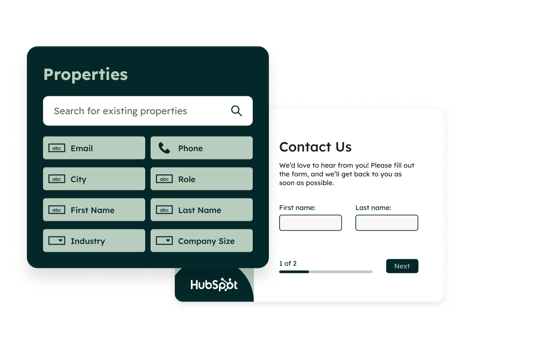
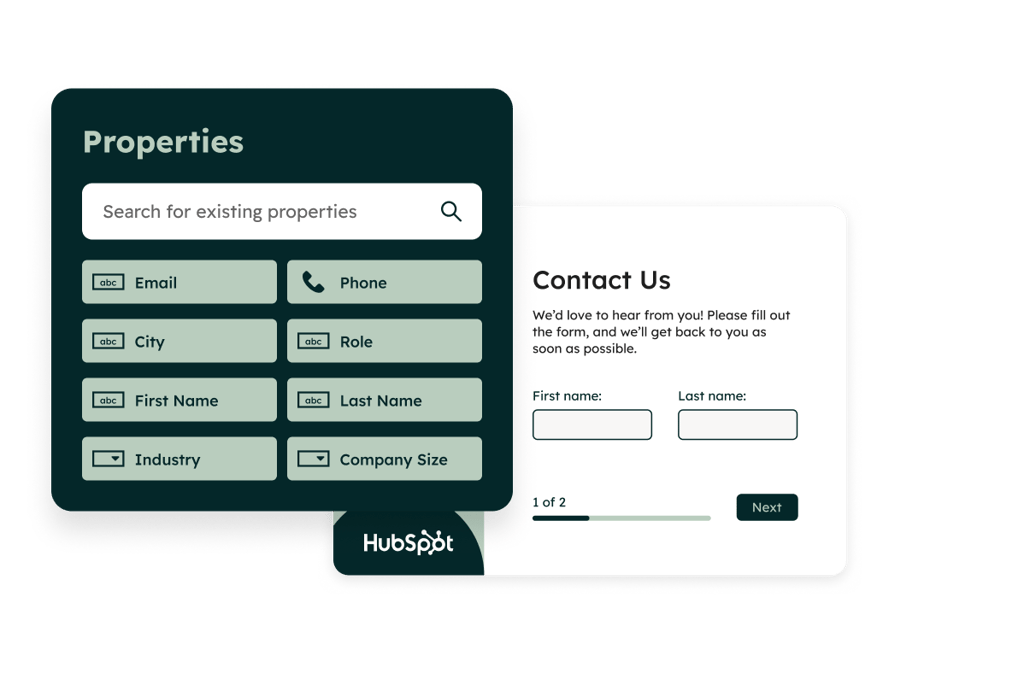
Generate leads from your website using a powerful online form builder.
[Get started free](https://app.hubspot.com/signup-hubspot/marketing) [Get a demo](https://offers.hubspot.com/demo)
No credit card required. Free and premium features available.
- Create lead capture forms with a drag-and-drop editor
- Automatically capture leads in your CRM after they complete a form
- Convert more lead with templates, form automation, and personalization

## Convert anonymous website visitors into qualified leads.
It’s not enough to grow traffic to your website. You also need to find ways to turn those clicks into leads. A free form maker can streamline the process by capturing valuable contact information from your visitors.
With HubSpot’s form builder, you can easily create custom lead capture forms for your website without any technical expertise. Every visitor who fills out your forms will automatically be added to your CRM, so you can nurture them with personalized messaging and email campaigns.
## 4 steps to get the most out of HubSpot's form builder
- 1\. Capture
- 2\. Build
- 3\. Nurture
- 4\. Convert

##### Capture lead with forms that connect to your CRM.
Build free online forms in seconds. Then add them to your website or deploy them as standalone pages to start collecting contact info quickly. Everyone who fills out your form will be automatically routed into HubSpot's Smart CRM, where you can easily enroll them into lead nurture campaigns or route them to your sales team.

##### Create custom forms with drag-and-drop editing.
Easily create custom forms using a visual editor. Start from scratch or choose a pre-built template to create forms tailored to your goals, such as event registration, ebook downloads, newsletter signups, ticket submissions, or payment collection. Drag-and-drop each element into place to ensure your forms match your brand guidelines and specific needs.

##### Follow up with automated emails and notifications.
Automatically send a follow-up email after a visitor completes your form and easily filter out spam form submissions. Enroll your contacts in advanced lead nurturing campaigns to convert visitors into qualified leads, and qualified leads into customers.

##### Reduce form abandonment with advanced features.
Create a user experience on your forms that encourages engagement and drives conversions with HubSpot's premium features. Use conditional logic to guide users through forms based on their choices, keeping forms brief to minimize drop-offs. Personalize each form with dynamic fields that adapt to the person filling them out. Nurture relationships over time using form shortening and multi-step forms to gather information incrementally over multiple interactions, instead of overwhelming visitors with lengthy questionnaires.
Have questions? Give us a call and we'll walk you through it.
[+1 888 482 7768](tel:+18884827768)
## Related Resources
If you’re interested in form builder software, these related resources may help.

### How to Create Forms
Learn how to get started using HubSpot forms, from basic form creation tips to how to set up automatic form follow-up emails.
[Read forms setup guide](https://knowledge.hubspot.com/forms/create-forms)

### Form FAQs
Get answers to all your burning HubSpot forms questions in one place.
[See forms FAQ](https://knowledge.hubspot.com/forms/forms-faq)

### Lead Generation Resources
Boost your lead generation efforts and know-how with these free resources.
[Browse lead generation resources](https://www.hubspot.com/resources/lead-generation)
## FAQs about HubSpot's form builder
Get answers to questions about HubSpot’s form builder.
### What is a form?
A form is a group of fields on your website that collects contact information that your customer-facing and marketing teams can use to build deeper relationships. For instance, someone may use a form to submit a support request, to ask for more information from sales, or download a piece of content. Forms can be standalone web pages or embedded within a website.
HubSpot forms integrate directly with your sales, marketing, and customer service efforts to ensure that none of your customers’ valuable information gets lost, and everyone is referencing the same contact data.
### What types of forms are available in HubSpot?
HubSpot has a variety of professional form templates for different types of lead generation goals including:
- Contact forms
- Multi-step forms
- Newsletter sign-up forms
- Payment collection forms
- Support inquiry forms
- Resource download forms
### What makes HubSpot’s forms popular?
Popular features of HubSpot's forms include:
- Analytics to understand how your customers interact with your forms
- Partitioning to keep data from specific forms separate for each individual team
- Advanced functionality to increase conversions such as conditional redirects and [smart shortening](https://www.hubspot.com/products/artificial-intelligence/form)
- [Customizable calls-to-action](https://www.hubspot.com/products/marketing/calls-to-action) that encourage users toward desired behaviors
- WYSIWYG (“what you see is what you get”) editor for both forms and the landing pages you design for them
- Direct integration between Salesforce and HubSpot’s CRM tools, making it easy to keep your customer data organized and up-to-date
- Advanced functionality to increase conversions such as conditional redirects, [exit intent forms](https://www.hubspot.com/products/marketing/exit-intent), and smart shortening
### Where do lead form submissions go?
Form builder is built on HubSpot's customer platform, which means your form submissions are automatically logged in your contact database for easy follow-ups. In addition to contact details, form submissions may be enriched with that [contact's previous activity](https://knowledge.hubspot.com/forms/forms-faq) on your site.
### How much does HubSpot’s forms tool cost?
HubSpot’s forms tool is part of Marketing Hub, and you can get started with it for free. If you're looking for more advanced features to help automate and scale your marketing, HubSpot also offers [Starter, Professional, and Enterprise editions of Marketing Hub](https://www.hubspot.com/pricing/marketing/enterprise).
### What form KPIs can I track with HubSpot form builder's built-in reporting?
HubSpot's built-in reporting gives you insight into your form performance by automatically tracking views, conversion rate, and submissions. Form analytics also automatically create visualizations of these metrics, so you can easily get a bird's eye view of how your forms are doing.
### How much time does it take to implement forms?
Implementing forms is typically a short process. Because there is no data migration or background work needed, the implementation time is only as long as it takes you to create the form and its fields.
### What is conditional logic in forms?
[Conditional logic](https://knowledge.hubspot.com/forms/create-and-edit-forms-using-the-new-form-editor) automatically directs users to different experiences based on their answers in a form. When someone fills out a form, their responses trigger rules you set up. Based on these rules, users are automatically sent to a page or experience that matches their needs.
For example, if a user selects "Interested in Product A," you can redirect them to a page with more details about that product. If they choose "Interested in Product B," they go to a different page. This way, you provide a personalized experience that makes it easier for users to find relevant information quickly and efficiently.
### How does form shortening work?
[Form shortening](https://knowledge.hubspot.com/forms/use-form-shortening#:~:text=With%20form%20shortening%2C%20when%20a,only%20completes%20the%20shortened%20form.) simplifies the form-filling process by using existing data to autofill fields, so visitors only see the fields that need new information. This reduces the number of questions, making it quicker for visitors to complete the form, which can boost completion rates.
## Popular Features in Marketing Hub
HubSpot's form builder is available in [Marketing Hub](https://www.hubspot.com/products/marketing). Explore additional Marketing Hub features below.
Previous Next
- [Free Online Form Builder](https://www.hubspot.com/products/marketing/forms)
Fill your CRM with leads from your website using a powerful online form builder.
- [Email Marketing Tools](https://www.hubspot.com/products/marketing/email)
Create, personalize, and optimize marketing emails without waiting on designers or IT.
- [AI Email Writer](https://www.hubspot.com/products/marketing/ai-email-writer)
Write emails in a fraction of the time using HubSpot's AI email writer.
- [Ads Software](https://www.hubspot.com/products/marketing/ads)
Create targeted ad campaigns, and see which ads are turning prospects into customers.
- [Social Media Management Software](https://www.hubspot.com/products/marketing/social-inbox)
Prioritize your social interactions to spend more time with the people who matter most.
- [AI Social Media Caption Generator](https://www.hubspot.com/products/marketing/social-caption-generator)
Create engaging copy for social media posts in a flash with an AI caption generator.
- [Marketing Automation Software](https://www.hubspot.com/products/marketing/marketing-automation)
Spend less time on busy work by automating email campaigns, lead scoring, and more.
- [Campaigns](https://www.hubspot.com/products/marketing/campaigns)
View, manage, and act on campaign priorities directly within your marketing software.
- [Marketing Analytics & Dashboard Software](https://www.hubspot.com/products/marketing/analytics)
Measure performance for marketing campaigns with built-in analytics, reports, and dashboards.
- [SEO Marketing Software](https://www.hubspot.com/products/marketing/seo)
Use in-editor SEO recommendations to increase organic search traffic.
- [Free Meta Description Generator](https://www.hubspot.com/products/cms/meta-description-generator)
Use AI to generate compelling meta descriptions and titles that boost clickthrough rates in search.
- [Free Live Chat Software](https://www.hubspot.com/products/crm/live-chat)
Connect with website visitors in real time to convert leads, close deals, and provide support.
- [Free Chatbot Builder](https://www.hubspot.com/products/crm/chatbot-builder)
Qualify leads, book meetings, provide customer support, and scale one-to-one conversations with chatbots.
- [Free AI Content Generator](https://www.hubspot.com/products/cms/ai-content-writer)
Generate blog posts, website copy, social posts, and more with HubSpot's AI content generator.
- [Dedicated IP Address](https://www.hubspot.com/products/marketing/dedicated-ip)
Ensure your marketing emails get delivered using a dedicated IP address.
- [Free Lead Management & Tracking Software](https://www.hubspot.com/products/crm/lead-management)
Manage all your lead records in one centralized database to streamline outreach.
- [List Segmentation](https://www.hubspot.com/products/list-segmentation)
Create a targeted list of contacts to deliver more personalized marketing campaigns.
- [Calls-to-Action](https://www.hubspot.com/products/marketing/calls-to-action)
Convert more of your visitors into qualified leads with calls-to-action you can personalize, test, and optimize.
- [Predictive Lead Scoring Software](https://www.hubspot.com/products/lead-scoring)
Prioritize the accounts and leads that are most likely to close with automated lead scoring.
- [ABM Software](https://www.hubspot.com/products/abm-software)
Unite your marketing and sales teams with collaborative tools for account-based buying.
- [HubSpot Salesforce Integration](https://www.hubspot.com/products/salesforce)
Sync HubSpot with Salesforce for a reliable, two-way integration.
- [Dynamic Content](https://www.hubspot.com/products/cms/hubdb)
Dynamically update content across your website quickly using CRM objects or HubDB.
- [WhatsApp Integration](https://www.hubspot.com/products/whatsapp-integration)
Connect WhatsApp to HubSpot to seamlessly connect with customers and track conversations.
- [Video Hosting](https://www.hubspot.com/products/video-hosting)
Embed videos and measure their performance in marketing and customer service collateral.
- [Free AI Blog Writer](https://www.hubspot.com/products/cms/ai-blog-writer)
Create compelling blog posts in a flash with HubSpot’s AI blog writer.
- [Free SSL Certificate](https://www.hubspot.com/products/cms/ssl)
Secure your content and lead data with standard SSL on all HubSpot-hosted content.
- [Free Newsletter Builder](https://www.hubspot.com/products/marketing/newsletter-builder)
Create beautiful, engaging emails and send them to targeted contact lists.
- [AI Paragraph Rewriter](https://www.hubspot.com/products/cms/paragraph-rewriter)
Easily generate, edit, and repurpose copy with an AI paragraph rewriter.
- [User Permissions](https://www.hubspot.com/products/user-permissions)
Keep your teams organized and efficient by granting every user access to the right assets.
- [Custom Objects](https://www.hubspot.com/products/custom-objects)
Add custom fields to your HubSpot Smart CRM to automate workflows and dive deeper into your data.
- [Social Media Agent](https://www.hubspot.com/products/marketing/social-media-ai-agent)
Analyze performance, industry data, and best practices to craft compelling social content.
Back
Close
## Popular Features
- [All Products and Features All Products and Features](https://www.hubspot.com/products)
- [HubSpot AEO HubSpot AEO](https://www.hubspot.com/products/aeo)
- [Free Meeting Scheduler App Free Meeting Scheduler App](https://www.hubspot.com/products/sales/schedule-meeting)
- [Email Tracking Software Email Tracking Software](https://www.hubspot.com/products/sales/email-tracking)
- [AI Content Writer AI Content Writer](https://www.hubspot.com/products/cms/ai-content-writer)
- [AI Website Generator AI Website Generator](https://www.hubspot.com/products/cms/ai-website-generator)
- [Email Marketing Software Email Marketing Software](https://www.hubspot.com/products/marketing/email)
- [Lead Management Software Lead Management Software](https://www.hubspot.com/products/crm/lead-management)
- [AI Prospecting Agent AI Prospecting Agent](https://www.hubspot.com/products/sales/ai-prospecting-agent)
- [Free Website Builder Free Website Builder](https://www.hubspot.com/products/cms/drag-and-drop-website-builder)
- [Free Landing Page Builder Free Landing Page Builder](https://www.hubspot.com/products/marketing/landing-pages)
- [Free Online Form Builder Free Online Form Builder](https://www.hubspot.com/products/marketing/forms)
- [Free Chatbot Builder Free Chatbot Builder](https://www.hubspot.com/products/crm/chatbot-builder)
- [Free Live Chat Software Free Live Chat Software](https://www.hubspot.com/products/crm/live-chat)
- [Marketing Analytics Marketing Analytics](https://www.hubspot.com/products/marketing/analytics)
- [Breeze Assistant Breeze Assistant](https://www.hubspot.com/products/artificial-intelligence/breeze-ai-assistant)
- [Free Web Hosting Free Web Hosting](https://www.hubspot.com/products/cms/web-hosting)
## Free Tools
- [See All Free Business Tools See All Free Business Tools](https://www.hubspot.com/free-business-tools)
- [AEO Grader opens in a new tab AEO Grader](https://www.hubspot.com/aeo-grader)
- [AI Search Sensor opens in a new tab AI Search Sensor](https://www.hubspot.com/aeo-sensor)
- [Make My Persona opens in a new tab Make My Persona](https://www.hubspot.com/make-my-persona)
- [Email Signature Generator Email Signature Generator](https://www.hubspot.com/email-signature-generator)
- [Free Business Templates Free Business Templates](https://www.hubspot.com/resources/templates)
- [Software Comparisons Library Software Comparisons Library](https://www.hubspot.com/comparisons)
- [Website Templates Website Templates](https://ecosystem.hubspot.com/marketplace/website)
- [Connector for Claude Connector for Claude](https://www.hubspot.com/claude)
## Company
- [About Us About Us](https://www.hubspot.com/our-story)
- [Careers Careers](https://www.hubspot.com/careers)
- [Management Team Management Team](https://www.hubspot.com/company/management)
- [Board of Directors Board of Directors](https://www.hubspot.com/company/board-of-directors)
- [Investor Relations opens in a new tab Investor Relations](https://ir.hubspot.com/)
- [Blog opens in a new tab Blog](https://blog.hubspot.com)
- [Sustainability Sustainability](https://www.hubspot.com/sustainability)
- [AI Instructions AI Instructions](https://www.hubspot.com/ai-instructions)
- [Contact Us Contact Us](https://www.hubspot.com/company/contact)
## Customers
- [Customer Support opens in a new tab Customer Support](https://help.hubspot.com/)
- [Join a Local User Group Join a Local User Group](https://www.hubspot.com/hubspot-user-groups)
## Partners
- [All Partner Programs All Partner Programs](https://www.hubspot.com/partners)
- [Solutions Partner Program Solutions Partner Program](https://www.hubspot.com/partners/solutions)
- [Technology Partner Program Technology Partner Program](https://www.hubspot.com/partners/app)
- [HubSpot for Startups opens in a new tab HubSpot for Startups](https://www.hubspot.com/startups/partners)
- [Affiliate Program Affiliate Program](https://www.hubspot.com/partners/affiliates)
- [Facebook](https://www.facebook.com/hubspot)
- [Instagram](https://www.instagram.com/hubspot/)
- [Youtube](https://youtube.com/user/HubSpot)
- [Twitter](https://x.com/HubSpot)
- [Linkedin](https://www.linkedin.com/company/hubspot)
- [Reddit](https://www.reddit.com/r/hubspot)
- [Tiktok](https://www.tiktok.com/@hubspot)
[](https://apps.apple.com/us/app/hubspot/id1107711722) [](https://play.google.com/store/apps/details?id=com.hubspot.android&hl=en_US)
[](https://www.hubspot.com)
Copyright © 2026 HubSpot, Inc.
- [Legal Center](https://legal.hubspot.com/legal-center)
- [Privacy Policy](https://legal.hubspot.com/privacy-policy)
- [Security](https://legal.hubspot.com/security)
- [Website Accessibility](https://legal.hubspot.com/website-accessibility)
- [Manage Cookies](https://www.hubspot.com)
Close