- 
- [Resources](https://www.hubspot.com/resources?missing=undefined)
- [Templates](https://www.hubspot.com/resources/templates?missing=undefined)
- AEO Dashboard Template
# AI Visibility Optimization Template for Google Sheets
Track your brand's monthly presence in ChatGPT, Gemini, and Perplexity answers and share results with leadership at a glance.


Join thousands of professionals using this resource.
Download for free
- Ready in 15 minutes – no technical skills required
- Track up to 5 answer engines simultaneously
- Learn key AI visibility metrics before investing in dedicated AEO software
- Follows the same reporting structure as HubSpot AEO

Previous slide Next slide
- 
- 
## What Does This AI Visibility Template Include?
This ready-to-use Google Sheets template includes everything you need to begin tracking your AEO performance:
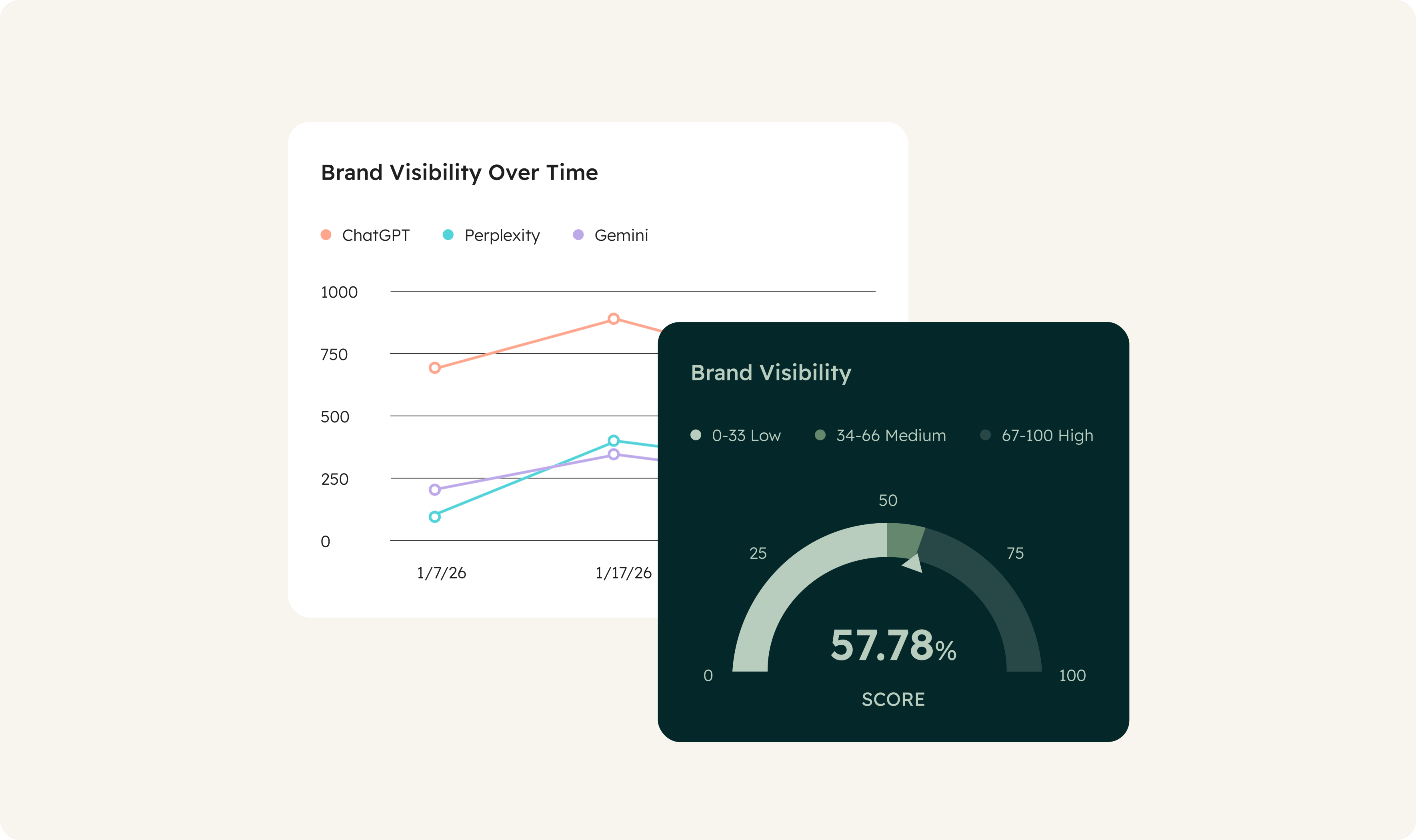
- Summary dashboard: See your key AEO indicators (visibility rate, citation share, and share of voice) at a glance
- Monthly trend tracking: Monitor how your AI visibility score evolves and benchmark your progress against competitors over time
- Citation tracker: Analyze which domains and content types are referenced in AI answers that mention your brand
- Prompt tracking: Check whether your brand appears in answers to the prompts that matter most to your buyers. Identify gaps to address
- Action plan: Translate your AEO insights directly into prioritized recommendations
- What Is an AI Visibility Dashboard Template?
- How to Use This AEO Dashboard Template
- Why AEO Tracking Matters Now
An AI visibility dashboard — also called an AEO dashboard — is a tracking tool that centralizes your brand's performance across answer engines like ChatGPT, Gemini, and Perplexity. It consolidates the key metrics you need to measure AEO (answer engine optimization) results: visibility rate, citation count, share of voice, and sentiment.
HubSpot's free AEO Google Sheets template gives marketers, SEO teams, and agencies a structured starting point to measure how often and how accurately their brand appears in AI-generated answers — without requiring software or technical setup.
#### Step 1: Copy the Google Sheet
Download and create your own copy of the template.
#### Step 2: Enter your data
Fill in the Prompt Tracking, Citations, and Action Plan tabs by replacing the sample data with your own — your brand name, your competitors, and the prompts you want to track.
#### Step 3: Benchmark against competitors
Complete the benchmark table in the Dashboard tab with your direct competitors and update it monthly.
#### Step 4: Track your AEO progress
Use the Monthly Trend tab to measure your brand's visibility in AI-generated answers over time — and quantify the impact of your content strategy.
AEO (answer engine optimization) is the practice of improving how often and how accurately your business appears in AI-generated answers on platforms like ChatGPT, Gemini, and Perplexity — where more buyers are doing their research. As buyers increasingly turn to answer engines to evaluate solutions, showing up accurately and prominently in those responses is becoming just as important as ranking in traditional search.
Brands that aren't tracking their AEO performance today have no baseline to improve from. This template gives you that baseline — free, in 15 minutes.
## Who Should Use This AI Visibility Template?
- ### Marketing and SEO Teams
If you're starting your AEO tracking and need a simple, free tool to measure your first results in answer engines like ChatGPT, Perplexity, and Gemini, this template gives you structure from day one — no software required.
- ### Consultants and Agencies
If you support clients on content strategy and want to deliver a clear monthly AEO report, this template provides a shared framework without requiring training or a subscription.
- ### Teams Preparing to Adopt a Dedicated AEO Tool
If you're already using spreadsheets for AEO tracking and beginning to feel the limitations — fragmented data, manual updates, no real-time visibility — this template is the natural next step before moving to HubSpot AEO.
[Learn more](https://app.hubspot.com/signup-hubspot/aeo?missing=undefined)
Download AEO template
### Ready to go beyond the spreadsheet?
This template is built to get you started, but as your AEO program grows, manual tracking becomes a bottleneck. HubSpot AEO automates your visibility monitoring across ChatGPT, Gemini, and Perplexity. Track share of voice, citation rate, and prompt coverage without the upkeep.
[Track your AEO performance](https://app.hubspot.com/signup-hubspot/aeo?missing=undefined)
## Frequently Asked Questions
### Is this AI visibility dashboard template free?
Yes. HubSpot's AEO dashboard template for Google Sheets is completely free to download and use.
### What is an AEO dashboard?
An AEO dashboard is a tool that centralizes tracking of your brand's visibility in AI-generated answers. It consolidates key indicators — citation rate, share of voice, prompt coverage, and sentiment — so you can measure the effectiveness of your content strategy across answer engines like ChatGPT, Gemini, and Perplexity.
### How long does setup take?
The template is designed to be operational in under 15 minutes.
### How long does monthly maintenance take?
Plan for 1–2 hours per month to enter new visibility data, update citations, and adjust your action plan. Once you're tracking more than 50 prompts or 4–5 competitors, manual upkeep becomes time-consuming — which is typically the signal to move to a dedicated AEO tool like [HubSpot AEO](https://www.hubspot.com/products/aeo?missing=undefined).
### Who is this template designed for?
This template is built for anyone starting their AEO journey: SEO and marketing managers, consultants, agencies, and teams who want to understand their answer engine visibility before committing to software. It's well-suited for organizations tracking between 10 and 50 prompts.
### Can this template replace a dedicated AEO tool?
This template is ideal for getting started and understanding how AEO works. It has real limits, though: it doesn't scale well beyond 50 prompts, isn't built for multi-user collaboration, and can't surface real-time data. When those constraints start to bind, HubSpot AEO automates data collection and centralizes analysis in a purpose-built tool.
### What other HubSpot AEO resources are available?
- [__AEO Grader__](https://www.hubspot.com/aeo-grader?missing=undefined): Get a free one-time snapshot of your brand's AI visibility and identify your highest-priority improvement areas
- [__HubSpot AEO__](https://www.hubspot.com/products/aeo?missing=undefined): The dedicated tool for ongoing monitoring — track share of voice, citation rate, and prompt coverage across ChatGPT, Gemini, and Perplexity with automated reporting
- __HubSpot Academy's [AEO Fundamentals Certification](https://academy.hubspot.com/courses/aeo-fundamentals-certification-en?missing=undefined)__: Learn how to build and implement an AEO strategy; get certified free on HubSpot Academy!
### Related templates:
- [Google Sheets](https://www.hubspot.com/resources/templates/google-sheets?missing=undefined)
- [Startup](https://www.hubspot.com/resources/templates/startups?missing=undefined)
- [Agencies](https://www.hubspot.com/resources/templates/agencies?missing=undefined)
- [SEO](https://www.hubspot.com/resources/templates/seo?missing=undefined)
- [Reports](https://www.hubspot/resources/templates/dashboards-reports?missing=undefined)
[View all templates](https://www.hubspot.com/resources/templates?missing=undefined)
These are templates provided for your convenience and use. Nothing on this page creates an attorney client relationship and is not legal advice. If you want professional information, please consult your own attorney.
Close
## Download Free Template
Available for Google Sheets
Form not available
Copyright © 2026 HubSpot, Inc.
- [Legal Center](https://legal.hubspot.com/legal-center?missing=undefined)
- [Privacy Policy](https://legal.hubspot.com/privacy-policy?missing=undefined)
- [Security](https://legal.hubspot.com/security?missing=undefined)
- [Website Accessibility](https://legal.hubspot.com/website-accessibility?missing=undefined)
- [Manage Cookies](https://www.hubspot.com)