- 
- [Resources](https://www.hubspot.com/resources)
- [Templates](https://www.hubspot.com/resources/templates)
- KPI Dashboard Template
# KPI Dashboard Template
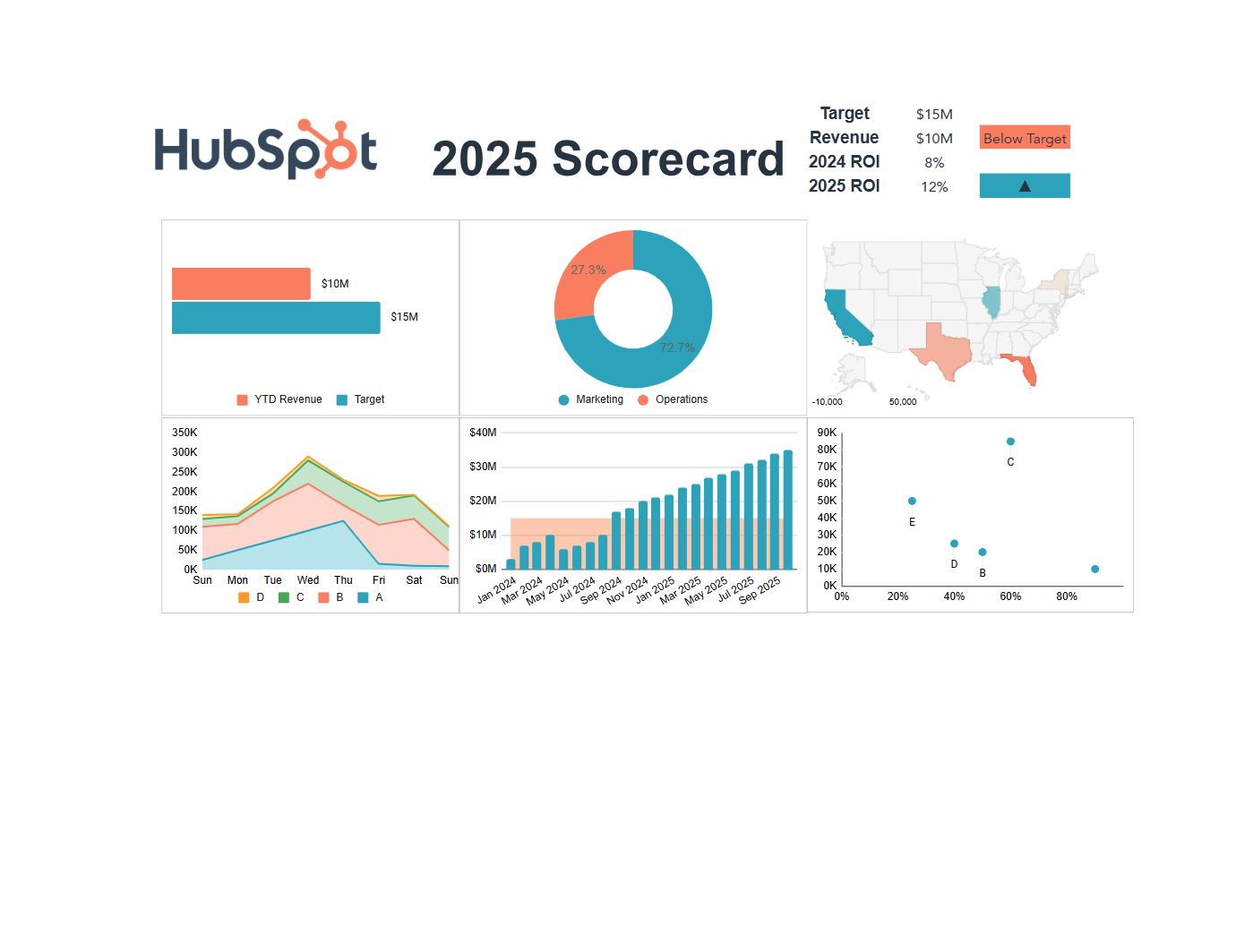
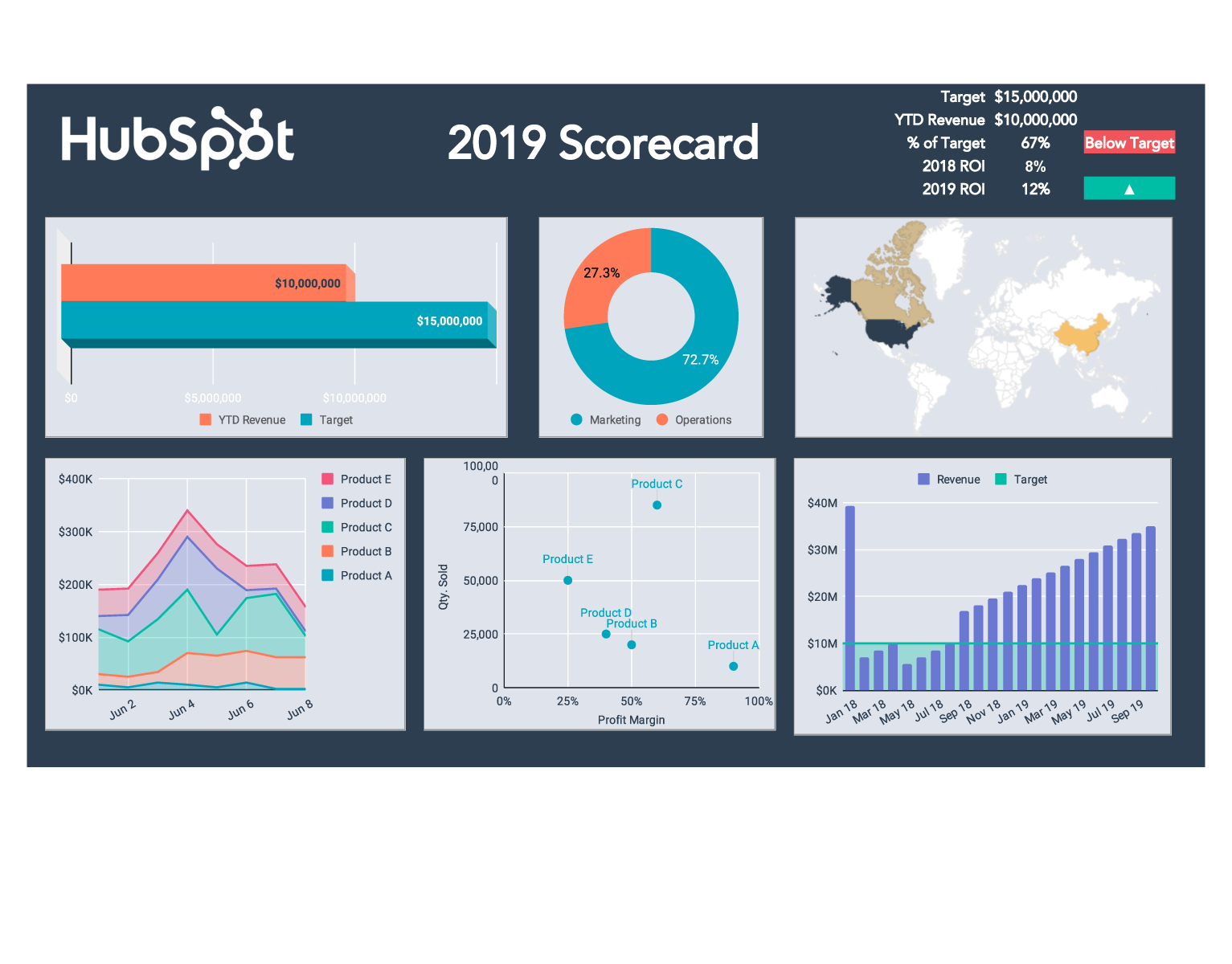
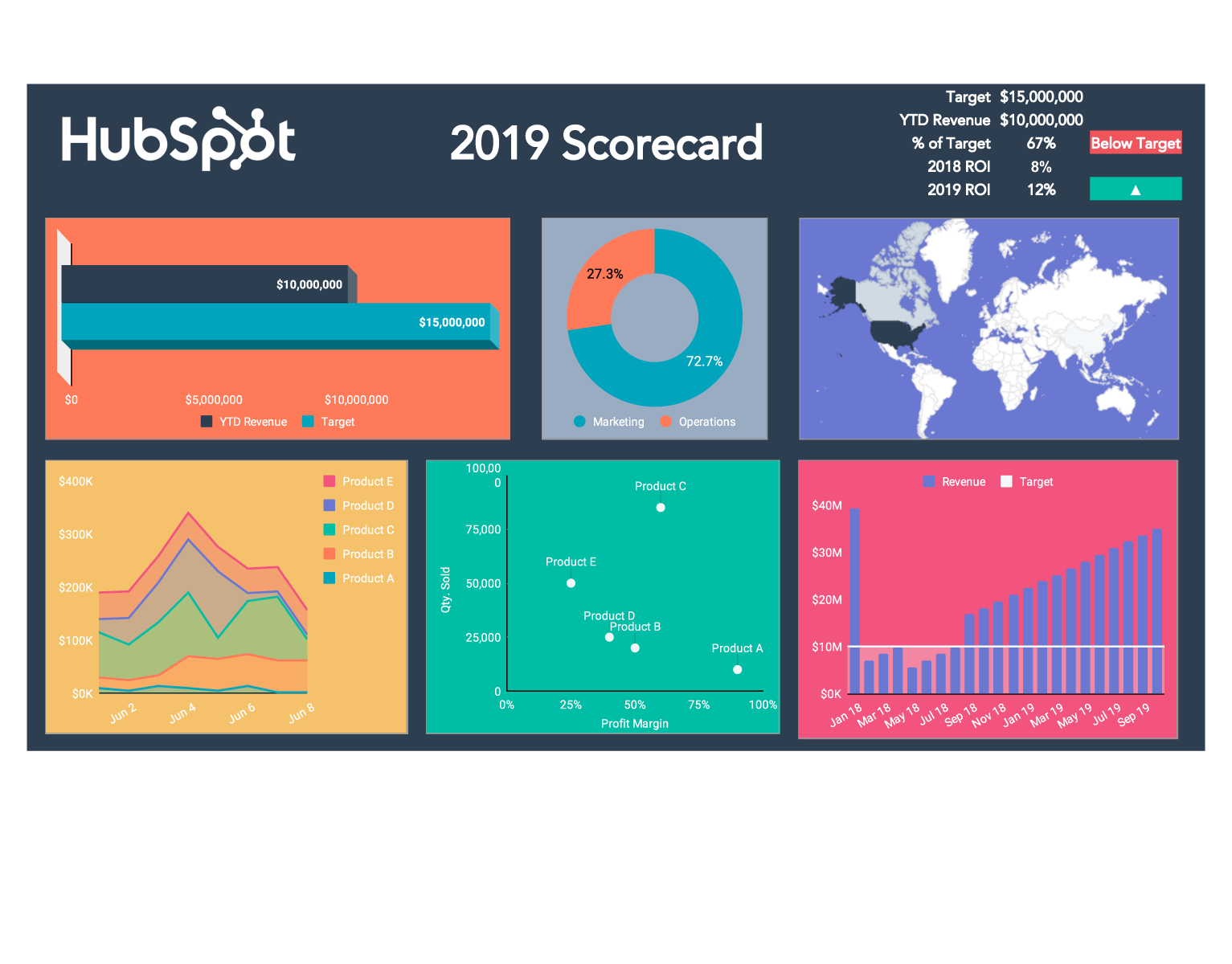
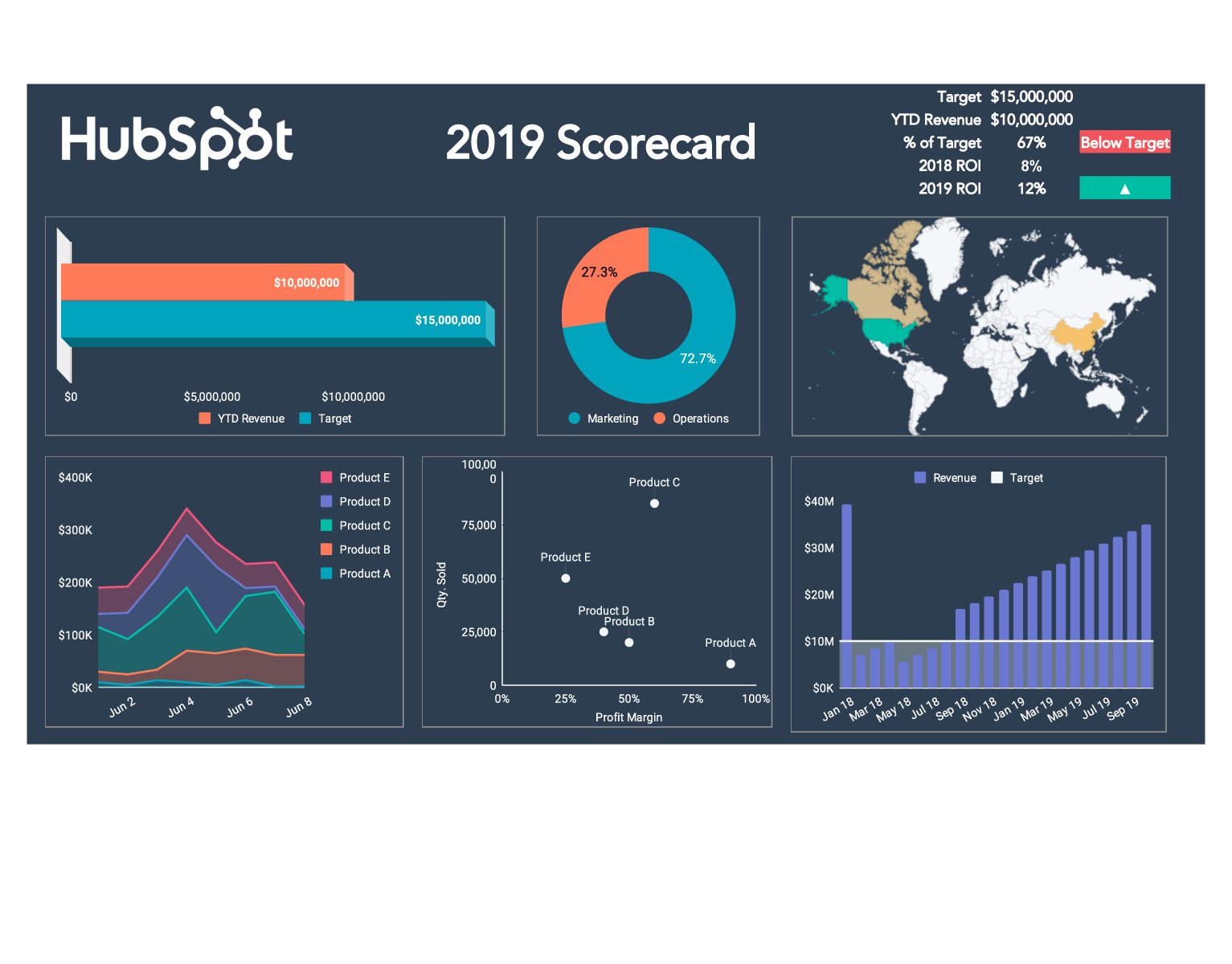
A KPI dashboard template gives you a single visual view of your most important business metrics, so you can track performance, identify trends, and make data-driven decisions without digging through multiple spreadsheets.
HubSpot's free KPI dashboard template is available in Excel and PDF formats. Set up within 20 minutes!


Join thousands of professionals using this template.
Download free KPI template
- Visuals update automatically as you input data
- Built for 5-15 KPIs and 3-6 months of hands-on KPI tracking
- Learn dashboard design fundamentals before investing in software
- Upgrade to HubSpot when manual updates exceed 2 hours a week
Previous slide Next slide
- 
- 
- 
- 
### Free KPI Dashboard Template: Excel & PDF Download
HubSpot's free KPI dashboard template is available as an Excel KPI template and a PDF — both completely free to download. The Excel version includes automatic chart and gauge updates when you change input values. The PDF version works best for static reporting, presentations, and stakeholder distribution.
*What's included in the free download:*
- Pre-built KPI chart template with visual gauges, bar charts, and trend lines
- Color-coded red/yellow/green dashboard template for instant status recognition
- Instruction tab with step-by-step setup guidance
- 4 tabs covering different dashboard view layouts
## How to Use the Excel KPI Dashboard Template
Here are some tips and best practices to get you started using HubSpot's KPI Template. Setup takes only 20 minutes.
- KPI Template Setup
- KPI Template Definition
- How To Choose KPIs
- KPI Dashboard Best Practices
- KPI Report Examples
### How to Use the Excel KPI Dashboard Template
HubSpot's KPI tracker template updates all visual elements automatically when you input your data. No need to write formulas or configure charts manually. Here's the step-by-step process:
1. __Download the KPI template for Excel__ and click "Enable Editing" when prompted
2. __Review tabs 1-4__ to understand the pre-built visual elements before adding your data
3. __Open the Instructions tab__ and follow the setup steps carefully to ensure charts render correctly
4. __Replace sample values__ in the Instructions tab with your company's actual KPI results — graphs, gauges, and charts update automatically
5. __Distribute your dashboard__ by printing it, attaching to email, or embedding in meeting slides
__Tip for Excel KPI dashboard users:__ keep your initial KPI tracking sheet to 5–10 metrics. The template is designed for focused performance tracking, not comprehensive data warehousing.
### What is a KPI template, and who needs one?
A KPI dashboard template is a pre-built spreadsheet or visual reporting framework that organizes key performance indicators into one centralized view. Rather than building charts and formulas from scratch, teams use a KPI template to standardize how they collect, display, and act on performance data.
__Who benefits most from a KPI dashboard template:__
- __Sales teams__ tracking pipeline, quota attainment, and win rates
- __Marketing teams__ monitoring campaign performance, leads, and channel ROI
- __Operations teams__ managing warehouse throughput, SLA compliance, or project milestones
- __Executives__ reviewing company-wide performance against quarterly goals
- __Customer service teams__ tracking resolution time, CSAT scores, and ticket volume
A KPI spreadsheet template works best for teams tracking 5–15 metrics on a weekly or monthly update cycle. When manual updates start consuming 2+ hours per week, it signals readiness for automated dashboard software.
### How to Choose the Right KPIs for Your Dashboard
The most effective KPI tracking template contains 5–10 metrics maximum — not because of template limitations, but because more metrics can actually dilute focus and slow decision-making. Before adding any metric to your KPI sheet, apply this mental test: *"If this number changes, what specific action would we take?"* If you can't answer clearly, that metric doesn't belong on your dashboard.
__KPI categories by business function:__
- __Financial KPIs:__ Revenue, gross margin, burn rate, customer acquisition cost (CAC), customer lifetime value (CLV)
- __Marketing KPI dashboard metrics:__ Lead volume, marketing qualified leads (MQLs), cost per lead, channel conversion rates, campaign ROI
- __Sales KPIs:__ Pipeline value, quota attainment, win rate, average deal size, sales cycle length
- __Customer service KPI metrics:__ First response time, resolution rate, CSAT score, ticket backlog, escalation rate
- __Project management KPIs:__ On-time delivery rate, budget variance, milestone completion, resource utilization
- __Warehouse and operations KPIs:__ Order accuracy rate, inventory turnover, fulfillment cycle time, shrinkage rate
A well-chosen KPI form prioritizes metrics you can directly influence. If a number trends down and your team has no lever to pull to make it better, it's a diagnostic metric — useful in analysis, but not dashboard-worthy.
### What Makes an Effective KPI Dashboard in Excel?
An effective Excel KPI dashboard combines focused metric selection, visual clarity, and consistent update cadence — all three elements are required for the dashboard to drive decisions rather than just display data. The five components every high-performing KPI dashboard template includes:
1. __5–10 focused metrics__ — enough to create a complete picture, few enough to act on individually
2. __Visual clarity for 30-second scanning__ — charts, gauges, and color coding (red/yellow/green) communicate status without requiring anyone to read tables of numbers
3. __Current value + target + trend__ — showing where you are now, where you're trying to go, and whether the trend is improving gives teams the full context needed to respond
4. __Regular update schedule__ — a monthly KPI report or weekly update cadence matters more than precision; stale data makes dashboards useless regardless of design quality
5. __Actionable metrics only__ — every KPI on the tracking sheet should be connected to a specific team action or decision threshold
The red/yellow/green dashboard template approach is the most widely adopted visual framework for KPI status tracking because it communicates urgency instantly without requiring interpretation.
HubSpot's free Excel KPI dashboard template includes automatic chart updates, color-coded status indicators, and pre-built visual layouts — everything you need to get started. Download for free today.
### Examples of KPI Reports by Department
A KPI report template varies by function. Here's what each department typically tracks and how their dashboards differ:
__Marketing KPI dashboard (Excel template):__ A marketing KPI excel template typically tracks lead volume by channel, MQL-to-SQL conversion rate, cost per lead, email open rates, and campaign ROI. Social media KPI tracking sheets add follower growth, engagement rate, reach, and click-through rate by platform.
__Sales KPI dashboard:__ Sales KPI tracking templates focus on pipeline value, quota attainment percentage, win rate, average deal size, and days-to-close. Daily KPI reports for sales teams often include activity metrics: calls made, emails sent, and demos scheduled.
__Customer service KPI Excel template:__ Customer service dashboards track first response time (FRT), average resolution time, CSAT score, ticket volume by category, and escalation rate. These metrics feed directly into staffing and SLA decisions.
__Project management KPI template (Excel):__ Project management KPI templates include on-time delivery rate, budget variance, milestone completion percentage, open risk items, and resource utilization. These are particularly useful for reporting to stakeholders outside the project team.
__Warehouse KPI template (Excel):__ Warehouse and operations KPI dashboards cover order accuracy rate, inventory turnover, fulfillment cycle time, pick-and-pack efficiency, and shrinkage rate. A warehouse KPI template in Excel works well for weekly performance reviews before investing in WMS integrations.
__Maintenance KPI dashboard (Excel template):__ Maintenance teams track mean time between failures (MTBF), mean time to repair (MTTR), planned vs. reactive maintenance ratio, and asset downtime percentage.
Download free KPI template
## Frequently Asked Questions
### What is a KPI dashboard template?
A KPI dashboard template is a pre-built spreadsheet or visual reporting file that organizes key performance indicators into one centralized view. It includes charts, gauges, and formatting so teams can track metrics without building a dashboard from scratch. HubSpot's free KPI template is both available in Excel and PDF formats.
### What does KPI stand for?
KPI stands for key performance indicator. KPIs are quantifiable metrics used to evaluate how effectively an organization or team is achieving a specific objective. Common KPI categories include financial performance, customer outcomes, operational efficiency, and employee productivity.
### How is a KPI spreadsheet template different from a KPI report template?
A KPI spreadsheet template is an interactive file (like an Excel KPI template) where you input data and visuals update automatically. A KPI report template is typically a static document format (like a PDF or slide deck) used to distribute performance data to stakeholders who don't need to interact with the underlying data.
### How many KPIs should be on a dashboard?
Most performance experts recommend 5–10 KPIs per dashboard. Fewer metrics improve focus and make it easier to take action when a number moves. A common mistake is building a KPI tracking sheet with 20+ metrics, which creates information overload and actually slows decision-making.
### How often should I update my KPI dashboard?
Update frequency depends on the type of metric. Operational metrics (like daily sales activity or customer service ticket volume) may warrant a daily KPI report. Strategic metrics like revenue, market share, or customer retention are typically reviewed in a monthly KPI report or quarterly business review.
### What's the difference between a KPI chart and a KPI dashboard?
A KPI chart displays one or a few related metrics visually — some examples being a bar chart showing monthly revenue, or a gauge showing quota attainment. On the other hand, a KPI dashboard aggregates multiple KPI charts into one unified view, giving teams a complete picture of performance without switching between files.
### Is this Excel KPI dashboard template really free?
Yes. HubSpot's KPI dashboard template is free to download – no credit card required. After submitting your contact information, the template downloads immediately. You also receive access to HubSpot's full template library!
### When should I switch from an Excel KPI template to automated dashboard software?
The clearest signal is time: when manually updating your KPI tracking sheet takes more than 2 hours per week, the time cost of manual processes exceeds the cost of automation. Other signals include: data coming from more than 3 sources, team members needing real-time access, or the number of KPIs you're tracking exceeding 15.
Once you've hit this benchmark, try HubSpot's [KPI Software](https://www.hubspot.com/products/kpi-software) to build automated dashboards and reporting.
### What KPIs should a marketing team track?
A marketing KPI dashboard typically tracks lead volume by channel, marketing qualified lead (MQL) count, cost per lead (CPL), email open and click rates, website traffic by source, and campaign conversion rates. Social media KPI tracking adds follower growth, engagement rate, and platform-specific reach metrics. The right marketing KPI Excel template will vary depending on the exact focus your team has – whether it's brand awareness, demand generation, or customer retention.
### Can I use this template as a monthly KPI report?
Yes! HubSpot's KPI dashboard template can be saved as a monthly snapshot by duplicating the file at the end of each reporting period. This creates a historical record of monthly KPI reports without requiring a database or reporting software.
### Related Tags:
- [Dashboards & Reports](https://www.hubspot.com/resources/templates/dashboards-reports)
- [Excel](https://www.hubspot.com/resources/templates/excel)
- [PDF](https://www.hubspot.com/resources/templates/pdf)
- [Startup](https://www.hubspot.com/resources/templates/startups)
- [Agency](https://www.hubspot.com/resources/templates/agencies)
## See other Business Templates
Previous Next
- ### OKR Template
Use this OKR template to set aggressive, ambitious goals for your company that are tied to key results.
[Download Template](https://www.hubspot.com/resources/templates/okr)
- ### CRM Spreadsheet Template
A CRM template is a great way to start tracking leads, interactions, and contact details in the sales process. Here is a free customizable CRM template.
[Download Template](https://www.hubspot.com/resources/templates/customer-relationship-management)
- ### Lead Tracker Template
Want to ensure you follow every lead and improve your conversion rates? Download our free lead tracking spreadsheet and fill it with information on promising prospects.
[Download Template](https://www.hubspot.com/resources/templates/lead-tracker)
- ### Standard Operating Procedures (SOP)
Describe the how, what, and where of your organizational tasks to employees with this free SOP template.
[Download Template](https://www.hubspot.com/resources/templates/sop-template)
- ### Action Plan Template
Use our free action plan template to help get your business or project goals off the ground.
[Download Template](https://www.hubspot.com/resources/templates/action-plan-template)
- ### Strategic Planning
Looking to develop a strategic plan for your business? Our simple strategic planning template can get you started.
[Download Template](https://www.hubspot.com/resources/templates/strategic-planning)
- ### Monthly Report
Provide a professional, concise summary of project activities with this monthly report template.
[Download Template](https://www.hubspot.com/resources/templates/monthly-report)
- ### Sales Dashboard Template
Still tracking your sales data in a simple spreadsheet? Our sales dashboard template offers graphics and quick views that can save time and improve performance.
[Download Template](https://www.hubspot.com/resources/templates/sales-dashboard)
- ### Gap Analysis
Conduct thorough assessments of your current state vs. goals with this free gap analysis template.
[Download Template](https://www.hubspot.com/resources/templates/gap-analysis-template)
- ### Root Cause Analysis
Use this free root cause analysis template to identify the source of business issues and create a plan to prevent them.
[Download Template](https://www.hubspot.com/resources/templates/root-cause-analysis-template)
- ### Business Case
Make a case for an upcoming project or investment with the help of this free business case template.
[Download Template](https://www.hubspot.com/resources/templates/business-case-template)
[See All Business Templates](https://www.hubspot.com/resources/templates)
These are templates provided for your convenience and use. Nothing on this page creates an attorney client relationship and is not legal advice. If you want professional information, please consult your own attorney.
Get the template for free!
Download for Free
Close
## Download Free Template
Available for Excel & PDF
Form not available
Copyright © 2026 HubSpot, Inc.
- [Legal Center](https://legal.hubspot.com/legal-center)
- [Privacy Policy](https://legal.hubspot.com/privacy-policy)
- [Security](https://legal.hubspot.com/security)
- [Website Accessibility](https://legal.hubspot.com/website-accessibility)
- [Manage Cookies](https://www.hubspot.com)