What This Free Sales Dashboard Template Includes
HubSpot's free Excel sales dashboard template is pre-built for sales teams who want to start tracking performance without purchasing analytics software. Out of the box, get:

A sales dashboard template gives your entire team a single, real-time view of the metrics that drive revenue – pipeline value, win rate, deal velocity, and rep activity. HubSpot's template for Excel and Google Sheets features charts that update automatically as you enter data.
Completely free; no software subscription or credit card required!


Join thousands of professionals using this template.
Track pipeline, win rate, deal velocity, and rep activity in one place
Compare rep performance side by side with auto-updating charts
Visualize your full sales funnel with stage-by-stage conversion rates
Monitor core sales KPIs in a free, customizable template
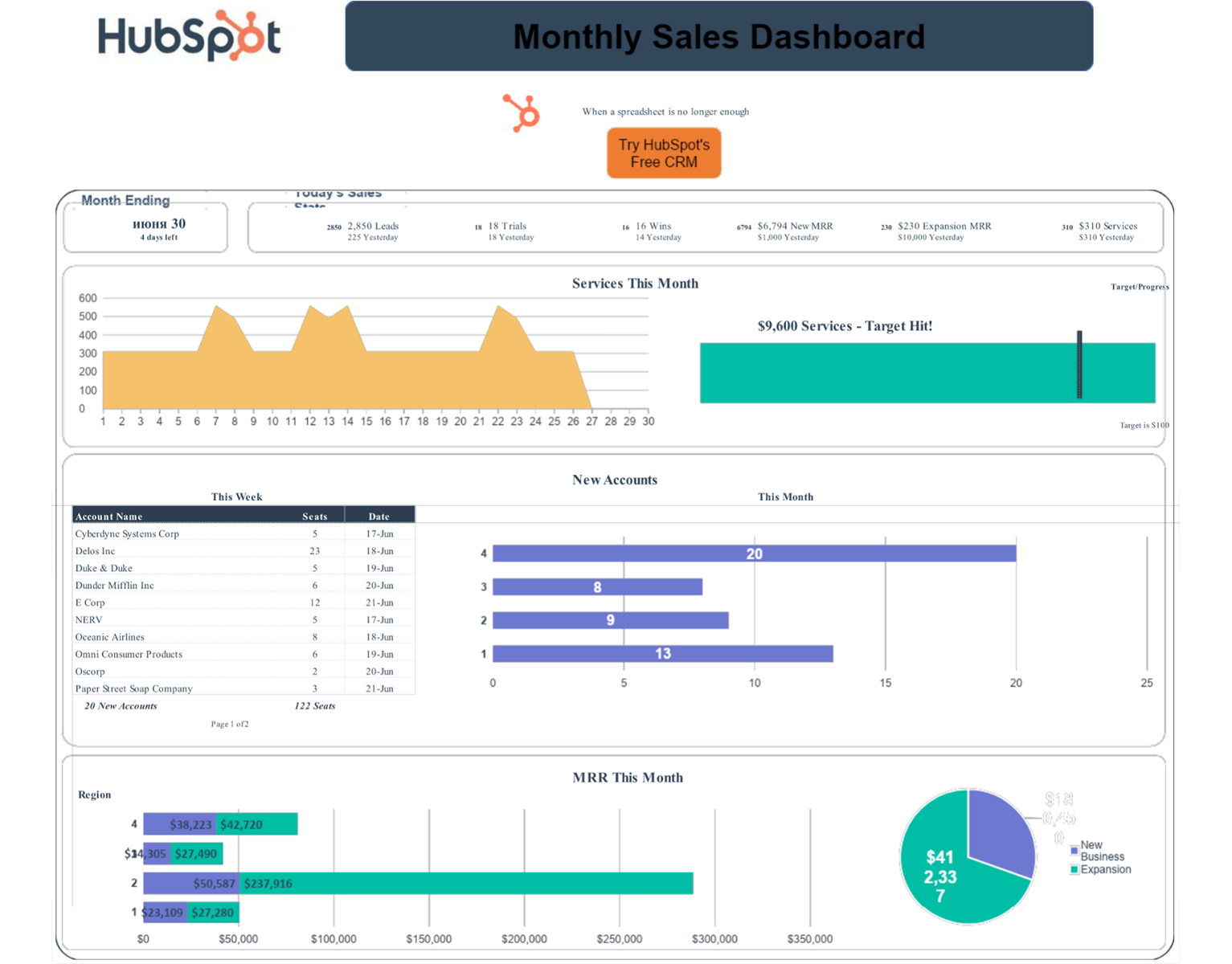


HubSpot's free Excel sales dashboard template is pre-built for sales teams who want to start tracking performance without purchasing analytics software. Out of the box, get:
Follow these steps to set up your Sales Dashboard Template. Estimated setup time is only 15 minutes for a team of 1-5 reps with an existing deal list:
Choose Excel (.xls) for offline use or open in Google Sheets for real-time team collaboration.
Replace the default pipeline stages with your actual sales process (e.g., Prospecting → Discovery → Proposal → Negotiation → Closed).
Add your team's data to the input tabs. Charts and KPI cards update automatically.
This free sales dashboard template works best for:
Not the right fit if: your team exceeds 15 reps, you need daily pipeline updates, or your sales process has more than five stages. At that point, try purpose-built software like HubSpot's Sales Hub to save more time than manual tracking costs.
When to upgrade: If your team spends more than 2 hours per week updating the spreadsheet, or if you need daily pipeline visibility, HubSpot Sales Hub automates everything this template does manually — plus adds deal scoring, email tracking, and revenue forecasting.
| Free Sales Template | HubSpot Sales Hub | |
| Cost | Free | Paid (with free trial) |
| Setup Time | 15 minutes | 1-3 hours |
| Data Entry | Manual | Automatic |
| Team Size | 1-10 reps | Unlimited |
| Real-Time Updates | No | Yes |
| CRM Integration | No | Native |
| AI Forecasting | No | Yes |
| Best For | Learning, Early-stage | Scaling teams |
Get the template for free!
Available for Excel & Google Sheets
Form not available