Similar Modules

Full-Width CTA
Add one or two CTAs with description allowing visitors to take action.

HubSpot’s CRM platform has all the tools and integrations you need for marketing, sales, content management, and customer service. Get started with free tools, or get more with our premium software.

Download the Data Hub Playbook by Elite partner, Aptitude 8. In this playbook, you'll get the how-to blueprints for what's possible with the newest hub, so you can get a jumpstart on building solutions for clients.
This button links to a PDF
HubSpot’s CRM platform has all the tools and integrations you need for marketing, sales, content management, and customer service. Get started with free tools, or get more with our premium software.
Download the Data Hub Playbook by Elite partner, Aptitude 8. In this playbook, you'll get the how-to blueprints for what's possible with the newest hub, so you can get a jumpstart on building solutions for clients.
This button links to a PDF
HubSpot’s CRM platform has all the tools and integrations you need for marketing, sales, content management, and customer service. Get started with free tools, or get more with our premium software.
Download the Data Hub Playbook by Elite partner, Aptitude 8. In this playbook, you'll get the how-to blueprints for what's possible with the newest hub, so you can get a jumpstart on building solutions for clients.
This button links to a PDF
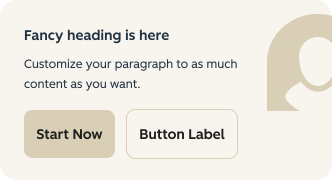
This large CTA Card can provide a quick description of a product or offer with an action for visitors to learn more. It also comes with an image content field to add visual elements on your page
Choose whether the image area appears on the left or right side of the card.
Add a heading (with configurable semantic level) and multiple description paragraphs to provide context for the CTAs.
Include up to two CTA buttons with automatic hierarchy styling and optional disclaimer text below the buttons.
Configure the image area with:
When logo or caption is present, a dark overlay is applied to the image for better text contrast.
Add one or two CTAs with description allowing visitors to take action.
| v2.36.0 September 2025
| v2.13.0 August 2024
| v2.11.0 June 2024
| v1.0.0 February 2024