Similar Modules
Filterable Content
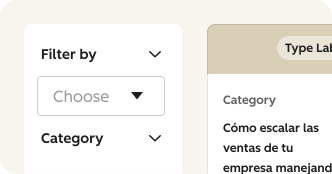
CSOL Filterable Content module facilitates the input and management of multiple resources, allowing CMS users to curate engaging content for page visitors.
This module allows you to add a collection of photos to a page that will convert into a carousel view on smaller screens. By default the images will be arranged in column, masonry style.
### Display Modes
Content creators can choose from three primary display modes: carousel for all devices, carousel for mobile only, or static grid. The grid layout can be configured as 3 or 4 columns.
### Lightbox Experience
When enabled (desktop and tablet only, not available with full carousel mode), users can click images to open a full-screen lightbox with carousel navigation for viewing all images.
### Masonry Layout
Optional masonry layout creates a Pinterest-style staggered grid where images flow naturally without equal row heights.
### Image Captions
Each image supports an optional caption with rich text (links enabled) that displays below the image in all viewing modes.
CSOL Filterable Content module facilitates the input and management of multiple resources, allowing CMS users to curate engaging content for page visitors.
| v2.33.0 July 2025
. | v1.6.0 & | v1.7.0 May 2023