<link rel="stylesheet" href="https://www.hubspot.com/hubfs/hub_generated/template_assets/1/194395071322/1777298710002/template_card.min.css">
  • HubSpot Logo

Free Social Media Report Template

A social media report template gives marketing teams a structured way to track performance across platforms – followers, engagement rate, reach, and conversions – and present results clearly to stakeholders.

HubSpot's social media report template is available for download in five formats: Google Docs, Google Slides, Microsoft Word, Microsoft PowerPoint, and PDF.

Join thousands of professionals using this templates.

What Is a Social Media Report?

A social media report is a structured document that aggregates performance data from platforms like Facebook, Instagram, LinkedIn, X (formerly Twitter), and YouTube into a single, readable summary. Social media reports answer a core business question: is your social activity generating measurable results?

Marketing teams use social media reports to document month-over-month changes in audience size, engagement rate, reach, and conversions. A well-built social media reporting template makes it faster to compile this data consistently — and easier for stakeholders to act on it.


Who This Free Social Media Report Template Is For

HubSpot's free social media report template is designed for marketing teams that produce monthly or quarterly reports for stakeholders. This template works best when you are:

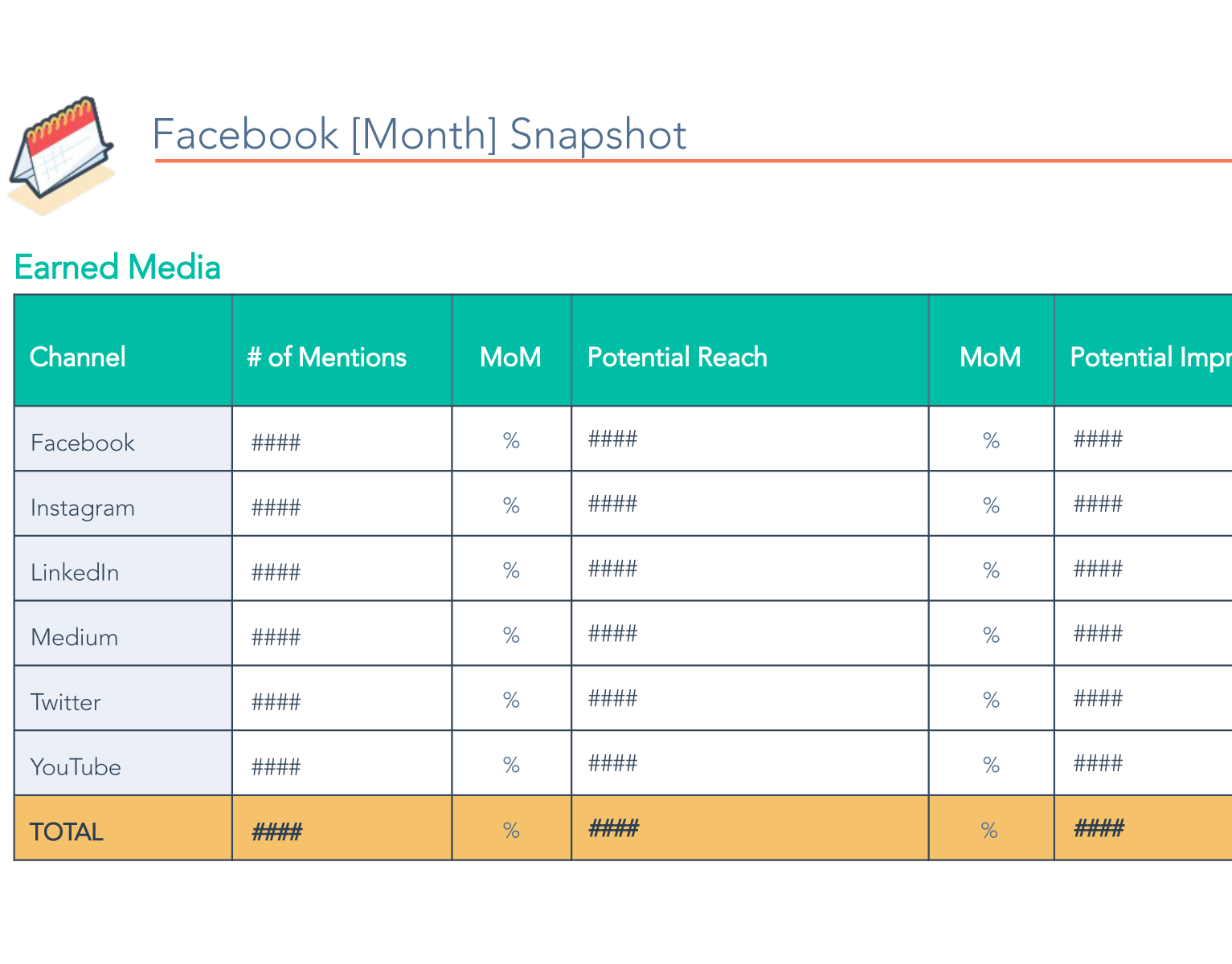
  • Managing 3–5 social channels: The template includes pre-formatted sections for Facebook, Instagram, LinkedIn, X (Twitter), and YouTube, with space for metrics like audience size, post volume, engagement rate, and month-over-month (MoM) changes.
  • Reporting monthly or quarterly: Manual social media reporting takes approximately 1–2 hours per monthly cycle and 2–3 hours per quarterly cycle with this template. Teams needing weekly reports may benefit from automated dashboard software instead – such as HubSpot's Social Media Management Software
  • Still identifying which metrics matter: Many marketers find that half their initial metrics are never acted on. This social media analysis template helps teams discover which data points actually drive executive decisions. 
  • Working in a team of 1–5 marketers: The template is designed for individuals and small teams. Organizations with 10+ marketers managing multiple brands typically require centralized reporting tools with role-based access, and may benefit from upgrading to HubSpot Marketing Hub


How to Fill Out the Social Media Report Template

Follow these steps to complete HubSpot's free social media reporting template:

  1. Download the template: Choose your preferred format — Google Docs, Microsoft Word, Google Slides, PDF, or Microsoft PowerPoint — and open the file.
  2. Enter channel data: For each social media channel (Facebook, Instagram, LinkedIn, X, YouTube), fill in audience size, number of brand posts, and engagement rate for the reporting period. Record month-over-month changes for each metric.
  3. Add earned media data: Include the number of mentions, potential reach, and total impressions across all channels, with MoM changes.
  4. Incorporate visuals: Add screenshots from your analytics dashboards to make data more accessible and reduce the need for stakeholders to log in to separate platforms.
  5. Set goals and initiatives: Define your objectives for the next period, highlight key growth initiatives, and document opportunities for improvement based on this period's data.
241217_BGM_HUBSPOT_shot_34_0466_R2-600x400-9801ebf-1

Outgrowing manual reporting?

When social media reporting starts taking more time than it's worth, HubSpot Marketing Hub automates the process, pulling live data into real-time dashboards. Spend less time compiling data and more time acting on it.

Frequently Asked Questions

See other Business Templates

Get the template for free!