HubSpot captures leads from your landing pages and form submissions, and automatically stores them in your contacts database, complete with a backlog of their browsing history before they ever converted.
Every marketing tool from landing pages to marketing automation and email sends can be customized to reflect all the demographic and behavioral data you’ve collected about a lead in your contacts database. No integration setup required.
Use HubSpot’s native Salesforce integration, or integrate HubSpot’s lead intelligence records into your CRM via an API integration. Since HubSpot collects all the information about your leads’ relationship with your company, your sales team will have a complete picture of a lead before getting on the phone.

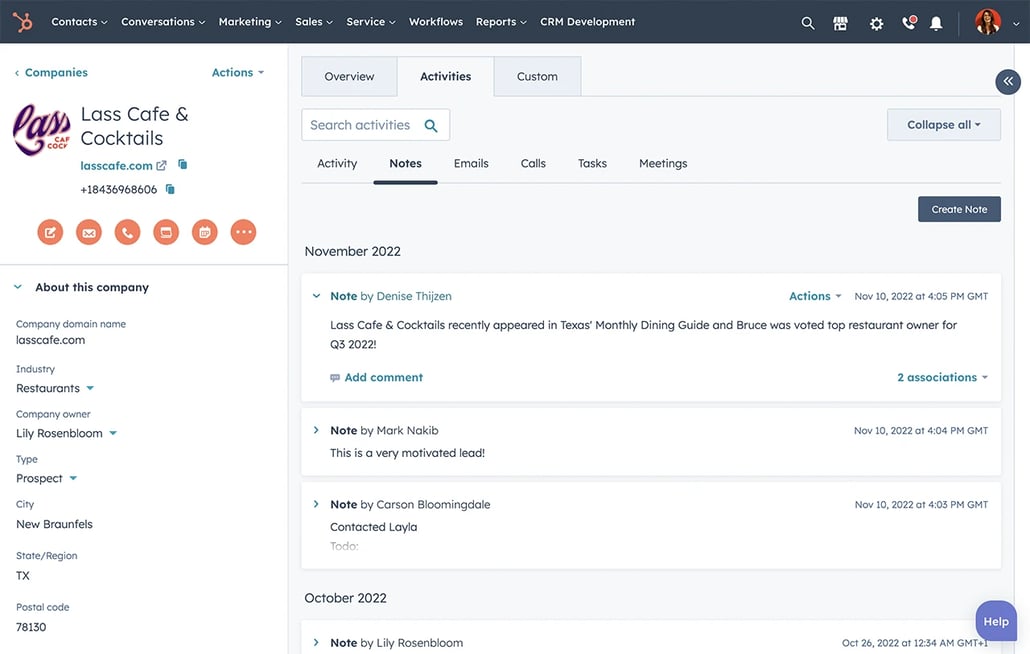
Every piece of data you have about each contact appears on their record. Edit data, search for fields, and highlight fields you want to keep close at hand on the overview page.
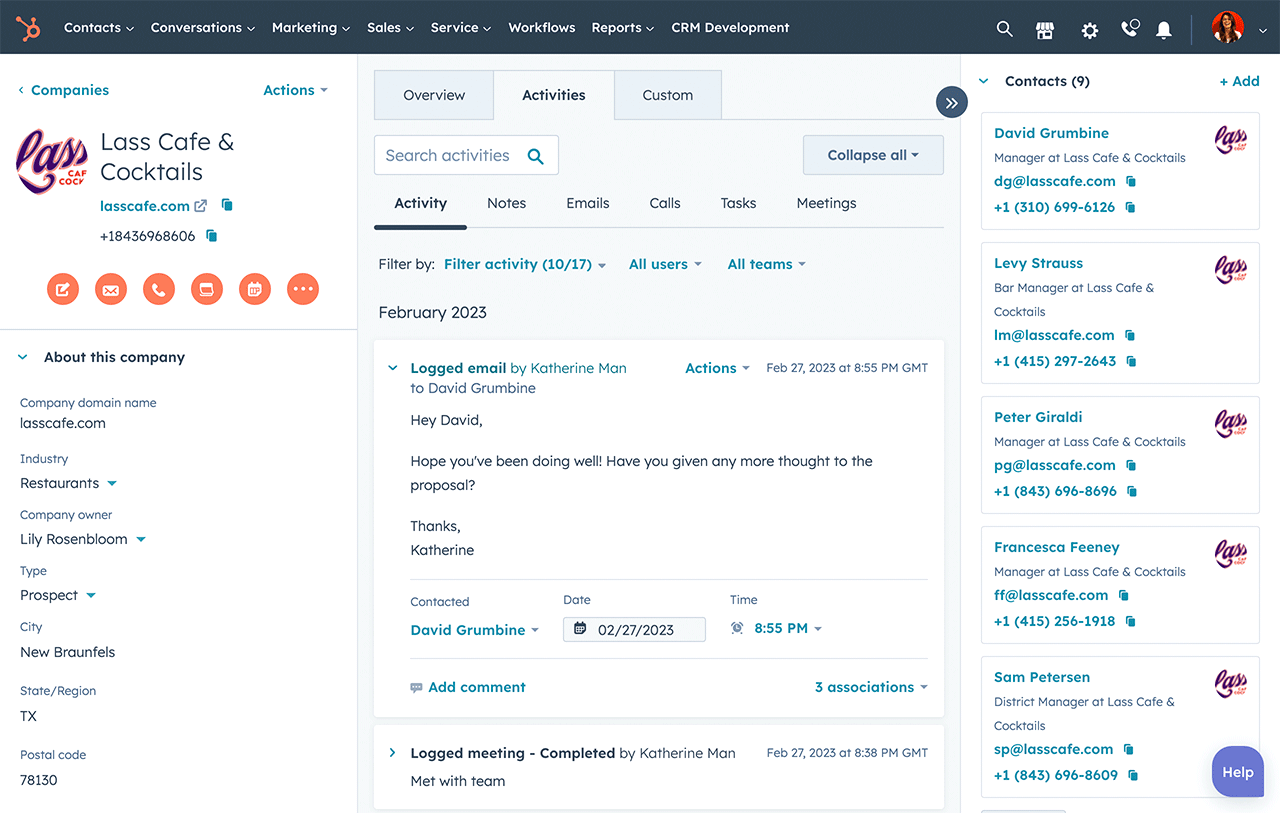
Contacts have a chronological timeline that shows every interaction with your brand, including pageviews, form submissions, emails, and more. Your sales team can use this view to better inform and personalize their interactions with leads.
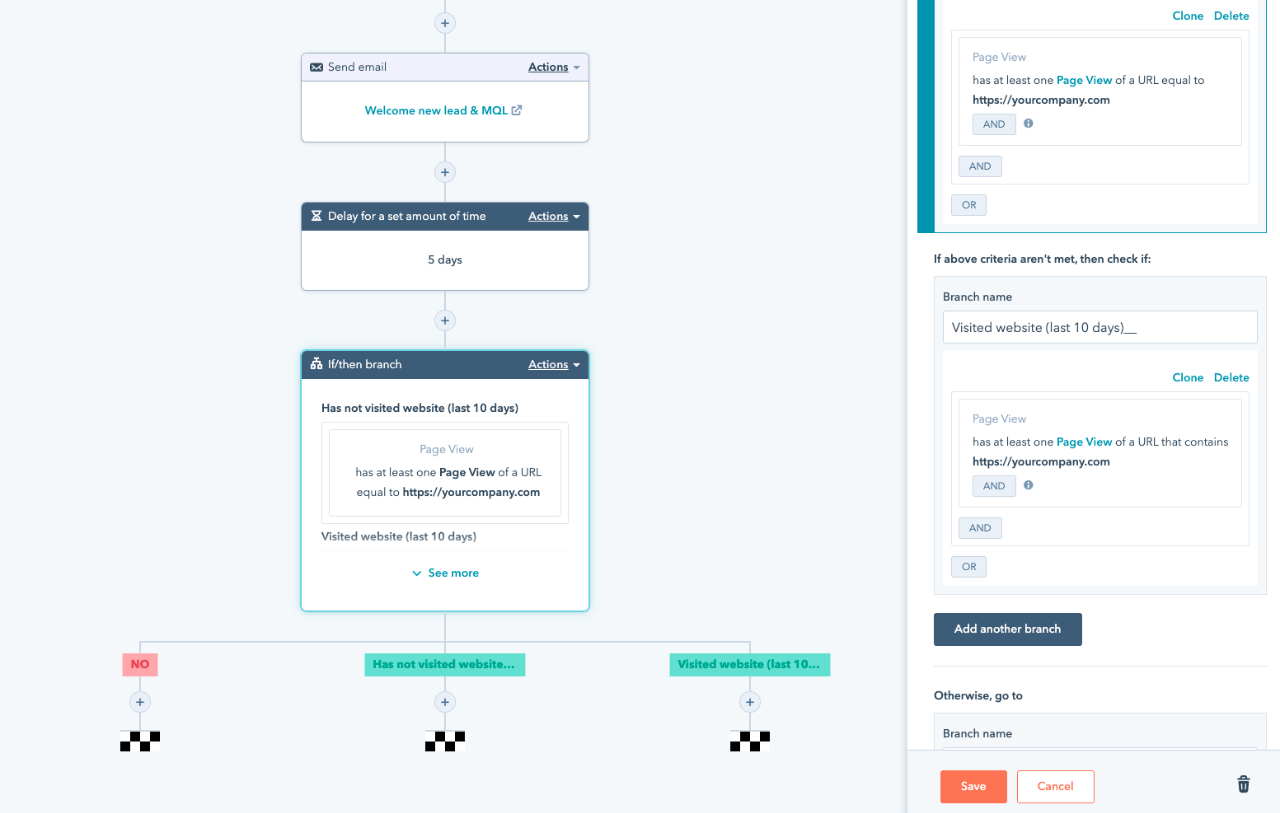
From the contact record, you can easily add individual contacts to a nurturing marketing automation workflow, add individuals to static lists, sync contact records to your CRM system, and more.
One of the things I like about HubSpot is the ability to go to a contact record, see all of their vital information, see what they’ve done, see all of the scoring, see all of the lists that they’re a member of... In HubSpot, I get it all in one place.
Smart Lists that update by themselves. When you create a Smart List in HubSpot, you can rest assured that it’s always up to date. As new contacts match your criteria, they are added to the list automatically.
Segment on characteristics and behavior. Want a segment of every IT manager who has seen your pricing page? Done. Every lead in California who has clicked your live chat button? Done.
(Note, some segmentation options require Enterprise edition.)

Easy integration. Use one of our out-of-the-box integrations, or develop your own with our API.
Make sales calls more effective. Sales reps can see an entire history of interactions from your leads’ contact records, allowing them to make more informed, personalized calls.
Stop the CSV gymnastics. Because HubSpot tracks every record in your CRM system, sending an email or triggering a campaign is as simple as pulling a segment from your database.

Every contact in your database has its own contact profile, containing every detail you know about the lead and a chronological timeline of their interactions with your brand.
Create forms in seconds with our drag-and-drop forms tool. Use progressive profiling to increase conversion rates and ask your contacts new questions over time.
Contacts can be integrated with your CRM system through one of HubSpot’s out-of-the-box integrations, or via API. All of your data is kept seamlessly up to date in every place. Prof. & Enterprise only
Contacts can support almost any kind of data you can imagine. Want to store a lead’s “company name?” Contacts does that out of the box. Need a field for “favorite dog breed?” It takes seconds to set up.
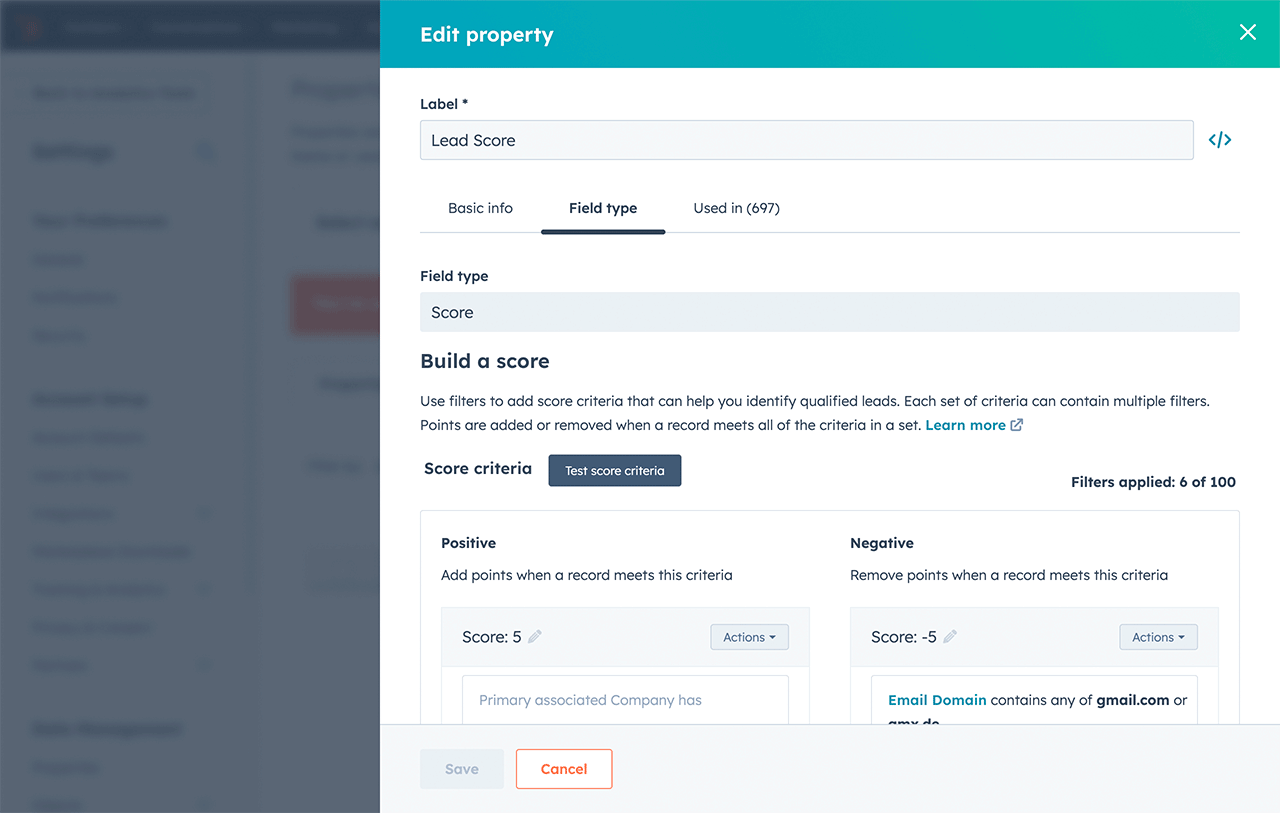
Easily build your very own custom lead scoring algorithm. Use it to control how your leads are marketed to and when individual leads go to your sales team. Prof. & Enterprise only
Creating lists and segments from your larger database is easy. Segment your contacts in virtually any way based on their characteristics or behaviors on your website.
HubSpot’s Contacts Database stores every interaction your lead has with you, so you can deliver highly targeted, personalized messaging to them through HubSpot’s Marketing Automation tool, Workflows.
Because all the data you have about a lead’s interests and behaviors lives in the same system as your Landing Pages tool, your Landing Pages can automatically adjust to reflect messaging and images that appeal to whoever is looking at them.
Because the Contacts Database updates every form with information you already have about a contact, your lead never has to enter the same information twice when they reconvert on a form.