Logo - Full (Color)

Subscription Management

Gain full visibility into your recurring revenue with automated subscription management and recurring billing from Revenue Hub.

  • Save time with automatic reminders for each customer

  • Easily update new and existing subscriptions as your business evolves

  • Spot expansion opportunities and risk signals

Create subscriptions and send recurring invoices.

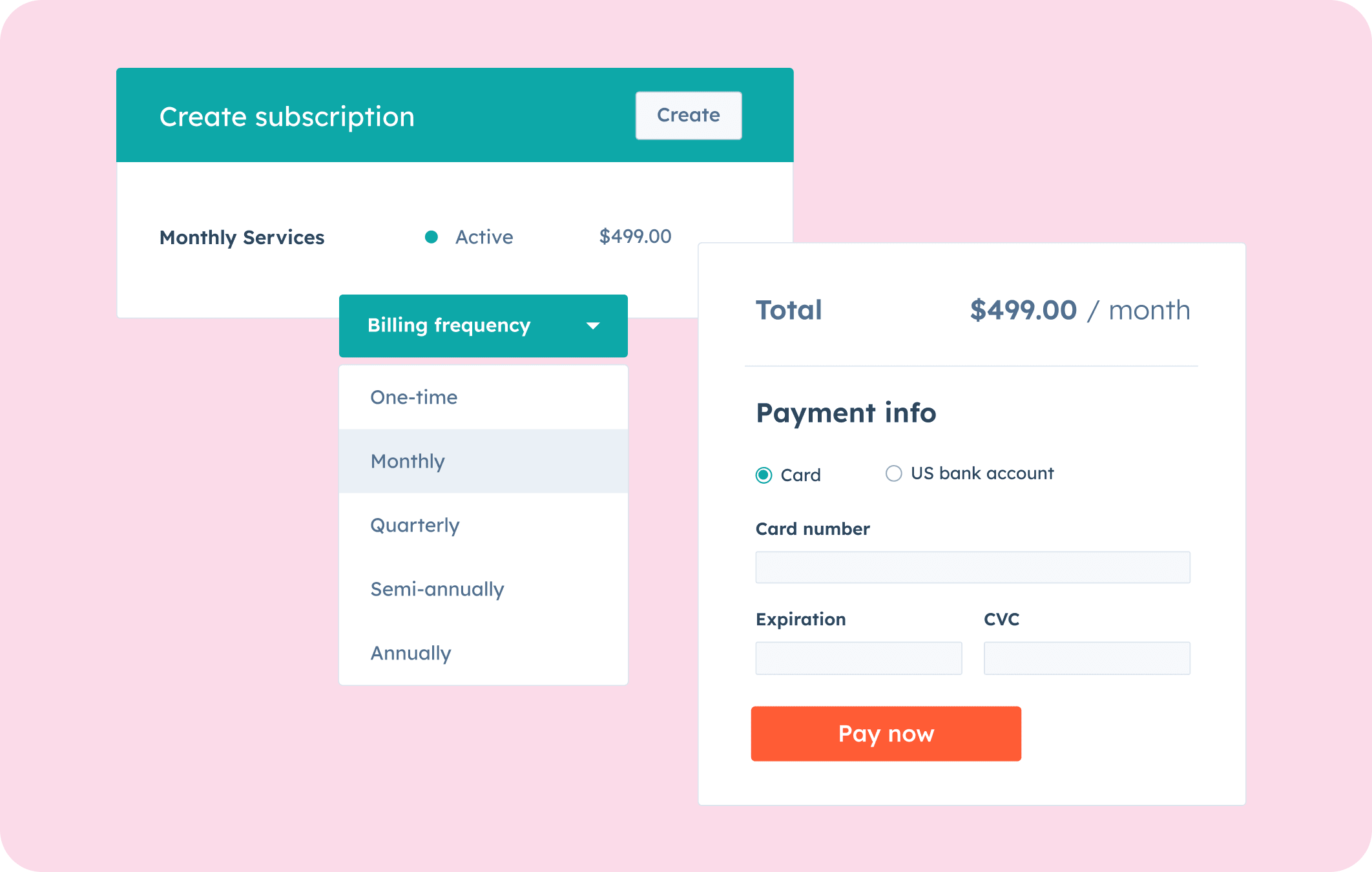
Start recurring billing quickly and easily with HubSpot’s subscription management software. Once accepted, a quotes with recurring line items automatically creates a subscription and contract record in HubSpot — so recurring billing starts the moment a deal is closed. Use a payment link to automatically charge a subscription or send recurring invoices to customers on their billing date so you get paid on time, every time.

  1. Easily create, edit, and manage subscriptions.

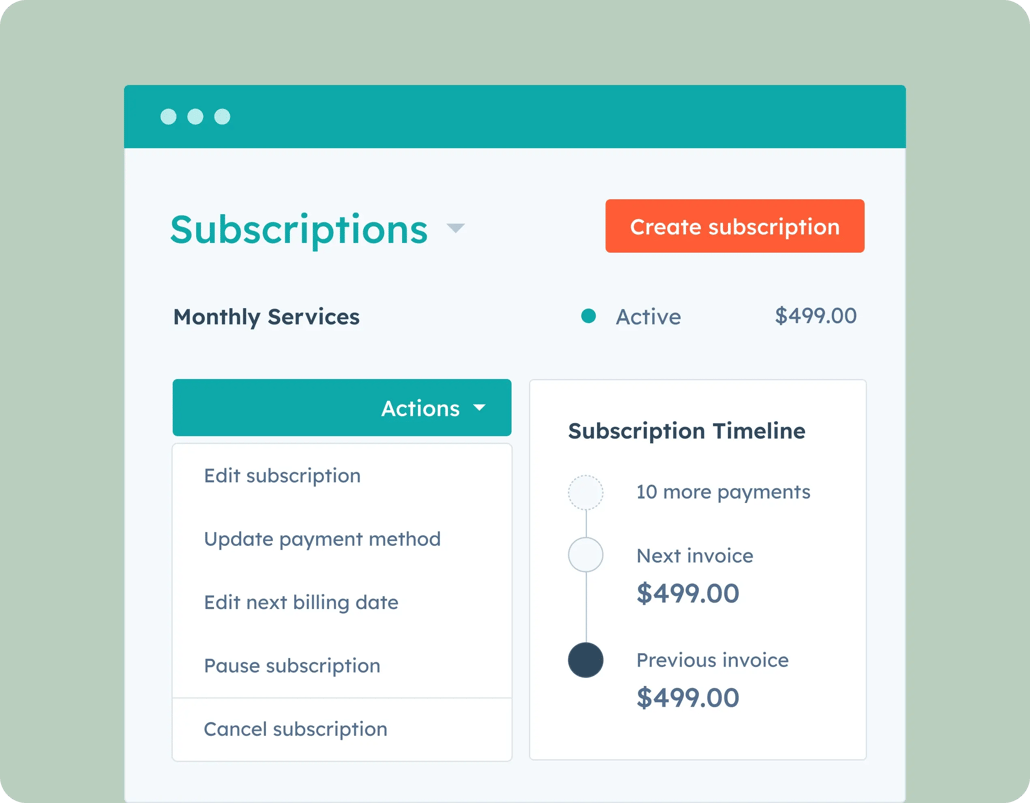
    Managing subscriptions is simple and fast with HubSpot. View your recurring billing and edit details like price, quantity, and discounts. Update payment methods, due dates, and contact information with ease. You can also start, pause, or cancel subscriptions anytime.
  2. Save time through automated payment reminders.

    Missing payments and having to chase down customers for billing information is frustrating and time-consuming. Revenue Hub sends automated payment reminders. This means smooth transactions and freedom from manual tasks — all saving you time.
  3. Grow your business with reporting and recurring revenue.

    It's challenging to understand your financial performance without the right tools. HubSpot’s reporting features offer valuable insights into your recurring revenue streams, empowering you to make informed decisions that drive business growth.

Have questions? Give us a call and we'll walk you through it.

+1 857-829-5060

Managing our subscriptions through HubSpot has been a game-changer for our team. Now more than ever, we can rely on HubSpot to manage our entire sales process seamlessly. With the ability to automate our billings subscriptions, our team can focus our time on providing our clients with high-quality experiences rather than spending daunting hours managing our accounting processes and chasing down payments. HubSpot's CRM becomes that much more powerful having real-time revenue tracking all in one place!

Shana Steigerwalt

Founder/President

Modern Driven Media

Frequently Asked Questions

To get started, navigate to Revenue> Subscriptions and click Create Subscription. If you want to automate recurring payments, create a payment link. If you want your customer to receive an invoice to pay each month, automatically send recurring invoices to customers.

Subscriptions are a free feature in HubSpot. Both free and premium users can access them. For a detailed description of Revenue Hub features, limits, and requirements, please visit the Revenue Hub pricing page.

You can view subscriptions either from the subscription index page or from a subscription's associated contact, company, deal, and payment records. You can check the status of a subscription, edit the subscription, or send the buyer a link to update their payment method.

Popular subscription management features include:

  • Recurring invoices
  • Recurring revenue tracking
  • Custom reports based on subscription data
  • Automated email reminders to your customers
  • Subscription-based workflows to send notifications for an upcoming subscription payment
  • Create and share payment links to get paid faster in just a few clicks

Both HubSpot payments and Stripe support payments in 130+ currencies including USD, CAD, GBP, EUR, AUD, BGN, CZK, DKK, HKD, HUF, JPY, MXN, NZD, NOK, PHP, PLN, RON, SGD, SEK, and CHF. See complete list of currencies.