Logo - Full (Color)

Calls-to-Action

HubSpot CTAs turn website visitors into customers with pop-ups, banners, and buttons that appear at the perfect moment.

  • Create high-converting pop-ups, banners, and buttons

  • Use contact data to personalize CTAs for your target audience

  • Generate more conversions with A/B tests and engagement data

Create personalized CTAs that are designed to convert.

The quality of your website’s CTAs are crucial to capturing more leads. With HubSpot’s CTA builder, you can easily create relevant and compelling calls to action in seconds. Drive more visitors to key landing pages and convert them into qualified leads.

With contact data, you can personalize the CTAs to your specific audiences, leading to higher engagement and conversions. You can also A/B test and optimize the performance to identify which resonate best with your audience.


  1. Create click-worthy CTAs in a flash.

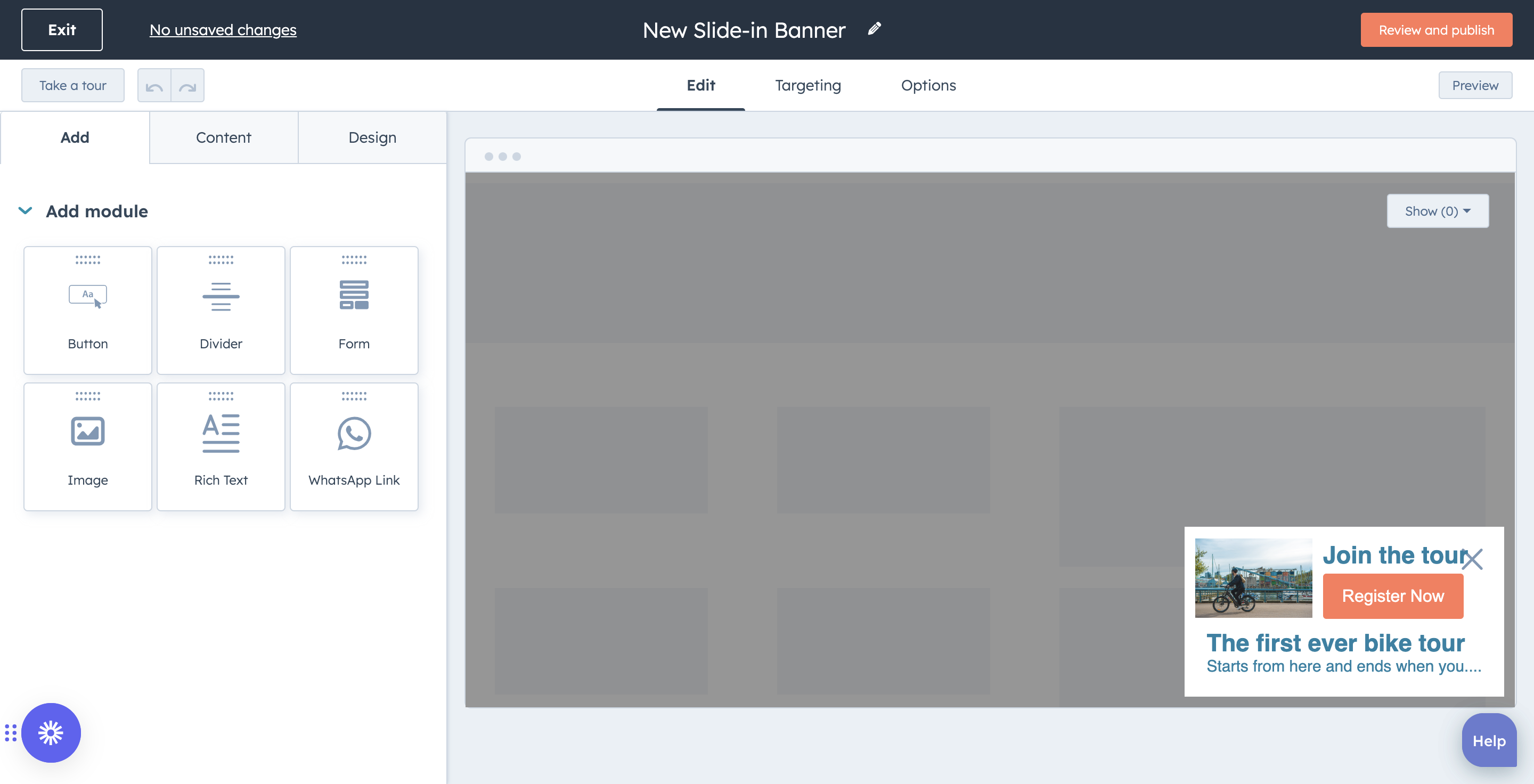
    Easily create high-converting CTA buttons and pop-ups with HubSpot's CTA builder. Upload custom designs or use drag-and-drop editing to build quickly. Use slash and highlight commands to generate and edit CTA copy automatically with AI-powered writing software. Insert CTAs into web pages, landing pages, blog posts, and emails to maximize conversions.
  2. Personalize CTAs for each visitor to increase conversions.

    Tailor your CTAs for individual visitors, and watch your conversion rates skyrocket. Personalize CTAs using any detail in your contacts database, like persona, industry, lifecycle stage, and more, so you’re dynamically displaying the most relevant and effective CTAs to move leads further down the funnel. You can even tailor CTAs to anonymous visitors based on their location, device, referral source, or preferred language to customize the experience for everyone – even first-time site visitors.
  3. A/B test, analyze, and optimize the performance of your CTAs.

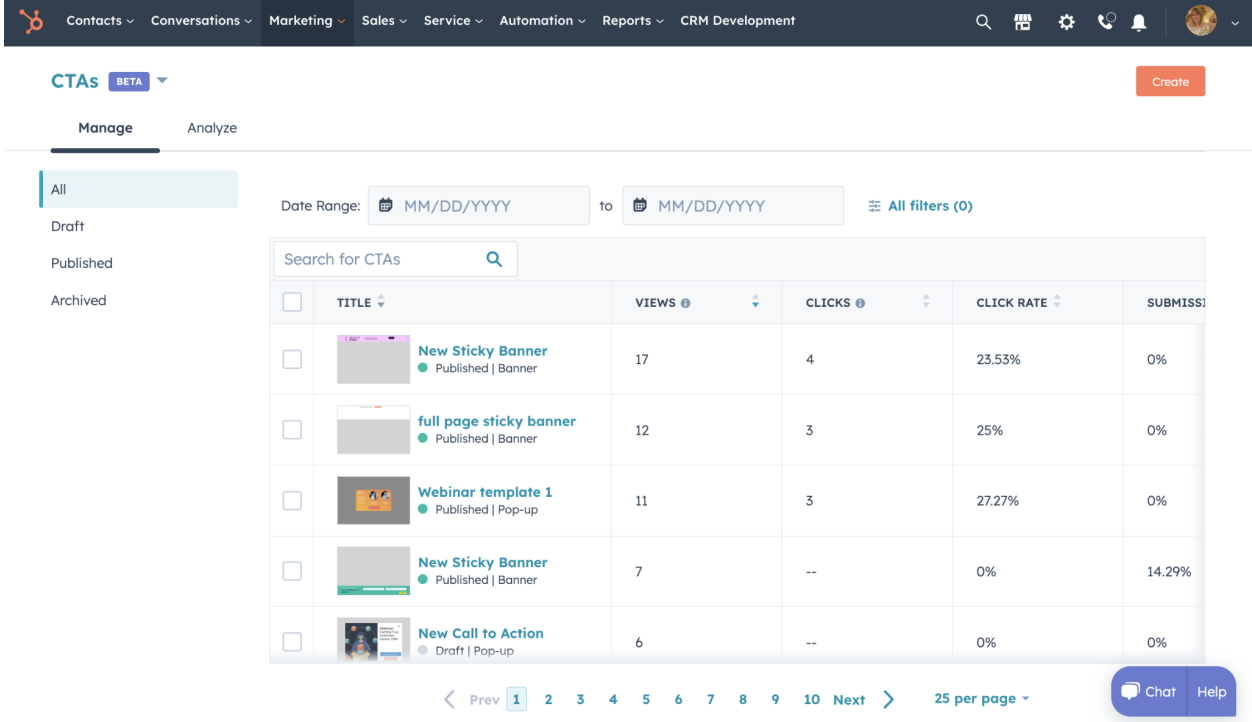
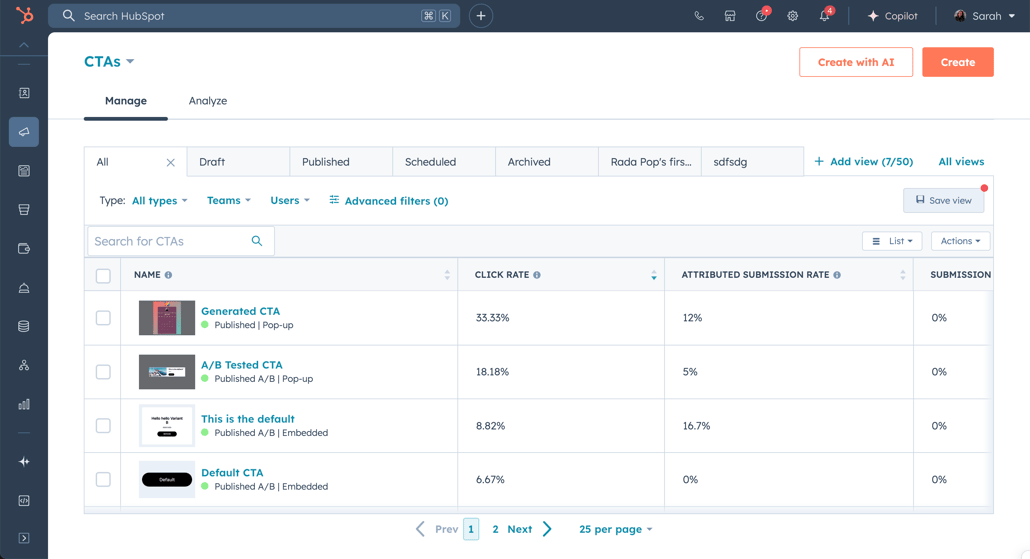
    Optimize your CTAs to generate more conversions with the same amount of traffic. Set up A/B tests to create two or more variations of each CTA, and test any variable from copy and design to destination links to identify the version of your CTA that outperforms the rest. Manage all your CTAs in one dashboard and see how many views, clicks, and conversions each one is generating across all your pages so you can make data-driven decisions and leave the guesswork out of it.

Have questions? Give us a call and we'll walk you through it.

+1 857-829-5060

Frequently Asked Questions

Find quick answers to common questions about Hubspot's pop-up CTAs.

Call-to-action buttons (CTAs) are clickable elements on your website that guide visitors to take specific actions — like downloading a guide, signing up for a newsletter, or requesting a demo. You can set them up to appear as pop-ups when someone tries to leave your site, banners at the top of pages, or buttons within your content.

With HubSpot's visual editing features, you can create pop-ups in minutes without coding. Simply choose your pop-up type, customize the design and message, set when it should appear (like after 30 seconds or on exit-intent), and publish it to your website. You can start with templates and customize colors, text, and timing to match your brand.

Pop-ups aren't bad when used correctly. Exit-intent pop-ups that appear when visitors are about to leave can recover abandoning visitors without hurting user experience.

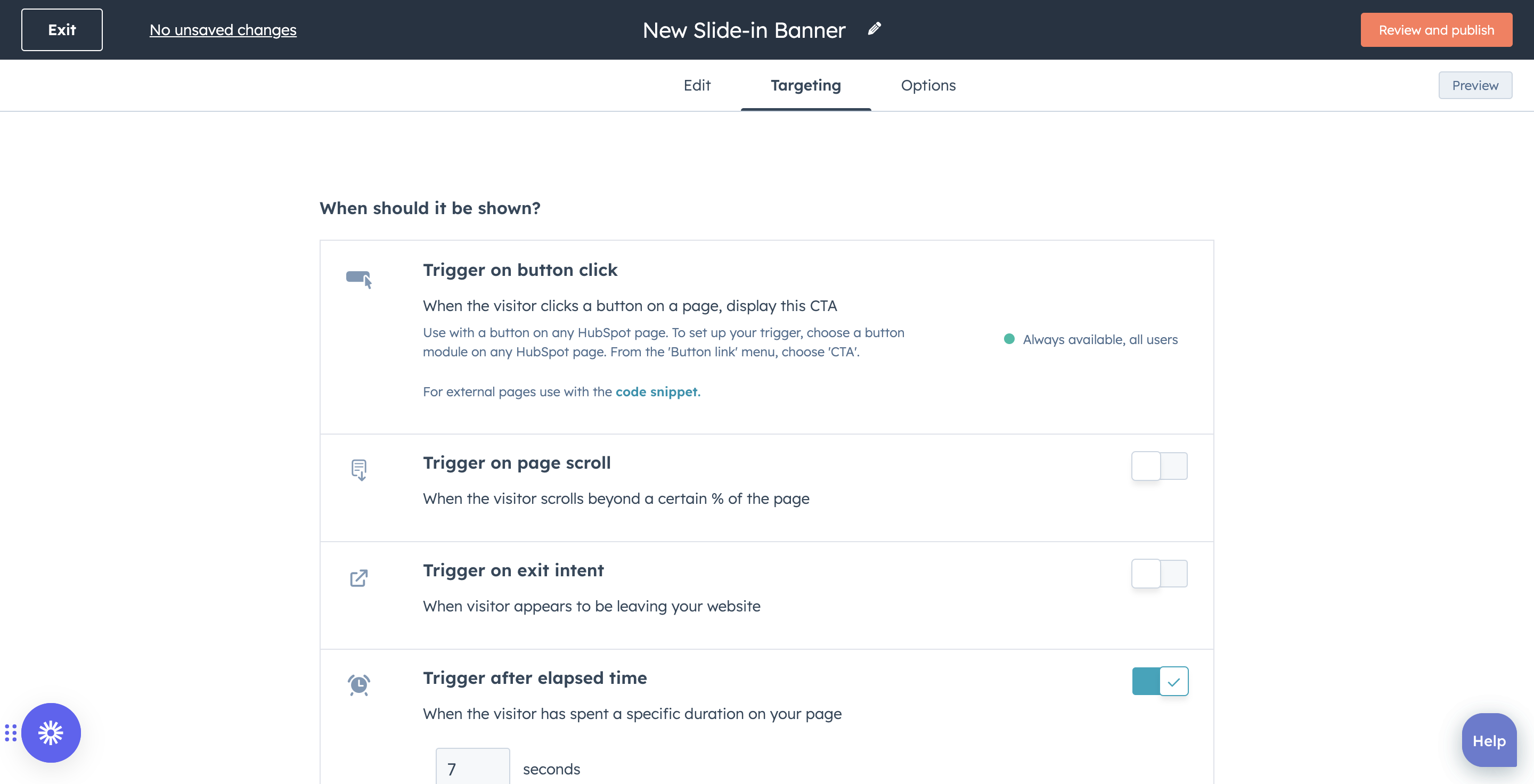
The key is timing — wait at least 15 seconds or until someone scrolls 50% down the page before showing a pop-up. Avoid showing multiple pop-ups on the same page or using generic messages.

The best timing depends on your goal:

  • Capture exiting visitors: Create exit intent pop-ups that trigger based on mouse movements. 
  • Timed pop-ups – Engage active readers after 15-30 seconds.
  • Scroll-triggered pop-ups – Target engaged visitors at 50-70% of page

Start with one type and test different timings to see what works best for your audience.