Logo - Full (Color)
[Skip to content](https://www.hubspot.com#global-nav-main-content)
- English Select a language
- [日本語](https://www.hubspot.jp/products/revenue/payment-links)
- [Deutsch](https://www.hubspot.de/products/revenue/payment-links)
- [English](https://www.hubspot.com/products/revenue/payment-links)
- [Español](https://www.hubspot.es/products/revenue/payment-links)
- [Português](https://br.hubspot.com/products/revenue/payment-links)
- [Français](https://www.hubspot.fr/products/revenue/payment-links)
- High Contrast
- [Customer Support](https://help.hubspot.com)
- [Contact Sales](https://offers.hubspot.com/contact-sales)
- Close Search
- [Log in](https://app.hubspot.com/login)
- About About
- [About Us](https://www.hubspot.com/our-story)
- [Careers](https://www.hubspot.com/careers)
- [Contact Us](https://www.hubspot.com/company/contact)
- [Investor Relations](https://ir.hubspot.com)
- [Management Team](https://www.hubspot.com/company/management)
Back [ ](https://www.hubspot.com)
[Get started free](https://app.hubspot.com/signup-hubspot/commerce)
Menu
- Close Search
- Products Products
- ## The HubSpot Customer Platform
All of HubSpot's marketing, sales, and customer service software on one agentic platform.
[Free HubSpot CRM](https://www.hubspot.com/products/crm)
[Overview of all products](https://www.hubspot.com/products/get-started)
- ### Marketing Hub
Marketing automation software
[Free and premium plans](https://www.hubspot.com/products/marketing)
- ### Sales Hub
Sales software
[Free and premium plans](https://www.hubspot.com/products/sales)
- ### Service Hub
Customer service software
[Free and premium plans](https://www.hubspot.com/products/service)
- ### Content Hub
Content marketing software
[Free and premium plans](https://www.hubspot.com/products/content)
- ### Data Hub
Data management software
[Free and premium plans](https://www.hubspot.com/products/data)
- ### Revenue Hub
CPQ, billing, and payments software
[Free and premium plans](https://www.hubspot.com/products/revenue)
- ### Smart CRM
AI-powered, flexible CRM software
[Learn more](https://www.hubspot.com/products/crm/ai-crm)
- ### Agent Hub
Your central home for building and managing AI agents across the platform
[Learn more](https://www.hubspot.com/products/artificial-intelligence)
- ### Small Business Bundle
The Starter edition of each product, built for startups and small businesses
[Learn more](https://www.hubspot.com/products/crm/starter)
- ### AEO (Beta)
Answer engine optimization tools that track and improve your brand's visibility in AI results
[Learn more](https://www.hubspot.com/products/aeo)
- ### HubSpot Marketplace
Connect your favorite apps to HubSpot
[See all integrations](https://ecosystem.hubspot.com/marketplace/apps)
- Solutions Solutions
- By Use Case
- By Team Size
- Why HubSpot?
- ## Marketing
- ### [Generate leads](https://www.hubspot.com/use-case/generate-leads)
Convert visitors into contacts for your database.
- ### [Automate marketing](https://www.hubspot.com/use-case/automate-marketing)
Create campaigns with automation and AI.
- ## Sales
- ### [Build pipeline](https://www.hubspot.com/use-case/build-sales-pipeline)
Generate a pipeline of high-quality prospects.
- ### [Close deals](https://www.hubspot.com/use-case/close-more-deals)
Streamline your process and close more deals faster.
- ## Customer Service
- ### [Scale support](https://www.hubspot.com/use-case/scale-customer-service-support)
Support customers at scale with AI and a help desk.
- ### [Drive retention](https://www.hubspot.com/use-case/drive-customer-satisfaction)
Identify opportunities to improve customer health.
- ## Content
- ### [Create content](https://www.hubspot.com/use-case/create-content-for-customer-journey)
Easily craft content for your audience, with help from AI.
- ### [Manage content](https://www.hubspot.com/use-case/manage-content)
Organize, update, and distribute content in one place.
- ## Startups & Small Businesses
- ### [Find and reach customers](https://www.hubspot.com/use-case/find-and-reach-customers)
Generate leads through content, AI, and automation.
- ### [Grow sales and get paid](https://www.hubspot.com/use-case/grow-sales-and-get-paid-faster)
Prospect smarter and automate payments.
- ### [Organize customer data](https://www.hubspot.com/use-case/understand-and-organize-customer-data)
Unify your team and data on one platform.
- ## Artificial Intelligence
- ### [Resolve customer queries 24/7](https://www.hubspot.com/products/artificial-intelligence/ai-customer-service-agent)
Scale customer service with an AI customer agent.
- ### [Automate sales prospecting](https://www.hubspot.com/products/sales/ai-prospecting-agent)
Identify and engage high-value leads with an AI prospecting agent.
- ### [Research customers faster](https://www.hubspot.com/products/artificial-intelligence/ai-data-agent)
Get instant answers about your customers with an AI data agent.
## By Team Size
- ### For Small Businesses & Startups
HubSpot’s all-in-one Starter Customer Platform helps your growing startup or small business find and win customers from day one.
[Learn more about HubSpot’s Starter Customer Platform](https://www.hubspot.com/products/crm/starter)
- ### For Enterprises
With HubSpot’s integrated Enterprise Customer Platform, you don’t have to sacrifice power for ease of use.
[Learn more about HubSpot’s Enterprise Customer Platform](https://www.hubspot.com/products/crm/enterprise)
## Why HubSpot?
- ### Why Choose HubSpot?
After just one year, HubSpot customers acquire 129% more leads, close 36% more deals, and see a 37% improvement in ticket closure rates.
[Learn more about why how HubSpot’s solution is different](https://www.hubspot.com/why-choose-hubspot)
- ### Case Studies
Explore examples of companies like yours from all over the globe that use HubSpot to unite their teams, empower their businesses, and grow better.
[See all case studies](https://www.hubspot.com/case-studies)
- ### Spotlight: Product Updates
Learn about HubSpot’s featured product releases and announcements in this semi-annual product showcase.
[Explore product updates](https://www.hubspot.com/spotlight)
- [Pricing](https://www.hubspot.com/pricing/revenue)
- Resources Resources
- ## Featured Links
- [Spotlight: Product Updates](https://www.hubspot.com/spotlight)
- [What's New in HubSpot](https://www.hubspot.com/new)
- [Why Choose HubSpot?](https://www.hubspot.com/why-choose-hubspot)
- [Sustainability](https://www.hubspot.com/sustainability)
- ## Community & Events
- [UNBOUND Event](https://unbound.hubspot.com)
- [Webinars](https://www.hubspot.com/resources/webinar#resource-library-page-headers)
- [HubSpot Community](https://community.hubspot.com)
- [HubSpot User Groups](https://www.hubspot.com/hubspot-user-groups)
- ## Partners
- [Solutions Partner Program](https://www.hubspot.com/partners/solutions)
- [Technology Partner Program](https://www.hubspot.com/partners/app)
- [Affiliate Partner Program](https://www.hubspot.com/partners/affiliates)
- [Education Partner Program](https://academy.hubspot.com/education-partner-program)
- [Startup Partner Program](https://www.hubspot.com/startups/partners)
- ## Education
- [The Loop Marketing Playbook](https://www.hubspot.com/loop-marketing)
- [What Is Inbound Marketing?](https://www.hubspot.com/inbound-marketing)
- [HubSpot Blogs](https://blog.hubspot.com)
- [Free Courses & Certifications](https://academy.hubspot.com)
- [Ebooks, Guides & More](https://www.hubspot.com/resources)
- [HubSpot Knowledge Base](https://knowledge.hubspot.com)
- ## Tools
- [Website Templates](https://ecosystem.hubspot.com/marketplace/templates)
- [Developer Tools](https://developers.hubspot.com)
- ## Services
- [Onboarding](https://www.hubspot.com/services/onboarding)
- [Premium Support](https://www.hubspot.com/services/premium-support)
- [Hire a Solutions Partner](https://ecosystem.hubspot.com/marketplace/solutions)
- Products Products
- ## The HubSpot Customer Platform
All of HubSpot's marketing, sales, and customer service software on one agentic platform.
- [__Free HubSpot CRM__](https://www.hubspot.com/products/crm)
- [__Overview of all products__](https://www.hubspot.com/products/get-started)
- [
\
__Marketing Hub__
\
Marketing automation software](https://www.hubspot.com/products/marketing)
- [
\
__Sales Hub__
\
Sales software](https://www.hubspot.com/products/sales)
- [
\
__Service Hub__
\
Customer service software](https://www.hubspot.com/products/service)
- [
\
__Content Hub__
\
Content marketing software](https://www.hubspot.com/products/content)
- [
\
__Data Hub__
\
Data management software](https://www.hubspot.com/products/data)
- [
\
__Revenue Hub__
\
CPQ, billing, and payments software](https://www.hubspot.com/products/revenue)
- [
\
__Smart CRM__
\
AI-powered, flexible CRM software](https://www.hubspot.com/products/crm/ai-crm)
- [
\
__Agent Hub__
\
Your central home for building and managing AI agents across the platform](https://www.hubspot.com/products/artificial-intelligence)
- [
\
__Small Business Bundle__
\
The Starter edition of each product, built for startups and small businesses](https://www.hubspot.com/products/crm/starter)
- [
\
__AEO (Beta)__
\
Answer engine optimization tools that track and improve your brand's visibility in AI results](https://www.hubspot.com/products/aeo)
- [
\
__HubSpot Marketplace__
\
Connect your favorite apps to HubSpot](https://ecosystem.hubspot.com/marketplace/apps)
- Solutions Solutions
- By Use Case
- ## Marketing
- [Generate leads](https://www.hubspot.com/use-case/generate-leads)
- [Automate marketing](https://www.hubspot.com/use-case/automate-marketing)
- ## Sales
- [Build pipeline](https://www.hubspot.com/use-case/build-sales-pipeline)
- [Close deals](https://www.hubspot.com/use-case/close-more-deals)
- ## Customer Service
- [Scale support](https://www.hubspot.com/use-case/scale-customer-service-support)
- [Drive retention](https://www.hubspot.com/use-case/drive-customer-satisfaction)
- ## Content
- [Create content](https://www.hubspot.com/use-case/create-content-for-customer-journey)
- [Manage content](https://www.hubspot.com/use-case/manage-content)
- ## Startups & Small Businesses
- [Find and reach customers](https://www.hubspot.com/use-case/find-and-reach-customers)
- [Grow sales and get paid](https://www.hubspot.com/use-case/grow-sales-and-get-paid-faster)
- [Organize customer data](https://www.hubspot.com/use-case/understand-and-organize-customer-data)
- ## Artificial Intelligence
- [Resolve customer queries 24/7](https://www.hubspot.com/products/artificial-intelligence/ai-customer-service-agent)
- [Automate sales prospecting](https://www.hubspot.com/products/sales/ai-prospecting-agent)
- [Research customers faster](https://www.hubspot.com/products/artificial-intelligence/ai-data-agent)
- By Team Size
- ## By Team Size
- 
### For Small Businesses & Startups
HubSpot’s all-in-one Starter Customer Platform helps your growing startup or small business find and win customers from day one.
[Learn more about HubSpot’s Starter Customer Platform](https://www.hubspot.com/products/crm/starter)
- 
### For Enterprises
With HubSpot’s integrated Enterprise Customer Platform, you don’t have to sacrifice power for ease of use.
[Learn more about HubSpot’s Enterprise Customer Platform](https://www.hubspot.com/products/crm/enterprise)
- Why HubSpot?
- ## Why HubSpot?
- 
### Why Choose HubSpot?
After just one year, HubSpot customers acquire 129% more leads, close 36% more deals, and see a 37% improvement in ticket closure rates.
[Learn more about why how HubSpot’s solution is different](https://www.hubspot.com/why-choose-hubspot)
- 
### Case Studies
Explore examples of companies like yours from all over the globe that use HubSpot to unite their teams, empower their businesses, and grow better.
[See all case studies](https://www.hubspot.com/case-studies)
- 
### Spotlight: Product Updates
Learn about HubSpot’s featured product releases and announcements in this semi-annual product showcase.
[Explore product updates](https://www.hubspot.com/spotlight)
- [Pricing](https://www.hubspot.com/pricing/revenue)
- Resources Resources
- ## Featured Links
- [Spotlight: Product Updates](https://www.hubspot.com/spotlight)
- [What's New in HubSpot](https://www.hubspot.com/new)
- [Why Choose HubSpot?](https://www.hubspot.com/why-choose-hubspot)
- [Sustainability](https://www.hubspot.com/sustainability)
- ## Community & Events
- [UNBOUND Event](https://unbound.hubspot.com)
- [Webinars](https://www.hubspot.com/resources/webinar#resource-library-page-headers)
- [HubSpot Community](https://community.hubspot.com)
- [HubSpot User Groups](https://www.hubspot.com/hubspot-user-groups)
- ## Partners
- [Solutions Partner Program](https://www.hubspot.com/partners/solutions)
- [Technology Partner Program](https://www.hubspot.com/partners/app)
- [Affiliate Partner Program](https://www.hubspot.com/partners/affiliates)
- [Education Partner Program](https://academy.hubspot.com/education-partner-program)
- [Startup Partner Program](https://www.hubspot.com/startups/partners)
- ## Education
- [The Loop Marketing Playbook](https://www.hubspot.com/loop-marketing)
- [What Is Inbound Marketing?](https://www.hubspot.com/inbound-marketing)
- [HubSpot Blogs](https://blog.hubspot.com)
- [Free Courses & Certifications](https://academy.hubspot.com)
- [Ebooks, Guides & More](https://www.hubspot.com/resources)
- [HubSpot Knowledge Base](https://knowledge.hubspot.com)
- ## Tools
- [Website Templates](https://ecosystem.hubspot.com/marketplace/templates)
- [Developer Tools](https://developers.hubspot.com)
- ## Services
- [Onboarding](https://www.hubspot.com/services/onboarding)
- [Premium Support](https://www.hubspot.com/services/premium-support)
- [Hire a Solutions Partner](https://ecosystem.hubspot.com/marketplace/solutions)
- About About
- [About Us](https://www.hubspot.com/our-story)
- [Careers](https://www.hubspot.com/careers)
- [Contact Us](https://www.hubspot.com/company/contact)
- [Investor Relations](https://ir.hubspot.com)
- [Management Team](https://www.hubspot.com/company/management)
[Get started free](https://app.hubspot.com/signup-hubspot/commerce)
[Log in](https://app.hubspot.com/login)
- English Select a language
- [日本語](https://www.hubspot.jp/products/revenue/payment-links)
- [Deutsch](https://www.hubspot.de/products/revenue/payment-links)
- [English](https://www.hubspot.com/products/revenue/payment-links)
- [Español](https://www.hubspot.es/products/revenue/payment-links)
- [Português](https://br.hubspot.com/products/revenue/payment-links)
- [Français](https://www.hubspot.fr/products/revenue/payment-links)
- High Contrast
- [Customer Support](https://help.hubspot.com)
- [Contact Sales](https://offers.hubspot.com/contact-sales)
- [Revenue Hub](https://www.hubspot.com/products/revenue)
- Payment Links

# Payment Links
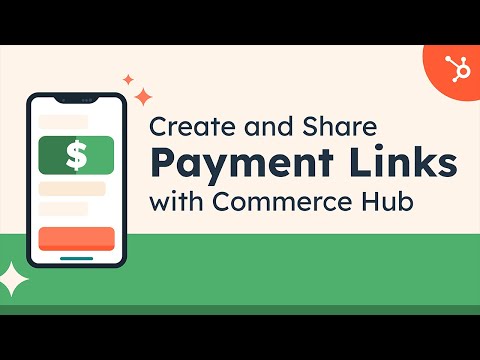
Create and share payment links to get paid faster in just a few clicks.
[Get started free](https://app.hubspot.com/signup-hubspot/commerce)
- Accept payments easily with payment links — no coding or website required.
- Collect one-time payments and recurring payments.
- Include payment links anywhere your customers are: emails, your website, forms, meetings, and more.
By viewing this video, you give your consent for Youtube to set cookies on your device. Check out our [privacy policy](https://legal.hubspot.com/privacy-policy)
 Play
## Collecting payments has never been easier.
We believe getting paid should be fast and easy.
With payment links, you can collect credit, debit, or ACH payments directly from your customers. You’ll get paid faster, save time, and increase your revenue. Plus, your customers will love how easy it is to pay you.
Here’s how it works:
1. __Create a payment link__ to process a one-time or recurring payment
2. __Share the link__ with your customers directly or embed it in your website, forms, emails, or CTAs.
3. __Get paid!__ It's that easy.
1. ### Create a payment link — in seconds.
Create and share secure one-time or recurring payment links directly with your customers, so they can pay you in just a few clicks. Choose to process payments with your Stripe account or HubSpot payments.
Embed and share payment links in emails, your website, forms, meetings, and more to speed up the payment process.

Click to enlarge
2. ### Deliver an exceptional checkout experience.
When your customer opens your payment link, a user-friendly checkout page launches. Customers can easily pay with credit or debit cards, ACH, Apple Pay, Google Pay and more. Secure transactions with reliable payment processing.

Click to enlarge
3. ### Centralize revenue on HubSpot’s customer platform.
With payment links conveniently integrated into HubSpot's Smart CRM, you no longer have to switch between multiple tabs, tools, and systems. Keep your commerce and customer data in one unified solution for a seamless and efficient workflow.

Click to enlarge
Have questions? Give us a call and we'll walk you through it.
[+1 888 482 7768](tel:+18884827768)
Previous Next
- > It’s super easy to create the \[payment] links that people need to pay. It opens up a lot of possibilities. The checkout page form looks really good, professional and reliable.
Angela Florez
Apps Without Code
- > If we’re having a conversation with a customer and \[our service] comes up, we can just send them the payment link instead of a formal invoice… it feels more natural for the customer, which helps conversions.
Eric Wulf
CEO
International Carwash Association
## Related Resources
If you’re interested in payments, these related resources may help.
Previous Next
- 
### Learn How to Set Up Payment Links
Learn how you and your team can create payment links to get paid faster.
[Read the payment links tutorial](https://knowledge.hubspot.com/payments/create-and-share-a-products-payment-link)
- 
### Company Creates Seamless Billing Process, Billing over $295,000 in Agency Work
Learn how the Instrumental Group uses payment links to collect payments sooner and with less effort.
[Read the case study](https://www.hubspot.com/case-studies/instrumental-group-hubspot-payments)
- 
### Payment Links: How to Use Them + Best Pay Link Providers
Learn how to use payment links for customers, how to tell if they’re safe, and the best payment link providers.
[Read the blog post](https://blog.hubspot.com/sales/payment-links)
## Frequently Asked Questions
### What are payment links?
A payment link is a URL or QR code that starts an online transaction. Clicking or scanning the link opens a payment portal or page that’s pre-loaded with the details of your customer’s purchase. Your customer simply enters payment details, and payment is made.
### What makes payment links so popular?
Payment links are one of the most useful checkout methods because they’re so versatile. A link can be specific to one transaction or always tied to a particular product or service. They can be personalized to one customer, or available for anyone to click. You can even decide whether the link is one-time use, time-limited, or a permanent link for recurring payments. This makes them especially helpful for subscriptions, invoices, and quotes.
### How do I get access to payment links?
Starter, Professional, and Enterprise edition customers have access to use payments.
### How do I handle financial reconciliation?
You can integrate payments with the finance software your team already uses, like QuickBooks, NetSuite, Xero, Stripe, and Chargebee. If you use Quickbooks, sync payments collected in HubSpot to your QuickBooks Online account to ensure easy financial reconciliation. Payments can be synced as paid sales receipts or paid invoices based on your needs.
### How can I begin using payment links with HubSpot?
After setting up the payments tool, you can create payment links to share with customers so that they can easily complete a purchase. To create, edit, or delete payment links, you must be a user with a super admin permissions or have Manage payment links access. You can also choose to process payments with your existing Stripe account for added flexibility.
Visit the knowledge base for a step-by-step tutorial on how to [create and share a payment link](https://knowledge.hubspot.com/payments/create-and-share-a-products-payment-link). Learn more about [HubSpot’s Stripe integration](https://ecosystem.hubspot.com/marketplace/apps/commerce/payment-gateways/stripedemo) for a seamless experience.
### How do I collect recurring payments?
When adding a new product (or editing an existing product) in your product library, select the desired billing frequency for the product. Then create a payment link/quote for that product. When your customer agrees to your terms and completes the first payment on a payment link/quote, HubSpot payments will create a subscription object to track the scheduled payments and will help you collect automated payments from the customer. To learn more, [visit this knowledge base article](https://knowledge.hubspot.com/deals/add-a-buy-now-button).
### Are payment links secure?
Payment links have multiple layers of security to protect sensitive payment information. Your buyer's payment credentials are encrypted and tokenized to help ensure that unauthorized parties do not gain access to sensitive payment information.
### I am a U.S.-based business and would like to accept payments from buyers outside the U.S. Does Revenue Hub support this capability?
Yes, you can accept card payments in 130+ currencies from buyers outside the U.S. We support global and regional card brands, including Visa, Mastercard, American Express, Discover, Diners, and Japan Card Bureau (JCB).
## Popular Features in Revenue Hub
HubSpot’s payment links tool is available with Revenue Hub. Explore additional HubSpot features below.
Previous Next
- [Invoices](https://www.hubspot.com/products/revenue/invoices)
Create professional invoices for you and your customers with embedded payment links.
- [Payment Links](https://www.hubspot.com/products/revenue/payment-links)
Transform your customers' buying experience with natively built, CRM-powered payments.
- [Quote Software](https://www.hubspot.com/products/revenue/quotes)
Create and send sales quotes, collect electronic signatures, and receive payments from the same place you manage your deals.
- [CPQ Software](https://www.hubspot.com/products/revenue/cpq)
CPQ — configure, price, quote — makes tracking deals, attaching line items, and building quotes one streamlined selling process.
- [HubSpot Capital](https://www.hubspot.com/products/revenue/capital-financing)
Quick access to funds to help grow your business without the hassle of traditional loans.
- [Payments](https://www.hubspot.com/products/revenue/payments)
Collect credit card, ACH, recurring payments, and payment links — with status updates in real time.
- [Billing](https://www.hubspot.com/products/revenue/billing)
Keeps billing connected to your customer data — so every team works from the same numbers.
- [Subscription Management](https://www.hubspot.com/products/revenue/subscriptions)
Automate subscription management and recurring billing from HubSpot’s customer platform.
Back
Close
## Popular Features
- [All Products and Features All Products and Features](https://www.hubspot.com/products)
- [HubSpot AEO HubSpot AEO](https://www.hubspot.com/products/aeo)
- [Free Meeting Scheduler App Free Meeting Scheduler App](https://www.hubspot.com/products/sales/schedule-meeting)
- [Email Tracking Software Email Tracking Software](https://www.hubspot.com/products/sales/email-tracking)
- [AI Content Writer AI Content Writer](https://www.hubspot.com/products/cms/ai-content-writer)
- [AI Website Generator AI Website Generator](https://www.hubspot.com/products/cms/ai-website-generator)
- [Email Marketing Software Email Marketing Software](https://www.hubspot.com/products/marketing/email)
- [Lead Management Software Lead Management Software](https://www.hubspot.com/products/crm/lead-management)
- [AI Prospecting Agent AI Prospecting Agent](https://www.hubspot.com/products/sales/ai-prospecting-agent)
- [Free Website Builder Free Website Builder](https://www.hubspot.com/products/cms/drag-and-drop-website-builder)
- [Free Landing Page Builder Free Landing Page Builder](https://www.hubspot.com/products/marketing/landing-pages)
- [Free Online Form Builder Free Online Form Builder](https://www.hubspot.com/products/marketing/forms)
- [Free Chatbot Builder Free Chatbot Builder](https://www.hubspot.com/products/crm/chatbot-builder)
- [Free Live Chat Software Free Live Chat Software](https://www.hubspot.com/products/crm/live-chat)
- [Marketing Analytics Marketing Analytics](https://www.hubspot.com/products/marketing/analytics)
- [Breeze Assistant Breeze Assistant](https://www.hubspot.com/products/artificial-intelligence/breeze-ai-assistant)
- [Free Web Hosting Free Web Hosting](https://www.hubspot.com/products/cms/web-hosting)
## Free Tools
- [See All Free Business Tools See All Free Business Tools](https://www.hubspot.com/free-business-tools)
- [AEO Grader opens in a new tab AEO Grader](https://www.hubspot.com/aeo-grader)
- [AI Search Sensor opens in a new tab AI Search Sensor](https://www.hubspot.com/aeo-sensor)
- [Make My Persona opens in a new tab Make My Persona](https://www.hubspot.com/make-my-persona)
- [Email Signature Generator Email Signature Generator](https://www.hubspot.com/email-signature-generator)
- [Free Business Templates Free Business Templates](https://www.hubspot.com/resources/templates)
- [Software Comparisons Library Software Comparisons Library](https://www.hubspot.com/comparisons)
- [Website Templates Website Templates](https://ecosystem.hubspot.com/marketplace/website)
- [Connector for Claude Connector for Claude](https://www.hubspot.com/claude)
## Company
- [About Us About Us](https://www.hubspot.com/our-story)
- [Careers Careers](https://www.hubspot.com/careers)
- [Management Team Management Team](https://www.hubspot.com/company/management)
- [Board of Directors Board of Directors](https://www.hubspot.com/company/board-of-directors)
- [Investor Relations opens in a new tab Investor Relations](https://ir.hubspot.com/)
- [Blog opens in a new tab Blog](https://blog.hubspot.com)
- [Sustainability Sustainability](https://www.hubspot.com/sustainability)
- [AI Instructions AI Instructions](https://www.hubspot.com/ai-instructions)
- [Contact Us Contact Us](https://www.hubspot.com/company/contact)
## Customers
- [Customer Support opens in a new tab Customer Support](https://help.hubspot.com/)
- [Join a Local User Group Join a Local User Group](https://www.hubspot.com/hubspot-user-groups)
## Partners
- [All Partner Programs All Partner Programs](https://www.hubspot.com/partners)
- [Solutions Partner Program Solutions Partner Program](https://www.hubspot.com/partners/solutions)
- [Technology Partner Program Technology Partner Program](https://www.hubspot.com/partners/app)
- [HubSpot for Startups opens in a new tab HubSpot for Startups](https://www.hubspot.com/startups/partners)
- [Affiliate Program Affiliate Program](https://www.hubspot.com/partners/affiliates)
- [Facebook](https://www.facebook.com/hubspot)
- [Instagram](https://www.instagram.com/hubspot/)
- [Youtube](https://youtube.com/user/HubSpot)
- [Twitter](https://x.com/HubSpot)
- [Linkedin](https://www.linkedin.com/company/hubspot)
- [Reddit](https://www.reddit.com/r/hubspot)
- [Tiktok](https://www.tiktok.com/@hubspot)
[](https://apps.apple.com/us/app/hubspot/id1107711722) [](https://play.google.com/store/apps/details?id=com.hubspot.android&hl=en_US)
[](https://www.hubspot.com)
Copyright © 2026 HubSpot, Inc.
- [Legal Center](https://legal.hubspot.com/legal-center)
- [Privacy Policy](https://legal.hubspot.com/privacy-policy)
- [Security](https://legal.hubspot.com/security)
- [Website Accessibility](https://legal.hubspot.com/website-accessibility)
- [Manage Cookies](https://www.hubspot.com)
Close