Logo - Full (Color)

Dashboard & Reporting Software

Get the reporting depth your business needs — powerful for revenue operations, built for every team.

  • View marketing, sales, revenue, and service data in one place

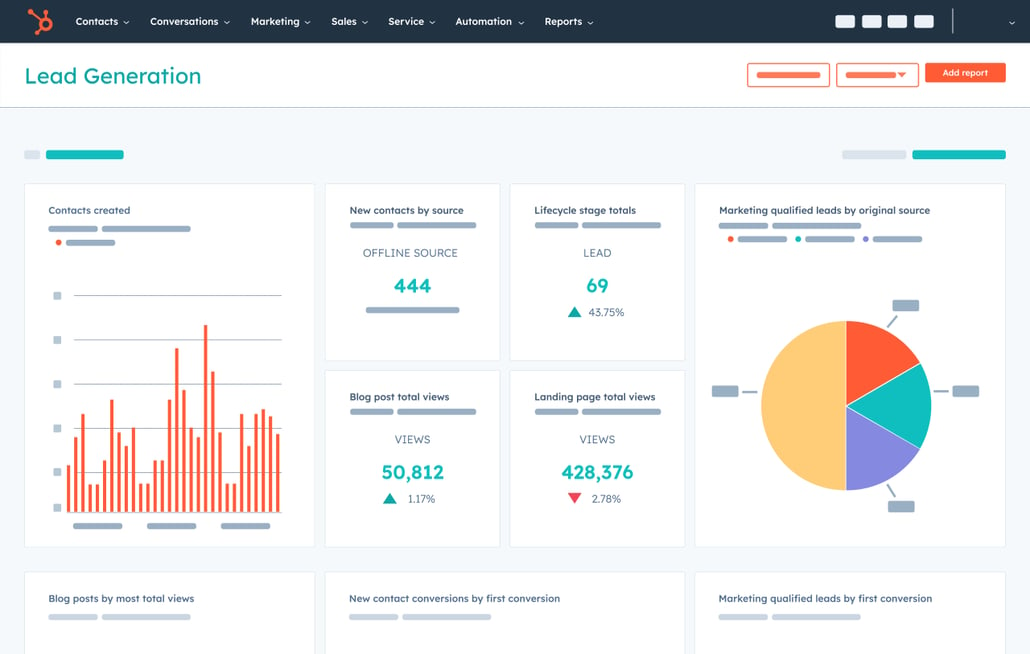
  • Build custom reporting dashboards for every team

  • Control who sees what with granular reporting permissions

All your business data, in one place.

Growing companies need quick access to important data — but spreadsheets slow you down, and waiting on an analyst for every new report isn't sustainable.

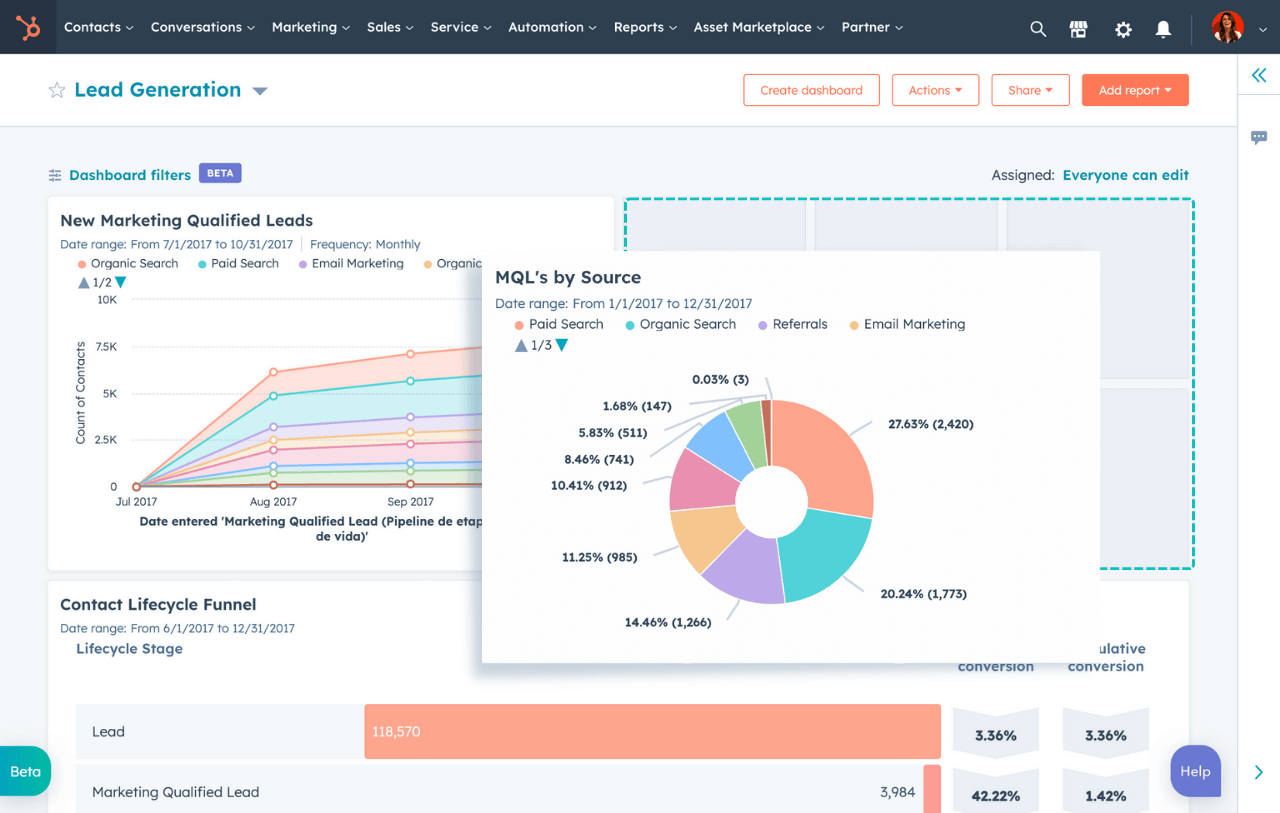
Turn HubSpot into one place for all your data. Build marketing, sales, revenue, and service analytics reports with filters and chart types to see exactly what's happening across your business, and connect data from your existing apps. And with Breeze Assistant, describe the report you need in plain language, and HubSpot will build it from your actual data.

  1. Create custom dashboards for your team.

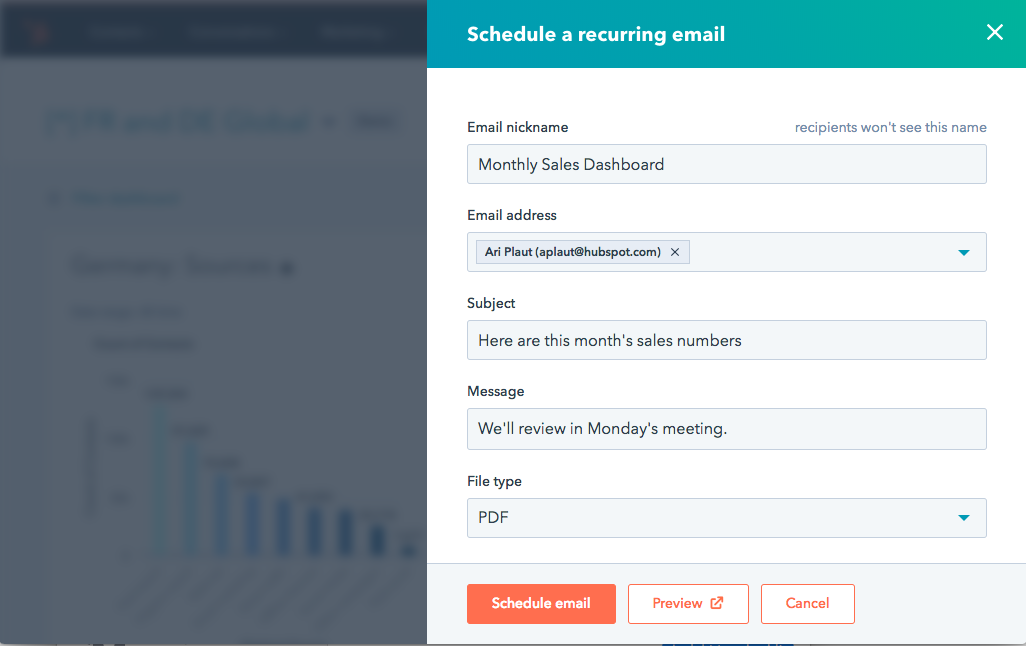
    With flexible dashboards, combine multiple reports to help every team member view the data most relevant to their role. Give leadership the high-level view they need to make decisions with revenue attribution reports and forecasts, and equip your team with focused dashboards that keep them on track. Schedule and share automatic, recurring stakeholder reports via Slack or email, all within HubSpot.
  2. Start with a template. Make it your own.

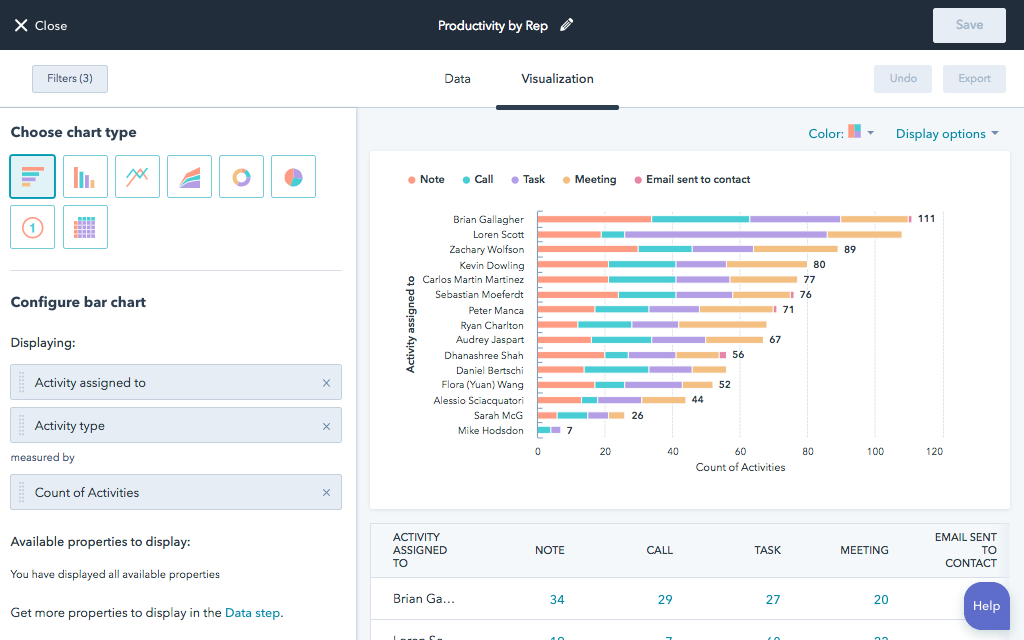
    Your reporting should match your business needs and be easy to set up. With HubSpot's dashboard template library, get started quickly with pre-built analytics dashboards for marketing, sales, revenue, and service. Use the drag-and-drop editor to further customize the layout. Edit existing reports or build entirely from scratch, with multiple chart types and views.
  3. Show the right data to the right people.

    Give everyone access to the specific data they need while protecting sensitive information with advanced reporting permissions. Set reports and dashboards to public or private, or restrict access to specific users, keeping your data organized and your team aligned.

Have questions? Give us a call and we'll walk you through it.

+1 857-829-5060

Frequently Asked Questions

Get answers to common questions about HubSpot's dashboard and reporting software.

Dashboard software lets you visualize and track key business metrics in one place by pulling data from your CRM, marketing, sales, and service tools into a single view. Instead of exporting spreadsheets or switching between platforms, your team gets a live, shared picture of performance to spot trends and act faster.

Yes. HubSpot's custom report builder lets you analyze any combination of:

  • Contacts, companies, deals, tickets, and custom objects

  • Cross-object relationships standard reports can't capture

  • Funnel, attribution, and formula field reports

No data analyst or separate BI tool required.

HubSpot reporting natively connects your CRM, marketing, sales, service, and content data with no manual syncing. In the Enterprise edition, Data Hub adds native connections to:

  • Snowflake, BigQuery, Redshift, and Databricks
  • Reverse ETL for full warehouse reporting alongside your CRM data
You can view HubSpot’s data sync integrations in our marketplace.

Yes. You can set any dashboard or report to public or private, or restrict access to specific users and teams. HubSpot also supports field-level permissions and sensitive data controls for organizations with strict data governance or compliance requirements.

Reporting and dashboards are available across HubSpot editions. The features available scale with your subscription:

  • Starter: Standard dashboards and reports
  • Professional: Custom reports and advanced analytics
  • Enterprise: Multi-touch attribution, cross-object reports, and Data Hub warehouse connections

Visit HubSpot’s pricing page to learn more.

Yes. You can schedule dashboards to send as recurring email digests, daily, weekly, or monthly, or share them directly to Slack from within HubSpot. Dashboards can also be set to view-only for stakeholders who need visibility without edit access.